Set up an interactive transform
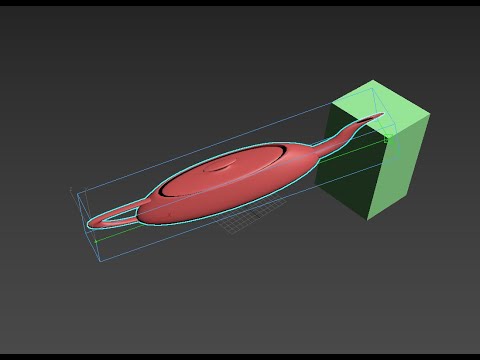
Pro Transform is a 3ds Max script by Obaida for applying an interactive transform to a selected object. Its click sequence lets you choose whether to reposition the pivot:
- Left-click to set the pivot.
- Left-click and drag to define the second and third points.
If you want to leave the pivot where it is, start with the left-click and drag.
Scale, cancel, and select safely
While dragging, hold Control to scale on one axis or Shift for a full scale. Releasing the modifier cancels the scale. To cancel the transform itself, press the right mouse button before releasing the left button.
The script works on one selected object or one group of objects. The selected object should not be a group member, because its parent changes during the operation.
Undo behavior and version 1.1
Pro Transform disables the standard undo because it does not restore the previous transform. Use the separate undo script instead. The ScriptSpot listing says version 1.1 removed the undo script's interface so it undoes only the last operation, fixed restoration of the exact previous transform, and added a midpoint snap to the bounding box as a scaling reference.
Version and compatibility
ScriptSpot lists Pro Transform version 1.1, updated November 19, 2023. That is the script version; the listing does not specify a supported 3ds Max release range. Check the developer's Pro Transform page for the current download and compatibility or license details.