ProColor is a wire color workflow tool for Autodesk 3ds Max. The developer now calls it WireColor Pro: the older ProColor 1.01 entry is marked deprecated, and the developer's WireColor Pro repository lists version 1.35, dated December 5, 2025. If you are looking for ProColor today, check that repository for the newer release and its setup instructions.
Color objects across a scene
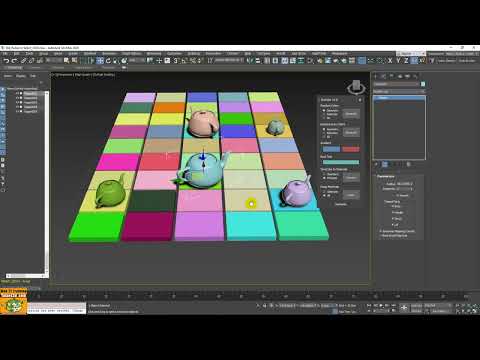
WireColor Pro assigns colors to objects for scene organization and viewport visualization. Its five presets are Pastel, Gray, Toxic, Clay and Random. You can target geometry, shapes, groups, all objects or the current selection. Instance mode keeps duplicated instances the same color. Group coloring can give each group its own color while keeping its members uniform.
Make gradients and adjust colors
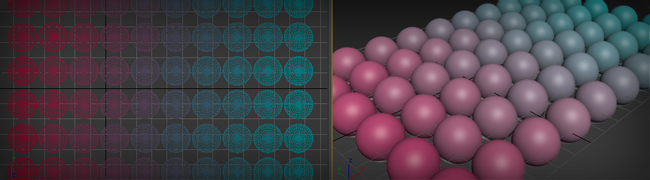
The gradient tool creates smooth wire color transitions across objects. Select objects in the order you want the gradient to follow, then adjust its two color endpoints. The interface previews changes as you work. A realtime color picker applies a chosen color with live feedback, and selection handling lets you work on selected objects or the wider scene.
Convert wire colors to materials
After blocking out a scene with wire colors, you can convert them into Standard or Physical materials. The converter processes multiple objects and uses an automatic naming convention for the resulting materials. A separate batch operation removes materials from a selection or from all geometry. Undo and redo support lets you review color changes as you work.
Choose an installation method
The MacroScript file is for regular use. Place it in the 3ds Max user macroscripts folder, then restart 3ds Max or open Customize User Interface and add WireColor Pro from the markulie category to a toolbar, menu, quad menu or keyboard shortcut. The standalone MaxScript file suits a quick test or portable setup: drag it into a viewport, or run it through Scripting > Run Script. The developer README does not specify a supported 3ds Max version range, so check the current release details against your installation before using it in a production setup.
The catalog lists ProColor 1.01 as free. The developer repository identifies WireColor Pro as MIT-licensed and provides the later release details.