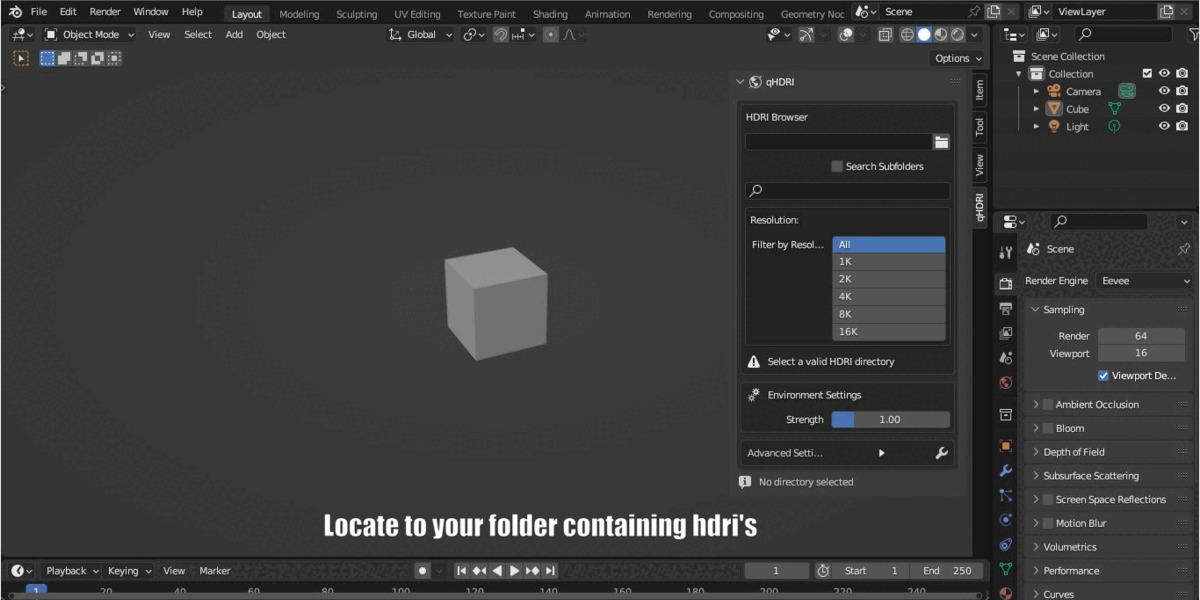
qHDRI is a Blender add-on for managing HDRI environment lighting. Its described workflow is to choose a folder of HDRIs, then scroll through previews to select one for a scene. That suits Blender artists who switch environment maps while lighting a scene. The product listing identifies Blender 3.0 through 4.5, Cycles and Eevee, and a GPL license.
How HDRI selection works
Choose the folder containing the HDRIs you want to browse, then use the previews to select an environment for lighting. Search, filtering, and other library-management controls are not described.
Install the required files
The installation instructions list two steps. First, place the blend file named e_hdri_nodes in the presets folder for your Blender version. On Windows, the documented path is C:\Users\[user]\AppData\Roaming\Blender Foundation\Blender\[version]\scripts\presets. Create the scripts or presets folder if it is missing, and use lowercase letters as the instructions specify. Then install qhdri_addon.zip. The documentation says the e_hdri_nodes file is required for the add-on to function properly.
Blender version limits
Compatibility with Blender versions outside the listed 3.0 through 4.5 range is unconfirmed, so check the product listing for current details before installing an older or newer build.