PolyPal is a Blender add-on for drawing polygons directly in the viewport, without creating a mesh object first. Its main use is making quick silhouettes. The developer describes it as a direct polygon workflow similar to Maya’s Create Polygon Tool.
Draw and adjust polygons
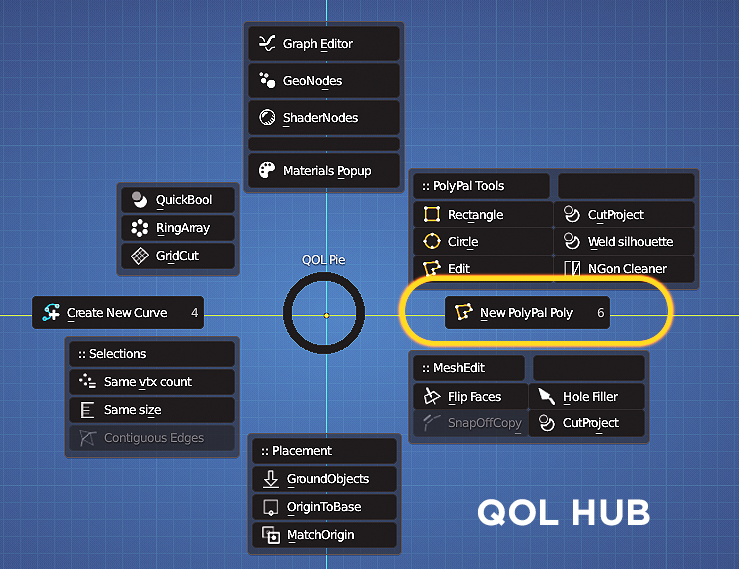
Start PolyPal by right-swiping in the QOL HUB Pie menu or choosing Add > Mesh > QOL PolyPal Draw from Blender’s standard menu. As you draw, the blue line marks the leading edge. Click another edge to make it the leading edge, or use the mouse wheel to cycle through edges.
To bevel while drawing, Ctrl-drag with the middle mouse button. Press F for a rounded fillet or C for a chamfer. Hold Shift and drag while placing a vertex to draw freehand. In orthographic views, press X to toggle dynamic grid snapping; the grid scale adjusts to the object and view.
Additional tools with QOL HUB
QOL HUB provides Poly Cutter and Weld Silhouette. For Poly Cutter, select the silhouette polygons or curves, select the target object last so it is active, then choose Cut/Project from the northeast section of the QOL HUB Pie menu.
Weld Silhouette joins two coplanar outline polygons into one outline. It works in orthographic mode and requires a perfectly flat, legal n-gon with no holes.
Compatibility and license
The Superhive product listing marks PolyPal as Blender Extension compatible and identifies a Blender 4.2 Extension format release. It lists Blender 4.2, 4.1, 4.0, 3.6, 3.5, and 3.4 as supported versions, and gives the license as GPL. Check the listing for current package and installation details for your Blender version.