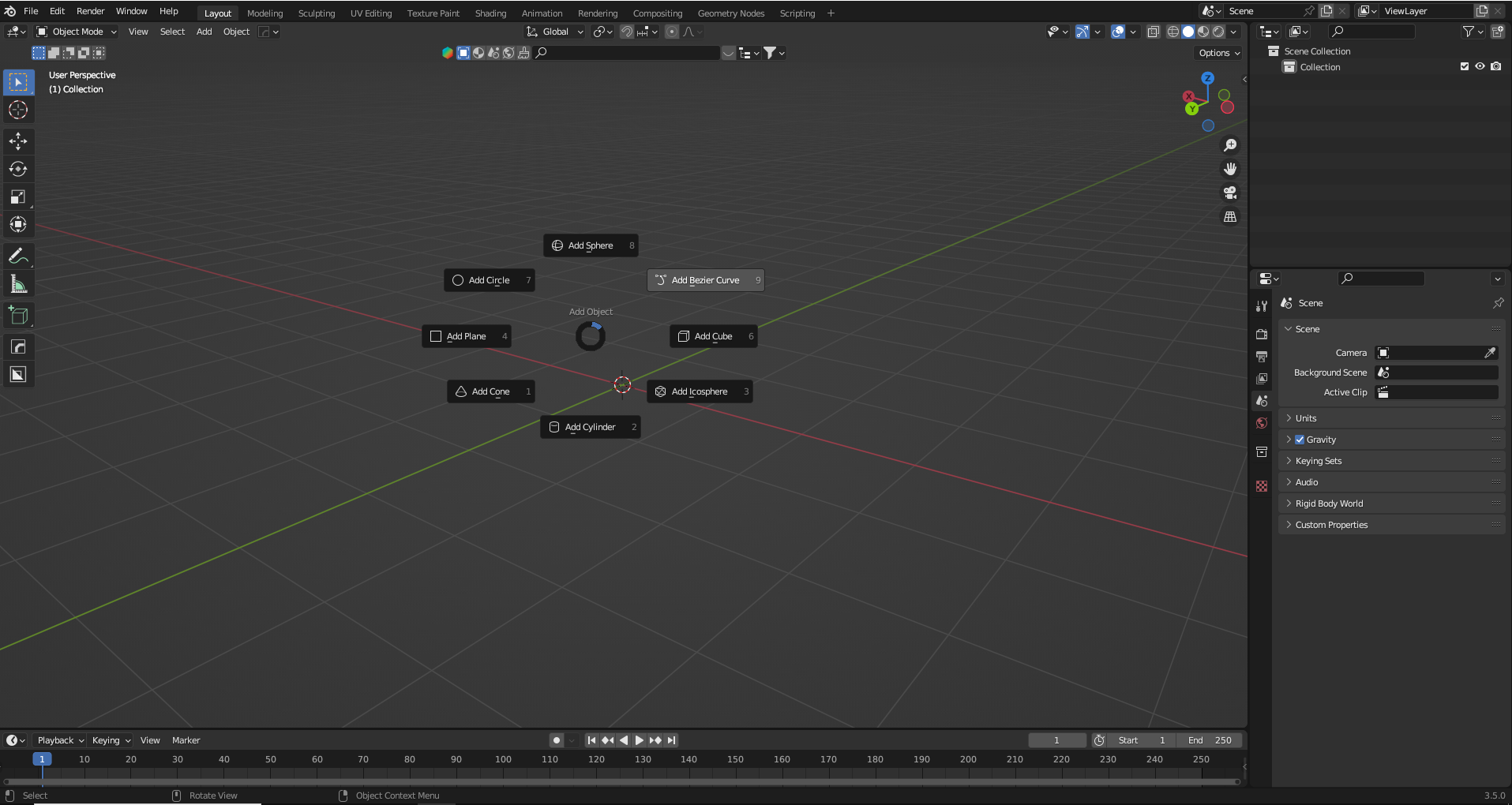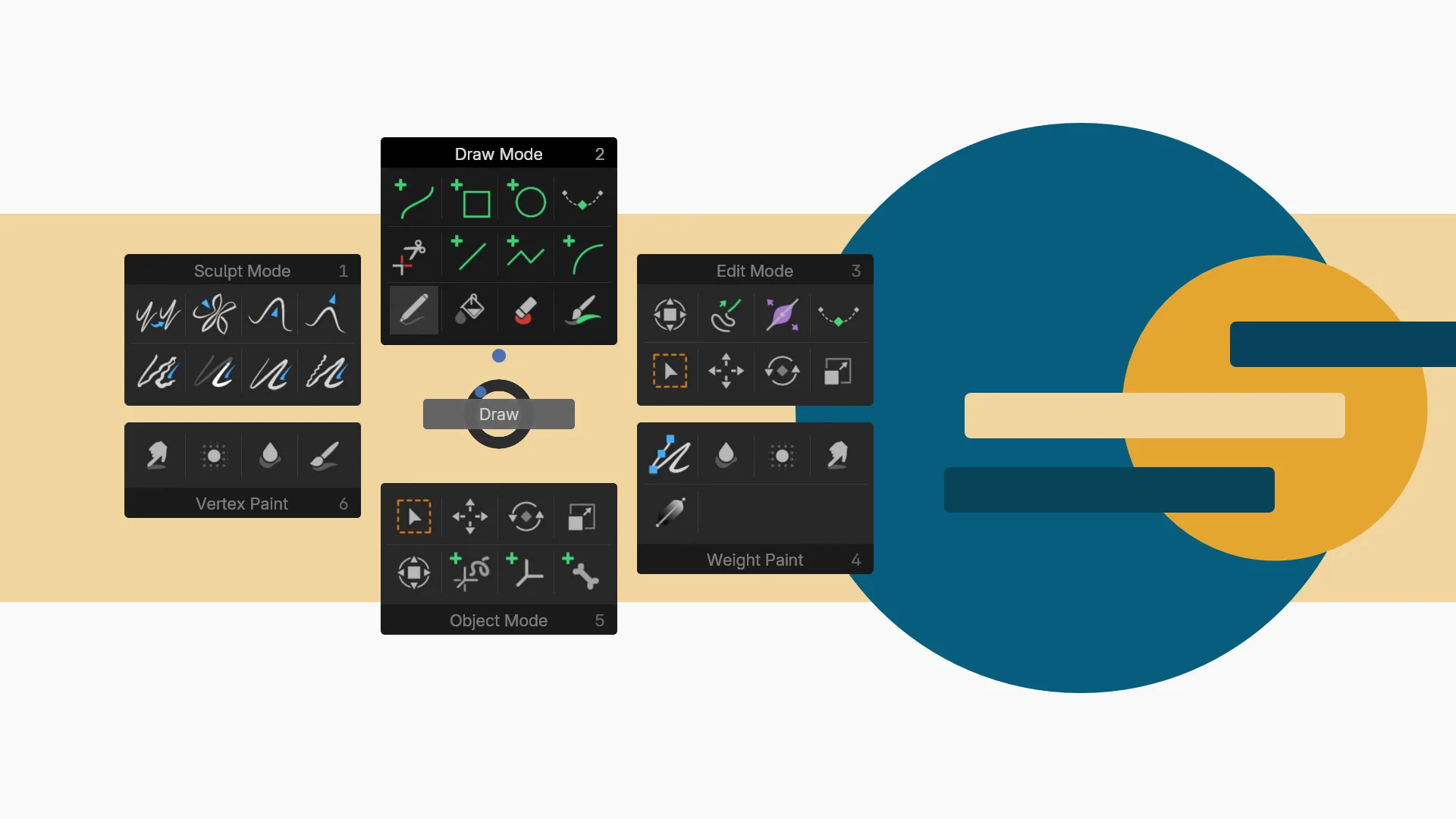
Quick Pie & Favorites is a Blender add-on by Shift4Cube that replaces the default Quick Favorites menu on Q with a customizable pie menu in the 3D Viewport. The pie menu changes with the current mode, grouping modifiers, modeling tools, material and UV commands, display controls, and panels from selected add-ons.
Tools in Object Mode and Edit Mode
In Object Mode, the menu includes Subdivision Surface and Mirror modifiers that open their settings, along with Bevel, Array, and Solidify. Display and selection controls cover wireframes, X-Ray, and face orientation. A separate submenu groups modifier application and other modifier types.
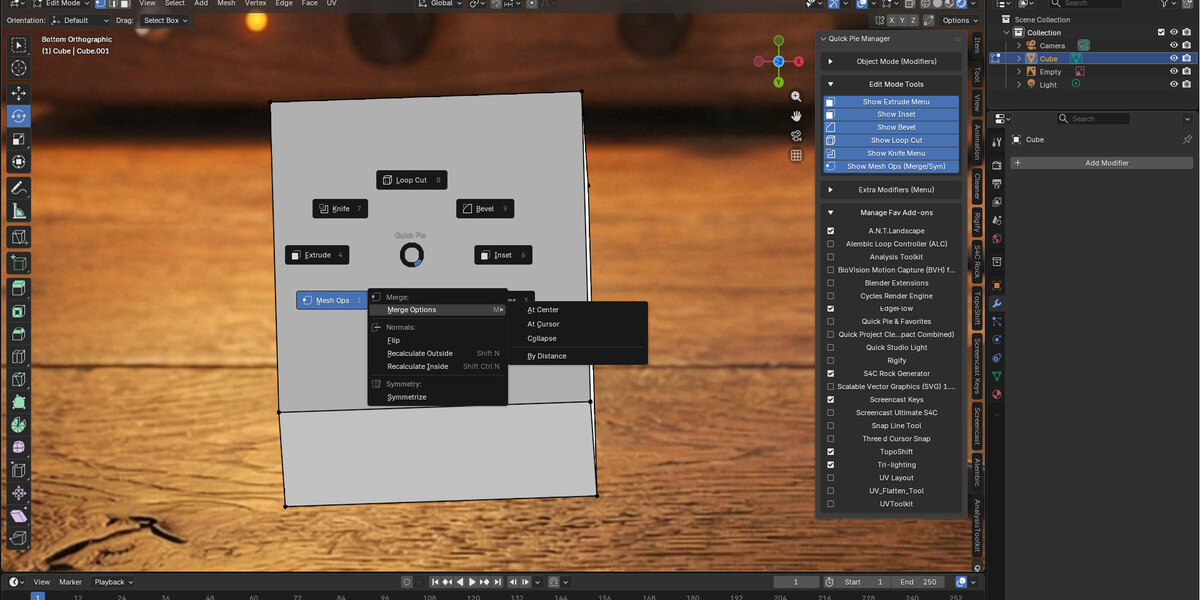
Edit Mode switches to mesh operations such as Extrude, Inset, Loop Cut, Knife or Bisect, and Bevel. The mesh submenu also includes merge, normal, and symmetrize operations. These choices put common modeling commands near the cursor while editing a mesh.
Materials, UV tools, and add-on panels
The Smart Materials submenu can apply a checker texture at scale 40, create a basic Principled BSDF material with a random pastel color, or create an orange Emission shader with strength 5. It can also list materials already in the scene so you can apply one to the selected object. Smart UV Project and Unwrap are available from the UV tools.
The Favorites Manager can open panels from other enabled add-ons, including examples such as HardOps and Node Wrangler. In Blender's N-Panel, open the Quick Pie tab and expand Manage Fav Add-ons to choose which add-on panels appear in the Q menu. You can also toggle individual menu buttons there.
Install the add-on and check the Q shortcut
Before installing, check the creator's current listing for compatibility with your Blender version. Then download the quick_pie_v1_10.py file, open Blender's Edit > Preferences > Add-ons, click Install, select the file, click Install Add-on, and enable the checkbox for “Interface: Quick Pie & Favorites.” Press Q in the 3D Viewport to open the menu.
This add-on takes over Blender's default Q shortcut. If you need the original Quick Favorites menu or Q conflicts with another add-on, change the shortcut under Edit > Preferences > Add-ons > Quick Pie > Keymap.
Check Blender version compatibility
The available Superhive documentation says Blender 4.0+, while the product details list Blender 4.5–5.0. Check the current creator listing for the version supported by your Blender installation before downloading.