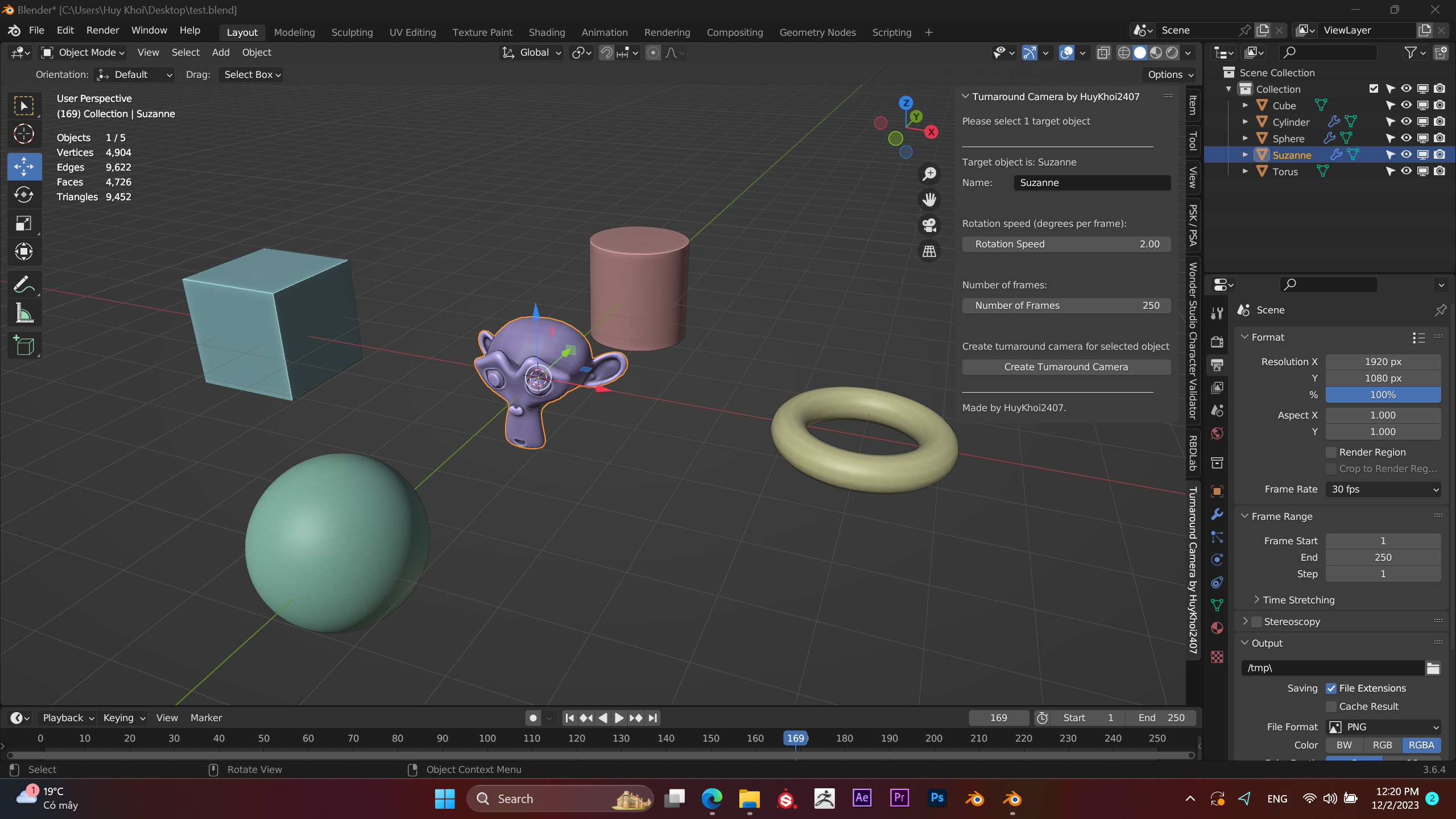
Quick Turnaround Camera Addons creates a turnaround camera in Blender with one click. It is intended for presenting a finished model, with controls for rotation speed and animation frame count, plus options to switch between objects and angles.
Install and open the add-on
Download the add-on ZIP file. The creator’s installation instructions say to open Blender’s Edit > Preferences > Add-ons, choose Install, select the ZIP file, and activate the add-on. It then appears in the viewport sidebar, which you can open with the N shortcut.
Recreate the camera after changes
Changing a parameter does not automatically update the animation. To apply new settings, leave the camera view and press Create Turnaround Camera again. Use the same step when changing the target object.
Compatibility and listing details
The Superhive listing names Blender 3.6, 4.0, 4.1, 4.2, and 4.3. It describes this as the add-on’s first version and notes that it may still have errors, so compatibility with other Blender releases is not established by the listed details. The listing marks it free and gives its license as Royalty Free; check the product page for current terms.