Ray Dynamic Color 2 is a color palette tool for Adobe After Effects by Sander van Dijk. It lets you extract colors from selected layers, apply palette swatches to a scene and connect color properties to palette values so you can edit linked colors together.
Build a palette from an existing composition
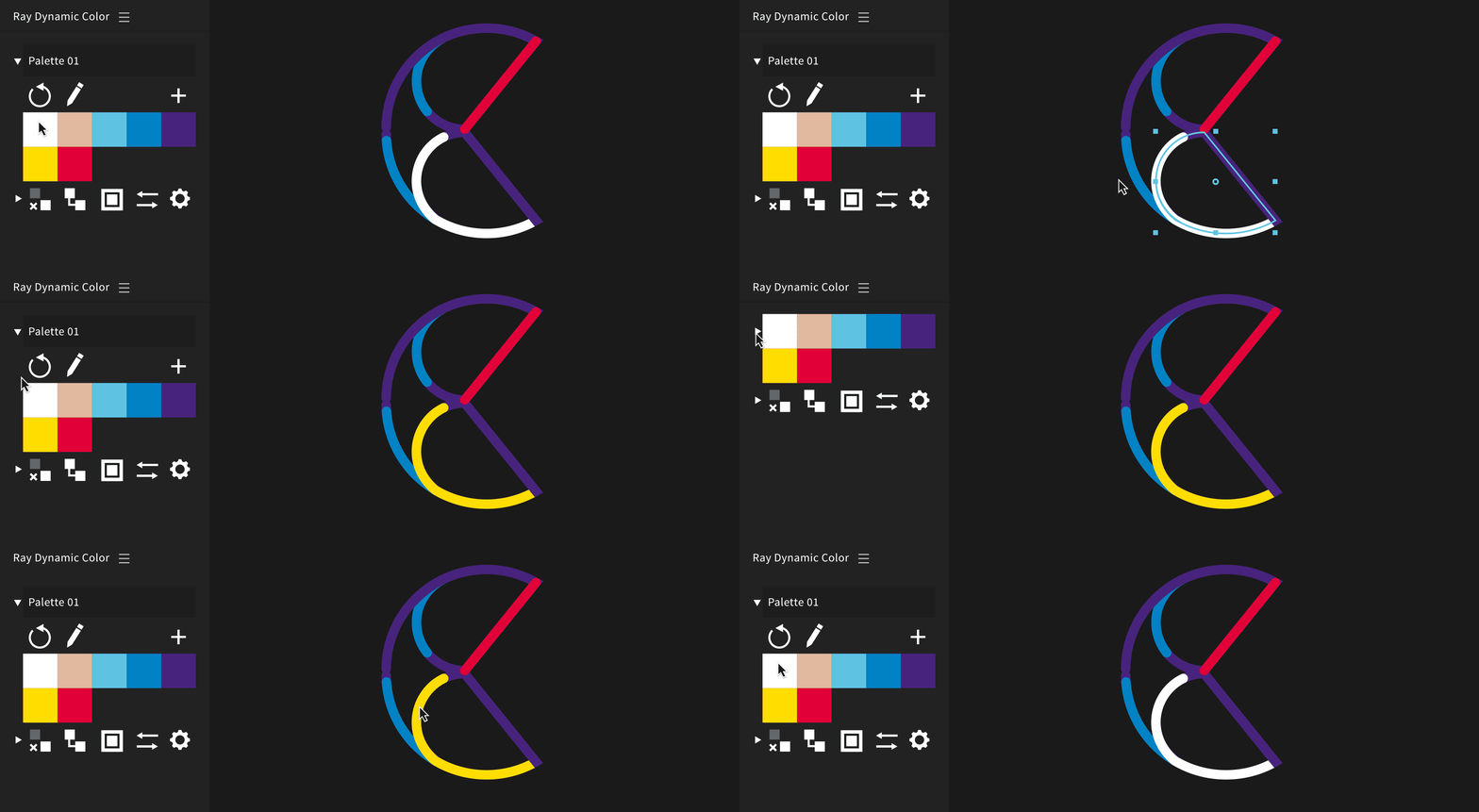
You can start with colors already in a project: select layers and use the Plus button to create a palette from their colors. Apply swatches to color properties, then update the palette when a design revision calls for a different color. That can save repeated edits when a scene uses the same colors across several elements.
Choose whether colors stay linked
Expression links are optional. With links enabled, a color property follows its palette value when you edit the palette. You can link or unlink individual colors, or turn expression links off in the settings dropdown and use Ray as a regular color palette. The developer says the links use native After Effects expressions, so they continue to work when a project is opened on a computer without Ray installed. You can also unlink colors before handing a project off.
Color controls for shape layers and revisions
Ray can color shape layer strokes and fills individually, swap two color properties, and randomize or cycle palette colors. It also includes a feature for resolving color differences when merging scenes. The version 2.5 history notes that the Swap button excludes properties with keyframes.
Compatibility and integrations
The developer listing names After Effects 2024, 2023, 2022, 2021, 2020, CC 2019, CC 2018 and CC 2017. It lists version 2.5.12, dated November 21, 2022; that release updated the license framework and fixed macOS compatibility issues. The compact, responsive interface integrates with KBar, Command Frame and Overlord. Check the developer page for current compatibility, product details and tutorials.
Who may find it useful
Ray is suited to After Effects artists who manage palettes across motion graphics scenes and expect to revise colors during production. Its documented controls work with color properties in the project, including shape layer strokes and fills, so it is a fit for palette-based color management.