How Relax Pro smooths meshes
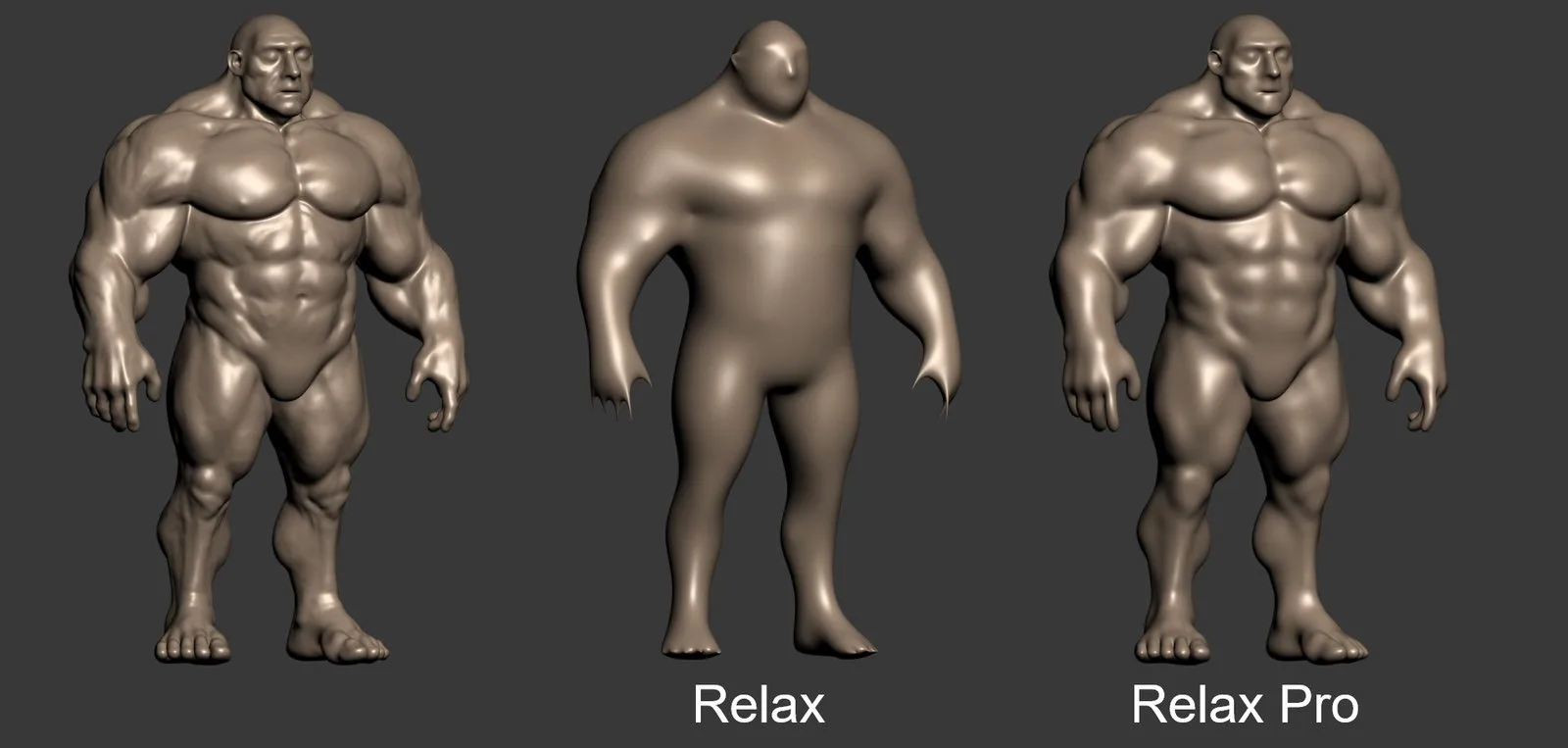
Relax Pro is a modifier for 3ds Max that smooths meshes while helping preserve their volume. The standard Relax modifier can shrink a mesh as it smooths. Relax Pro has an option to slide vertices over the surface, which the developer says prevents that volume loss. This can help when reducing mesh noise or artifacts without pulling the model's form inward.
Its smoothing is resolution independent: areas with large polygons receive the same amount of smoothing as areas with small polygons. Smart border smoothing is designed to keep mesh borders from expanding or shrinking during the operation. These controls address different concerns: volume retention, consistent smoothing across varied polygon sizes, and stable borders.
Control where smoothing is applied
Relax Pro can use any selection type, soft selection, or vertex colors to control where smoothing is applied. Smoothing groups provide further control over the process. These options let you direct the effect across parts of a model instead of applying the same treatment everywhere.
Mesh cleanup and modeling uses
The developer lists Relax Pro for general modeling and for smoothing several kinds of mesh that may need cleanup or more even edge flow:
- Removing noise or other artifacts from a mesh.
- Evening out a model's edge flow.
- Smoothing scanned meshes.
- Working with remeshed or retopologized models.
- Other modeling tasks that call for mesh relaxation.
Compatibility and license options
The developer lists compatibility with 64-bit versions of 3ds Max from 2013 through 2027. The product page currently lists two perpetual licenses for one user: Node-Locked for $48 plus tax and Floating for $72. Node-Locked can be activated on two computers but cannot be moved to another computer after activation. Floating can be moved between computers. The EULA allows use on a second computer only when the same primary user uses both copies and does not run them at the same time. Check the developer's Relax Pro page for current compatibility and purchase details, and review the EULA for the license terms.