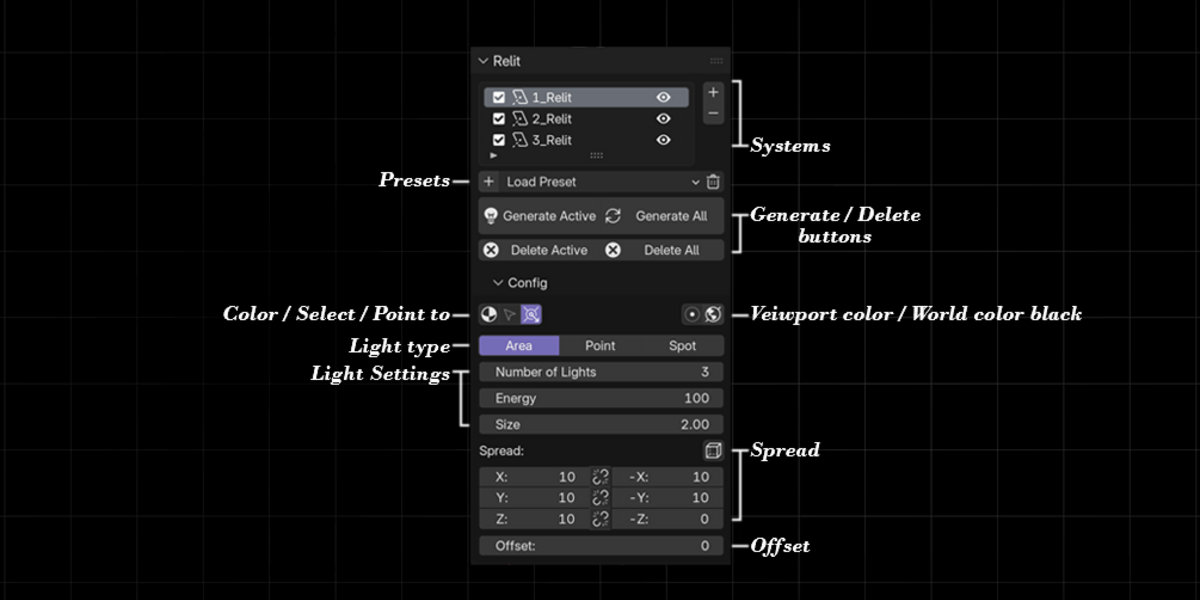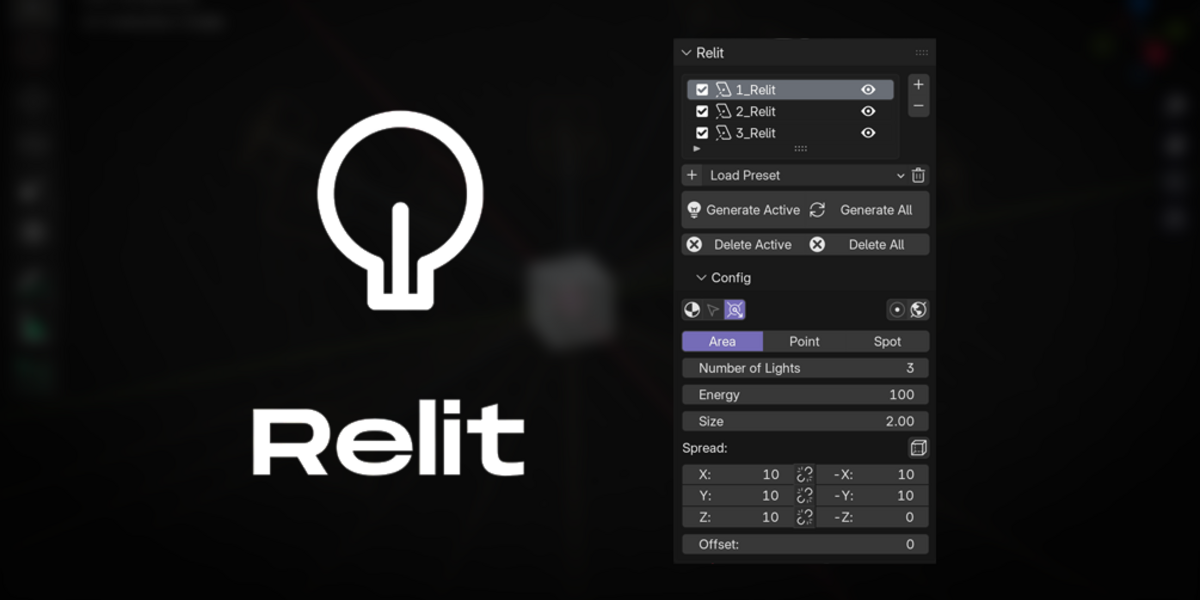
Relit 3.0 is a Blender add-on that generates lights around a selected object or an empty placed at the desired position. Configure a system's light type, count, energy, size, spread, and color, then generate the lights in the 3D Viewport. The Superhive listing names Cycles and Eevee as supported render engines.
Build separate lighting systems
Each system is a named bundle of light settings. Add more than one to a scene to keep setups such as key, fill, and rim lighting separate. Select a system to edit its settings, rename it, or disable it. Generate Active creates lights for the selected system; Generate All processes every enabled system. When you generate a system again, Relit replaces that system's previous lights with a fresh set.
Set light placement and color
Choose Area, Point, or Spot lights and adjust their number, energy, and size. Spread sets how far lights can appear from the anchor object, with separate positive and negative values for each axis. By default, the negative Z spread is zero, so lights stay above the object. Axis locks can keep positive and negative values matched, while Offset sets a minimum distance from the anchor: lights are placed only where at least one axis is at least that distance away, and its value is capped at max(spread) - 1. A viewport wireframe can show the spread area before you generate lights.
The color controls include Single, Random, Mono, and Comp strategies, with variations for the latter three. The product listing describes 12 color schemes. Enable the system's Color switch to access its color settings.
Save and manage setups
A preset saves all systems and their settings in one file. Relit stores preset JSON files in Blender's user scripts folder under presets/relit/system_presets/. Loading a preset clears the current systems and replaces them with the saved set. Delete Active removes lights for the active system; Delete All removes lights for enabled systems. Both match by system-name prefix, so any object whose name starts with that prefix is removed. Use distinctive system names.
Compatibility and license
The Relit 3.0 documentation says Blender 4.2 or newer is required; Superhive's details list Blender 4.2–5.2. Check the current product page if you use a later Blender version. The listing identifies the add-on as GPL-licensed. An earlier free version, v2.0, is available from GitHub; the product page says it lacks the current release's multi-system architecture and color schemes. See the Relit documentation for installation steps and control details.