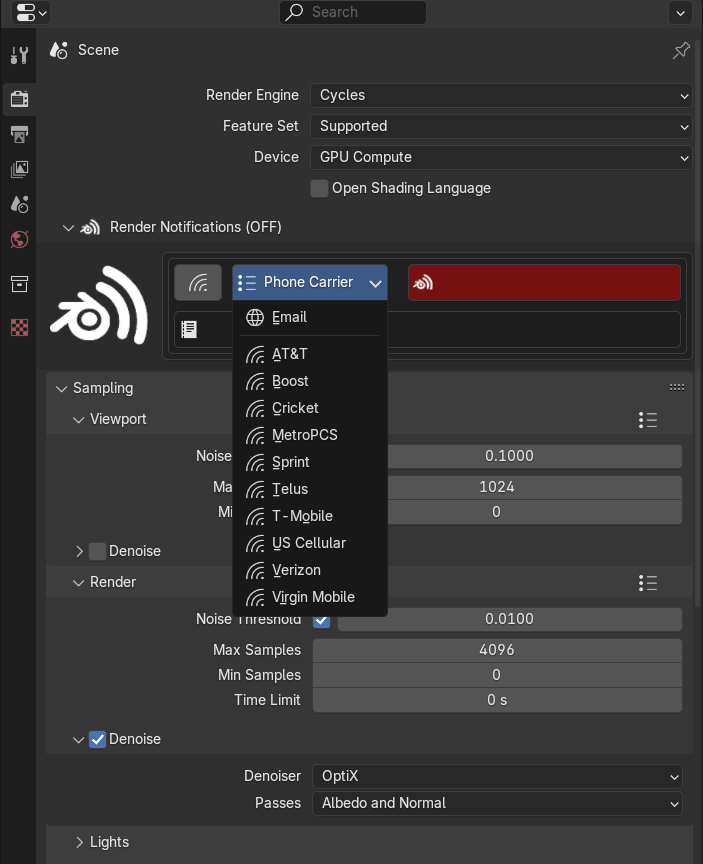
CGMatter’s Blender add-on sends an email or SMS when a render finishes. A notification can include the project name, render start and end times, completion status, and an optional custom tag or note.
Choose an email address or phone number as the destination. The included setup documentation says the add-on works with Blender 4.2 or later.
Set up render notifications
- Install the add-on ZIP in Blender.
- Configure sender Gmail credentials with a 16-character app password instead of the account password; spaces can remain in it, and it can be deleted later. A throwaway account is optional.
- Choose email or phone notifications, enable them, and enter the recipient.
- Add an optional note, then start the render.
The product listing says most carriers are supported. Its email option can also be used with your own carrier or to email your account for automation. See the Render Notifications product listing for details.