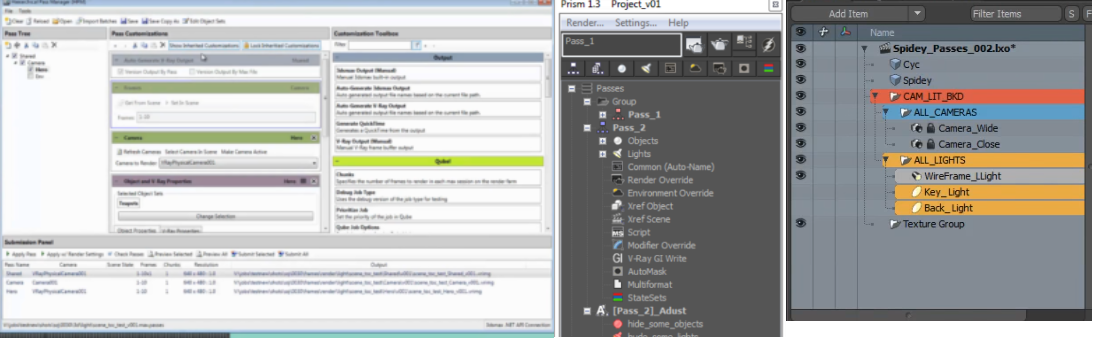
renderStacks is a render pass and task manager for 3ds Max. It stores a base scene state and named passes, each with an ordered sequence of pmodifiers, or pass modifiers. When you activate a pass, its modifiers run from top to bottom to apply the camera, resolution, frame range, output path, materials, visibility and other settings you selected. This lets artists manage variations within one scene instead of maintaining a separate scene file for every setup.
The developer's introduction describes each pass as a scene state. A shared ::base state can hold settings used across passes; individual passes then change only the parameters that differ. The stack view keeps each pass's actions in a visible sequence.
Set render and object parameters per pass
Pass modifiers cover common render tasks such as camera selection, resolution, frame range, renderer settings, render elements, output, lighting, materials and object visibility. Output tokens can build file paths from scene or pass details, and object sets help apply controls to selected groups. The developer's Buy/Download page lists Arnold, Scanline, ART, VRay, VRayGPU, Corona, Redshift and FStorm as having more complete support. Most functionality also works with other renderers, though support for ObjRenderProps, rsPrvRender and overscan is limited.
For a project with repeated shots or output variants, these controls can keep camera, frame and file settings with the pass that uses them. A pass can also hold renderer and object settings together, so artists can inspect the setup before running it.
Use passes for other scene states
renderStacks can store settings that are unrelated to a final render. The developer describes saving fluid simulation parameters in separate passes to compare variations, or making Model and Preview passes that toggle TurboSmooth modifiers.
Pipeline and render farm use
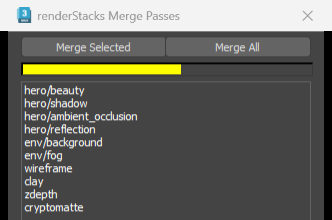
The interface supports pass setup without scripting. For pipeline work, renderStacks also exposes its functionality through MAXScript, and its documentation describes hooks for controlling access or automating pass setup. Artists can save, share and merge selected passes. Render farm modifiers include tools such as Deadline and BackBurner; the exact setup depends on the render manager and submission mode.
Check the version and 3ds Max requirement
A third-party listing, updated August 17, 2020, records version 1.0 and compatibility with 3ds Max 2015+. The developer's changelog lists release 4.56 dated October 4, 2026. The version 2.57 changelog entry, dated October 23, 2022, says 3ds Max 2017.1+; the developer's Buy/Download page lists 3ds Max 2021+. Confirm the minimum for the specific package version before installing. The 4.56 changelog reports that merging 200 passes took 3 seconds, compared with 34 seconds previously; that is the developer's example, not a performance guarantee for every scene.