Robot Designer is a Blender add-on for building humanoid robot characters with procedural geometry, materials, rigging, and export tools in one workflow. Start from a preset, adjust the robot with Geometry Nodes controls, then finish it with UVs, texture baking, and export options. The Superhive product listing gives Blender 4.5.4 as the minimum version.
Shape a robot from presets and controls
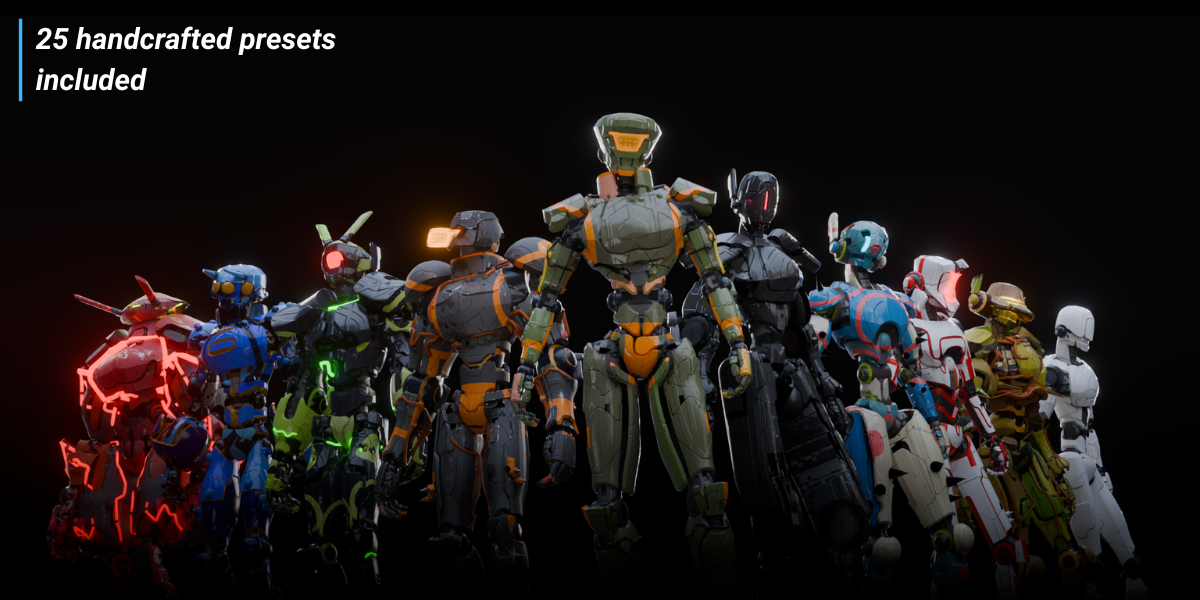
The listing includes 25 hand-crafted presets, such as Soldier, Boxer, Japan Pop, Fast Assassin, Medical, and Crab. Each preset uses the same procedural base, so you can change its proportions and details instead of treating the starting design as fixed. More than 800 parameters are grouped into six categories: General, Shape, Plates, Joints, Island, and Decoration. Changes are non-destructive, and per-limb asymmetry can be toggled independently.
Simplified Customization hides advanced parameters for a quicker workflow; the full controls remain available when you want to adjust more of the design. The product page also lists V3 additions: fembot support, with breasts added and the pelvis geometry reworked, a customizable humanlike abdomen, symmetrical random cuts, and independent arm, leg, and abdomen length controls for the Mixamo rig.
Materials and rigging
A hard-surface PBR material is applied automatically and works with Cycles and EEVEE. Material controls are split across the base mesh, plates, joints, eyes, details, cables, and screws. You can adjust color, wear, rust, edge highlights, panel cuts, and bolt holes. The Show ID option produces an ID map for use in Substance Painter.
Choose a Rigify IK/FK rig for animation in Blender or a Mixamo rig for animation workflows built around Mixamo. Both use the add-on's hard-surface skinning system, which treats robot parts as rigid metal. The listing also names compatibility with Cascadeur and the official Mixamo Blender add-on.
Finish and export
Finish Robot creates the completed character and automatically unwraps its UVs. The add-on includes atlas baking for seven map types: Base Color, Metallic, Roughness, Normal, Emission, Translucency, and Alpha. You can set the bake resolution and sample count, generate LODs, and export as FBX, OBJ, or GLB. Presets are listed for Unity, Unreal Engine 5, Sketchfab, and Blender.
You can return to the procedural version with Go Back to Editing. The product listing says changes made there do not affect robots you have already finalized.
Check compatibility and license terms
The Superhive listing gives Blender 4.5.4 as the minimum and says support for Blender 5.2 was added; its version field shows Blender 4.5 through 5.2. Check the listing for the requirements that apply to your installation. The available source pages also disagree on price: this catalog labels Robot Designer free, while Superhive lists personal licenses from $29 and commercial licenses from $69. Confirm the price and usage terms on the marketplace before relying on the catalog's free label; Superhive identifies the add-on's license as GPL and separately lists Personal as non-commercial, Commercial Individual for one person, Small Studio for teams of up to 10, and Large Studio for teams of 10 or more. The listing does not explain how the GPL designation relates to those paid tiers; confirm current terms and price before relying on the catalog's free label.