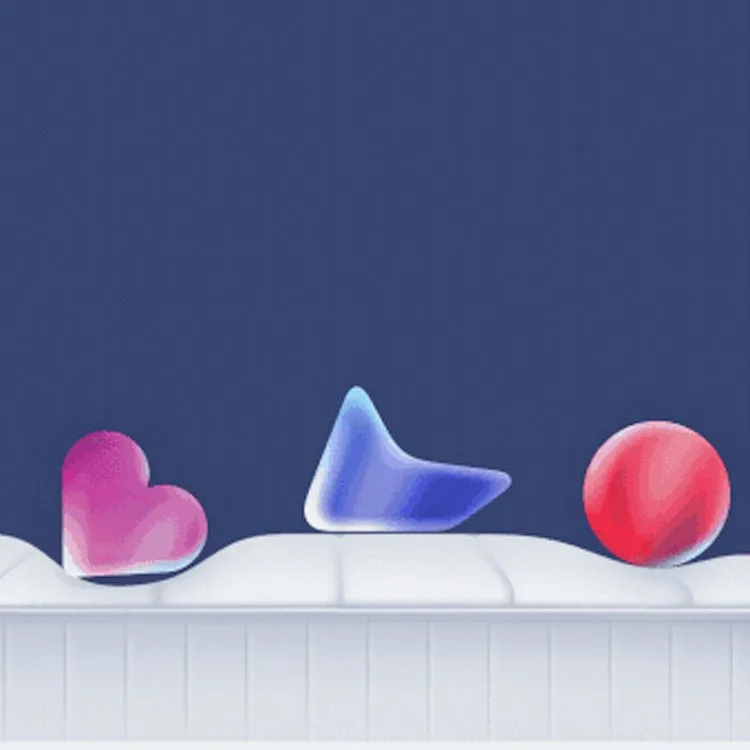
Rubberize It adds squash, stretch and wobble to After Effects layers by reacting to their motion. Place Puppet Pins on a supported layer, choose a material and apply the effect. The plugin calculates deformation from changes in the layer’s position, rotation or scale, so you can create a rubber, vinyl or goop-like response without keyframing each pin. It can also react to motion inherited from a parent layer.
How the motion response works
The effect is driven by acceleration. A layer moving at a steady speed may produce little reaction between changes in motion, while starting, stopping or changing direction gives the pins a stronger impulse. For smoother acceleration and deceleration, the product’s tips recommend eased keyframes; linear keyframes concentrate those changes at their endpoints.
Rubberize It works with text, stills, video, shapes, vectors and other layers that support After Effects Puppet Pins. This makes it useful for adding a bounce to a title, giving a graphic a soft wobble, or adding a small impact reaction to a moving layer.
Materials and controls
The interface includes eight material presets and sliders for custom materials. You can combine materials on selected pins, add a randomized element with Chaos, and choose between two reaction formulas. Formula A uses anchor points; Formula B does not. The developer’s Rubberize It FAQ and tips page explains formula choices and how anchor points affect pin motion.
Other controls include Smart Rubberize, a Clean button that deletes expressions from selected pins, and a Bake function intended to speed up preview and rendering. When applying the effect, select the layer or Puppet Pin effect if you want all pins included. After Effects may leave only the last pin you placed selected, which can limit the operation to that pin.
Workflow considerations
Rubberize It is suited to motion graphics where deformation should follow a layer’s existing movement. It can also create a manually timed wobble: the product FAQ describes splitting a layer at the desired point, adjusting the motion on the upper segment, and applying the effect there. For baked or complex motion, including motion made with Newton, one approach splits the layer at the impact and uses an invisible duplicate of the upper segment as its parent, leaving the original motion below and a rubberized wobble above.
The developer advises that other expressions cannot be applied to Puppet Pins being used by Rubberize It. Extreme easing on transformations and complex character rigs may also produce unexpected results. Test the setup on a short section of the composition before relying on it in a larger rig.
Compatibility and product details
The aescripts listing gives version 1.10 and After Effects compatibility from 2026 back through CC 2014, including the intervening releases. A free trial is available; the FAQ limits it to six pins and three days. Check the Rubberize It product listing for current pricing, compatibility and download details.