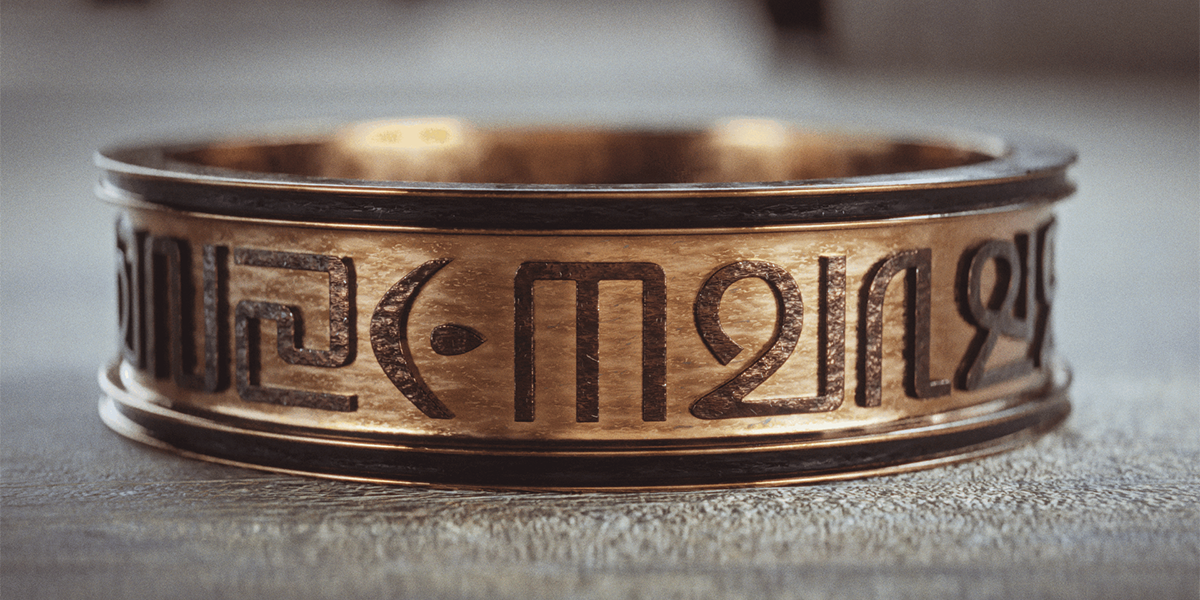
RUNIC is a Blender add-on from Blue Nile 3d for creating editable runes, lettering, symbols and decorative marks. Its Geometry Nodes result can follow a curve or mesh, while the starting path or object remains available for editing.
Place symbols on paths, faces and surfaces
Start with an existing curve, a line, circle or arch preset, a single point, selected mesh edges or faces, or a path drawn on a mesh surface. Choose a font and text source, then adjust placement and appearance. The RUNIC user guide describes these workflows and their controls.
Use included or custom rune designs
RUNIC includes a font library. You can also import an OTF or TTF font, or bring in hand-drawn symbols as an image. After reviewing the imported marks, save them in a reusable personal library.
Control the geometry
- Flat creates a filled result.
- Raised adds depth to the rune geometry.
- Outline creates an outline without a filled body.
You can assign materials to faces, sides and outlines, generate UVs, or create a separate finished mesh while keeping the RUNIC object editable. Raised depth does not cut into the source mesh. For recessed marks, use Blender's Boolean tools with the raised rune geometry.
Installation and compatibility
Superhive lists RUNIC as a Blender Extension-compatible add-on under the GPL license. The available product records differ on Blender version, so check the current Superhive listing before installing. The official documentation includes installation instructions and workflow details.