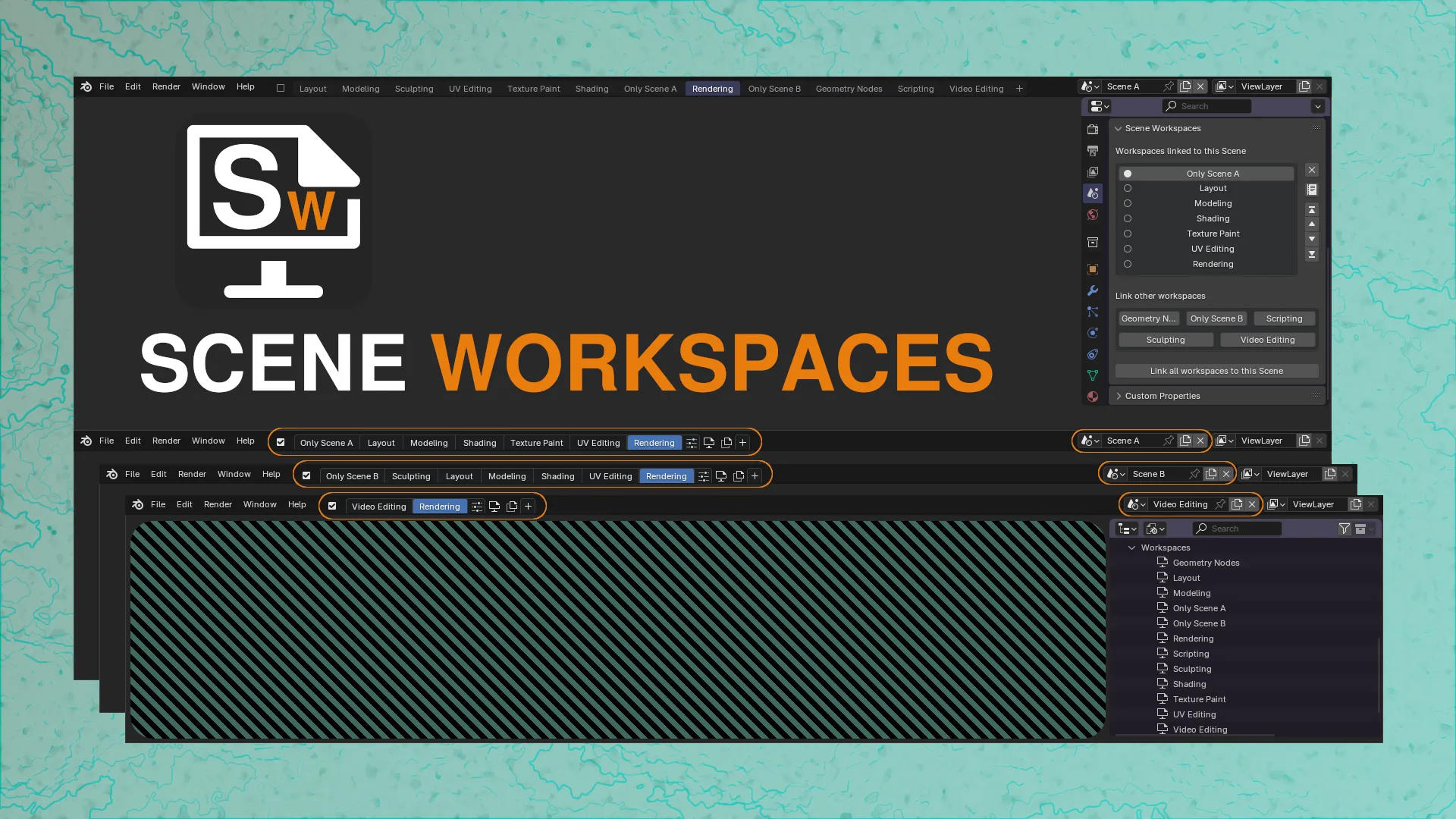
Scene Workspaces is a Blender add-on for projects where different scenes call for different workspace lists. It adds a topbar that filters and orders workspaces for the current scene, so a modeling scene and a video-editing scene can show different choices.
How scene-based workspaces work
Blender workspaces are shared across scenes. Scene Workspaces uses custom properties on each scene to track which workspaces are linked there and the order in which they appear. It organizes the shared workspaces by scene; it does not create separate workspace copies for each one.
When a scene has no linked workspaces and automatic initialization is enabled, the add-on adds all available workspaces. If the available workspaces match one of Blender’s five default templates, it orders them according to that template. Otherwise, it uses alphabetical order.
Manage links and ordering
Use the workspace menu to link a workspace to the current scene, or copy the linked workspace list from another scene. The Scene Workspaces panel is available at Properties > Scene > Scene Workspaces. There you can select, reorder, rename, link, or unlink workspaces.
Renaming a workspace affects all scenes. Reordering it to the front, moving it left or right, or sending it to the back affects only the current scene. The add-on also provides previous and next workspace actions that follow the scene’s order, with shortcuts Shift + Ctrl + Page Up and Shift + Ctrl + Page Down. Blender’s standard Reorder to Front and Reorder to Back commands affect the global workspace list, while its standard Previous Workspace and Next Workspace commands follow global order. Use the Scene Workspaces actions to follow the current scene’s order.
Choose how the topbar appears
Preferences control whether the topbar appears only when a project has multiple scenes, whether an empty scene initializes automatically, and whether a checkbox lets you switch between the add-on’s topbar and Blender’s default topbar. Automatic initialization, the checkbox, and the Scene Workspaces topbar are enabled by default; the multiple-scenes-only option is off by default. Compact Mode is also on by default and can be changed from preferences or the workspace menu.
Compatibility and setup
The Blender Extensions listing identifies version 1.1.1 as compatible with Blender 4.2 and newer. It lists the add-on under the GNU General Public License version 3.0 or later. See the Scene Workspaces listing for the download and installation choices, and the project’s README for further details. Blender’s Install from Disk instructions describe that installation route.