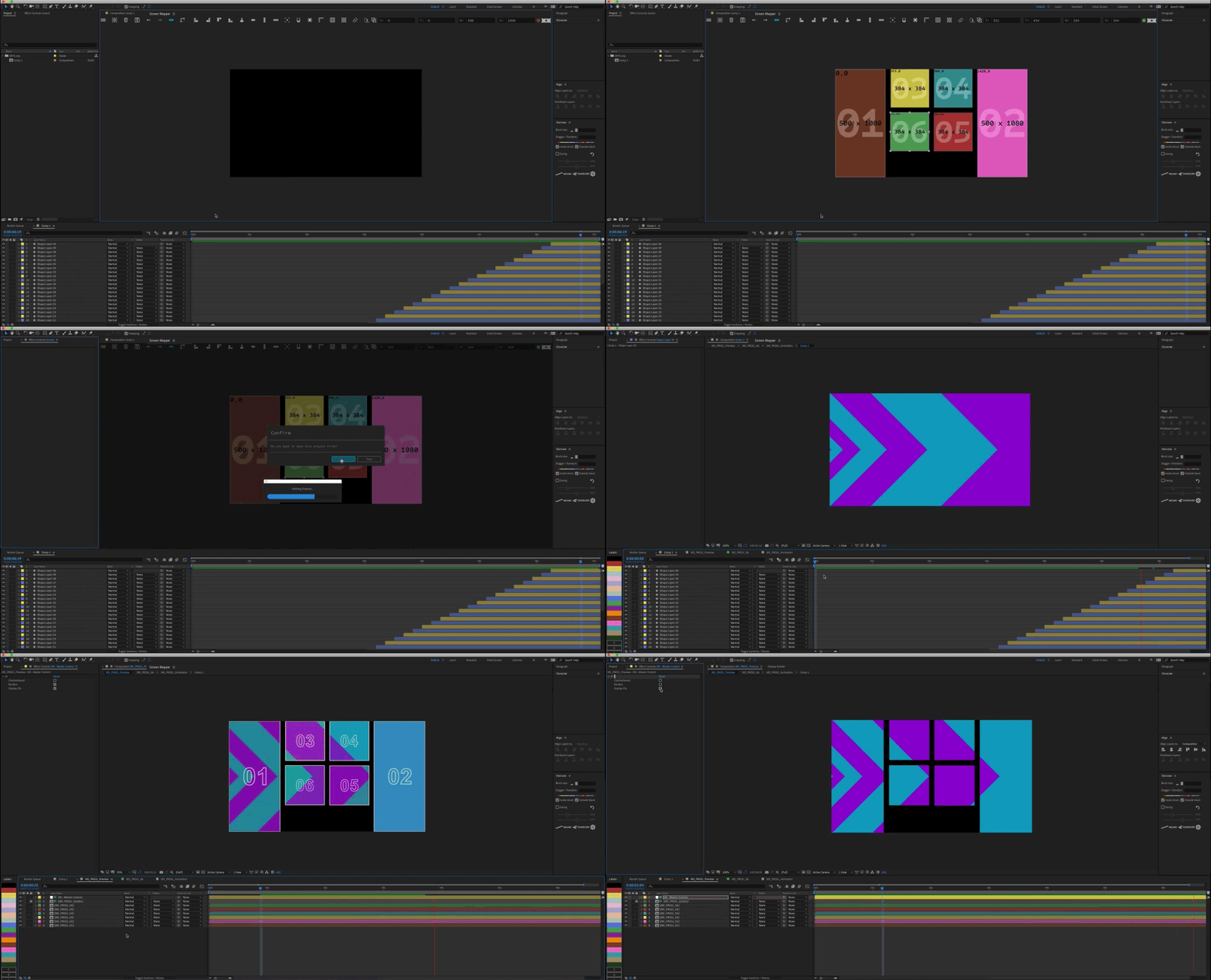
Screen Mapper is an After Effects tool by James Ronan for laying out multi-screen display templates and bento grids. Build an arrangement on its canvas, then export it to After Effects as compositions for animation and output. It suits motion designers planning screen positions, dimensions, and spacing for video mapping or other multi-display work. Screen Mapper was previously called Display Builder.
Arrange displays on a canvas
The canvas provides panning and zooming, rulers, grids, guides, gutters, and snapping. Use rulers and grids to check measurements, guides to see alignment with nearby displays, and gutters to account for bezels or gaps. The toolbar also includes display rotation, a multi-display adjuster, label colors, and undo and redo.
For regular layouts, use the grid builder or create a bento grid, then adjust individual displays. A checkerboard layer preset helps preview the arrangement. Keyboard shortcuts cover moving and duplicating displays, along with other actions. The toolbar can hide reference images, scale display sizes proportionally to them, reset the canvas view, and toggle guides, rulers, grids, or snapping.
Export the layout to After Effects
When the canvas is ready, export it to After Effects. Screen Mapper creates a master composition and precompositions, then names, labels, and positions them according to the canvas layout. It can add a preset pixel-mapping shape layer for each display, providing a starting point for previewing and adjusting separate display grids before an event.
You can save a canvas as a reusable template and export a canvas file to share. Another Screen Mapper user can import that file. A saved layout can be revisited and updated later, while the exported file lets a teammate work from the same template.
Images, measurements, and shortcuts
Import a reference image and use the scaling tool to set a display to a 1:1 ratio. The product page permits images up to 10,000 px and notes that smaller images perform better. Canvas and image sizes are capped at 30,000 px, the composition limit stated for After Effects. Measurements are in pixels, so plan the display grid in the same units as the project compositions.
Screen Mapper lists support for US and UK keyboards. On Mac, Command+S does not work reliably in extensions, so use Control+S to save the canvas.
Version details
The product page lists version 1.0.1, dated July 19, 2023. Its release notes cover fixes for extra-wide compositions changing dimensions after a canvas refresh, the A key selecting all screens, and startup behavior when After Effects was already running. Check the publisher page for current compatibility, trial terms, and price.