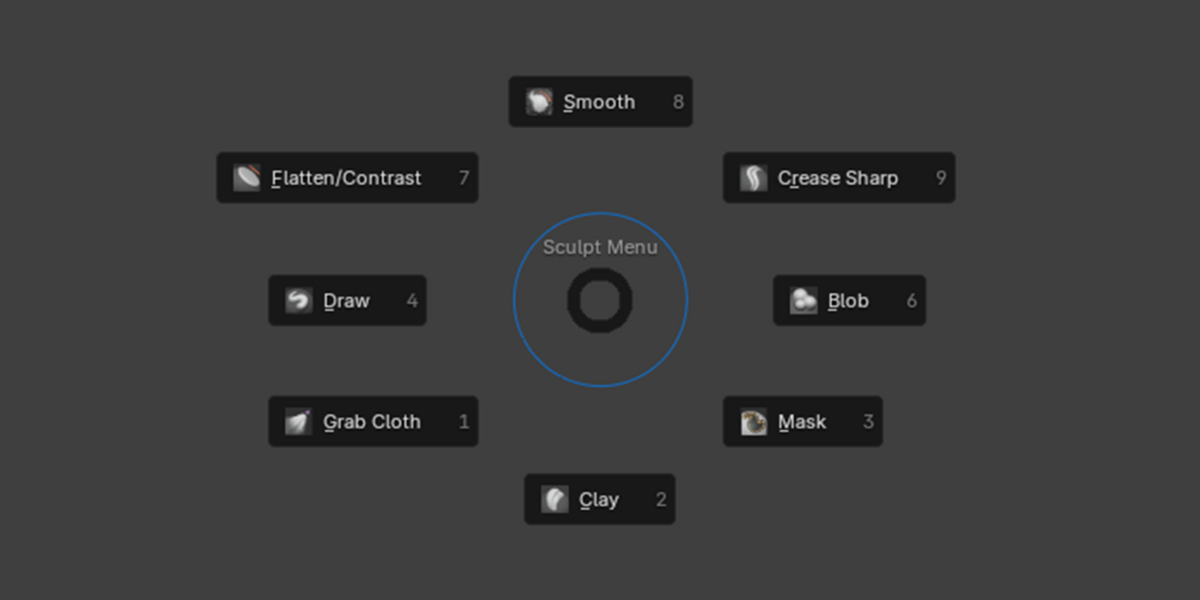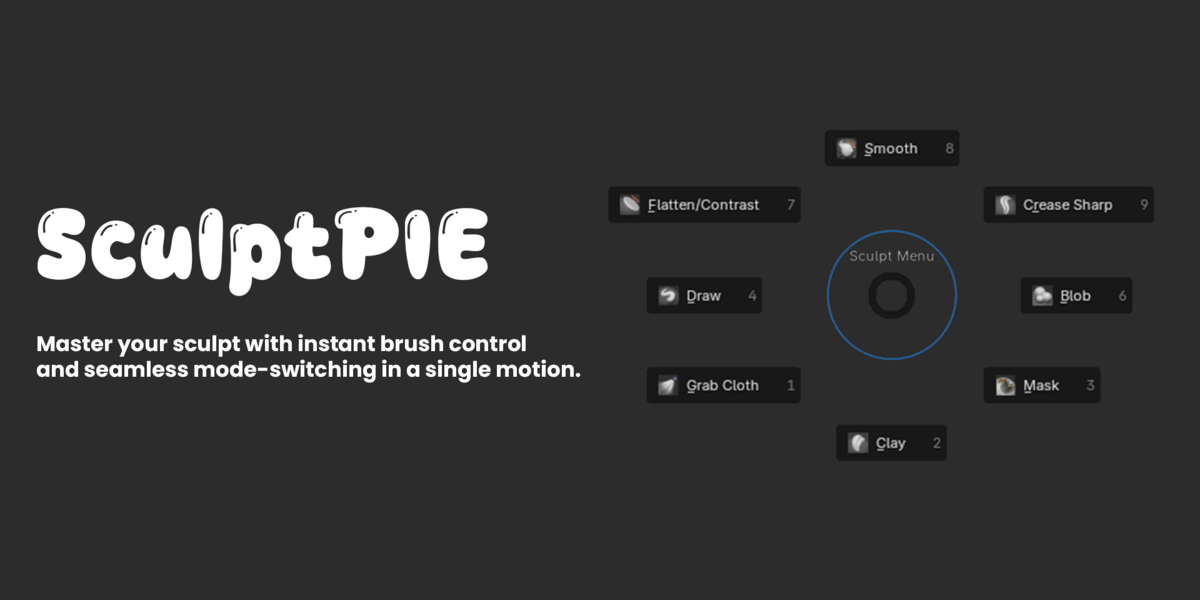
SculptPie is a Blender add-on that puts sculpting tools in an eight-slot radial menu. From the menu, you can select brushes, adjust brush radius, strength and direction, and switch between Sculpt and Object modes. Its preferences panel lets you map shortcuts, and an integrated selector lets you change the brush assigned to each slot.
Using SculptPie
Open the menu from Blender’s Sculpting tab with the backslash key or your assigned shortcut. Move the pointer toward a brush and release the shortcut to select it. The SculptPie documentation lists these additional controls:
- Shift + mouse wheel adjusts brush size.
- Alt + mouse wheel adjusts brush strength.
- 1 toggles between Add and Subtract mode.
- X switches between Sculpt and Object modes.
To replace a brush in a slot, open the menu and point toward that slot. Press Alt, then release the menu shortcut while keeping Alt pressed and the pointer in that direction. Choose a brush from the selection menu. If it is not shown, the documentation says you can search for its name.
Compatibility and license
The Superhive listing marks SculptPie as compatible with Blender’s extension system and lists it under the GPL license. It gives Blender 5.0 as the tested version and says the add-on has not been tested on other versions. Compatibility with other Blender releases is therefore unconfirmed in the supplied listing.
Who may find it useful
SculptPie may suit Blender artists who sculpt and want common brush controls close at hand. Its radial layout keeps those controls in one menu, while rebindable shortcuts and swappable brush slots let users adjust the setup to their preferences.