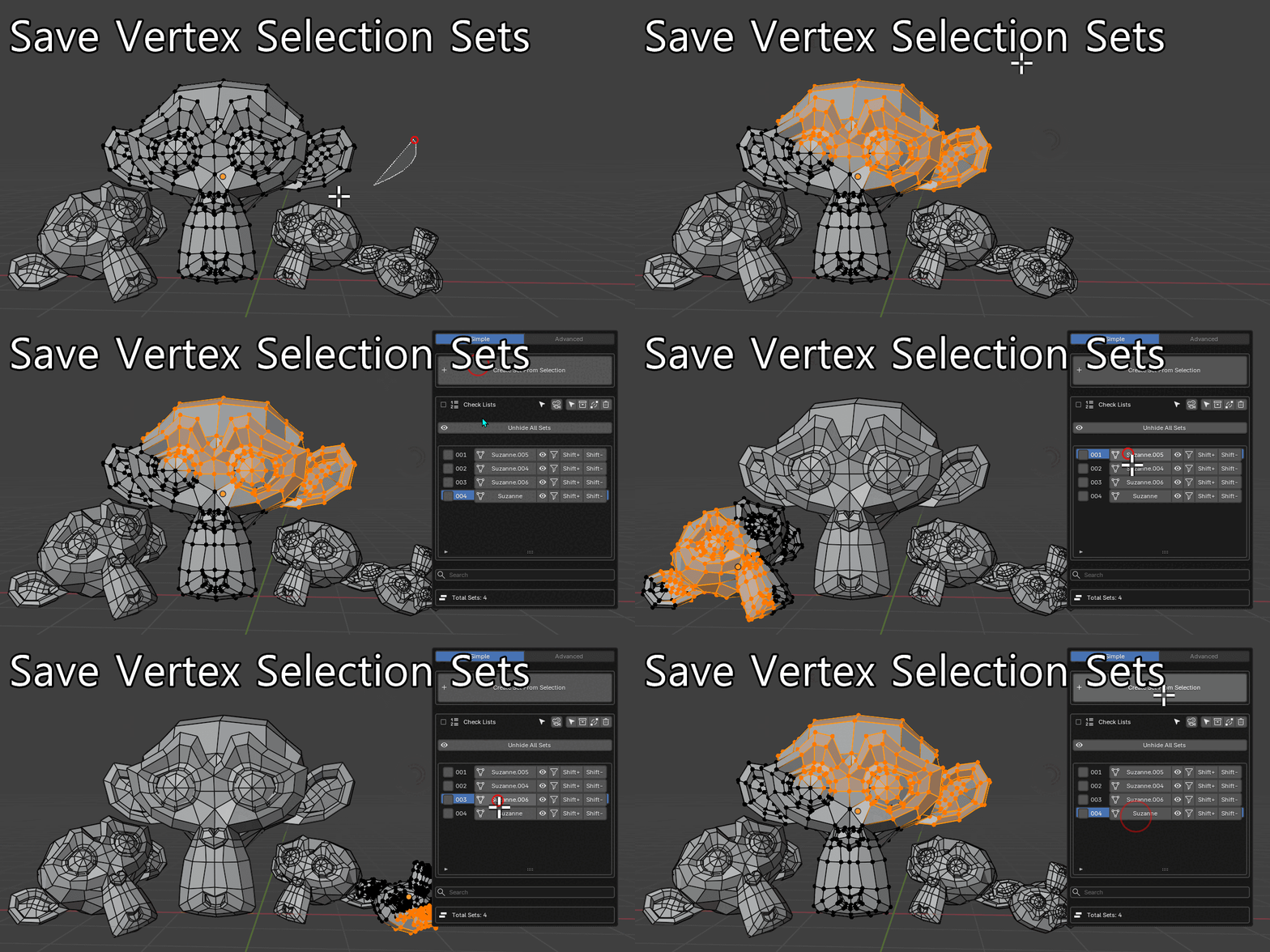
Selection Keeper is a Blender add-on for saving object, bone, and mesh selections as reusable sets. Recall a set later with its matching mode, or use it to control visibility, create sculpt masks, and switch to a saved camera. The workflow covers modeling, rigging, and animation.
Recall selections in the mode you need
The documentation lists support for Object Mode, Pose Mode, Edit Armature, Edit Mesh, Edit Curve, Edit Surface, Weight Paint, and Vertex Paint. The Shift+Q popup opens beneath the cursor and can restore both a selection and its mode. Saved vertex sets can also become sculpt masks. Use Replace, Add, or Subtract to apply a set or combine several checked sets.
Organize sets and use them in the viewport
Search by name, filter by type, and group sets to keep a growing selection library manageable. Batch actions can select, merge, move, categorize, or delete checked sets. Visibility controls let you hide, show, or isolate saved parts.
A set can also become a floating viewport button. Memos work as viewport notes, and a set can hold a script for manual use. The documentation says scripts do not run automatically: the first run requires approval.
Mirror selections and sculpt masks
Selection Keeper can find the opposite side of a selection by position, which is useful on meshes without symmetrical topology. For bones, it checks .L and .R names first, then falls back to spatial matching. Version 4.1.0 adds sculpt-mask mirroring across the X, Y, or Z axis, with an Extend option that preserves partial values. The product listing says mask mirroring does not support Dyntopo or Multires.
Share sets and account for mesh changes
Sets are stored in the Blender file. Export them as JSON to transfer or back them up, then import them into another project. Imported selections depend on matching object and bone names; object names must match the exported JSON exactly, including case. Mesh sets store element indices, so recreate affected sets after major topology changes.
Compatibility and installation
The Superhive product listing identifies Selection Keeper v4.1.0, dated November 8, 2026, and lists Blender 4.5 through 5.2 support. The linked documentation says Blender 4.5 LTS or newer, but its footer still identifies version 4.0.0. Check the product listing for release-specific compatibility before installing.
The v4.0.0 documentation's install steps are Edit > Preferences > Add-ons > Install from Disk. Select Selection_keeper_v4.py, enable the add-on, then open the Selection Keeper tab in the 3D Viewport sidebar with N. The listing specifies GPL-3.0-or-later.