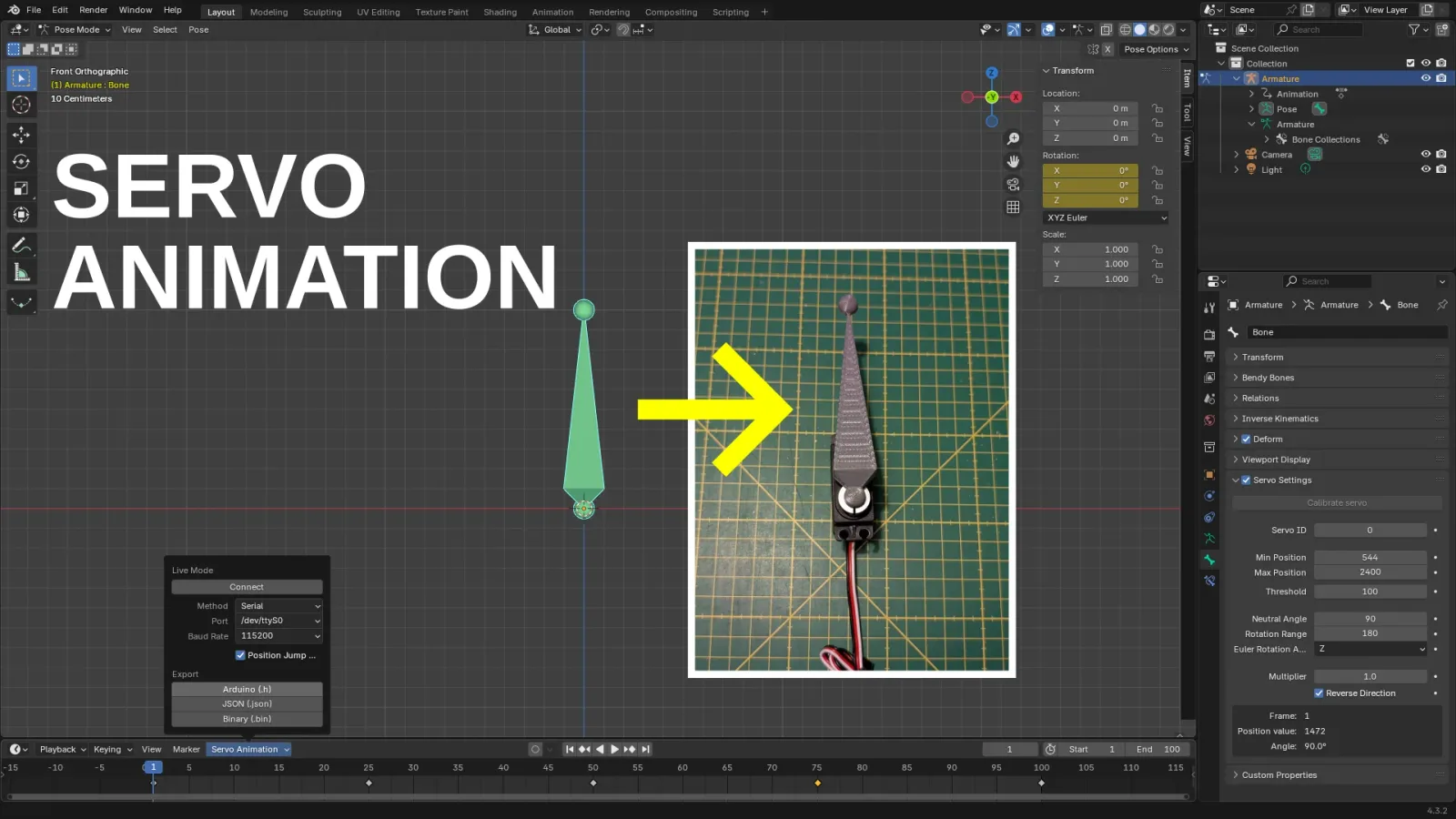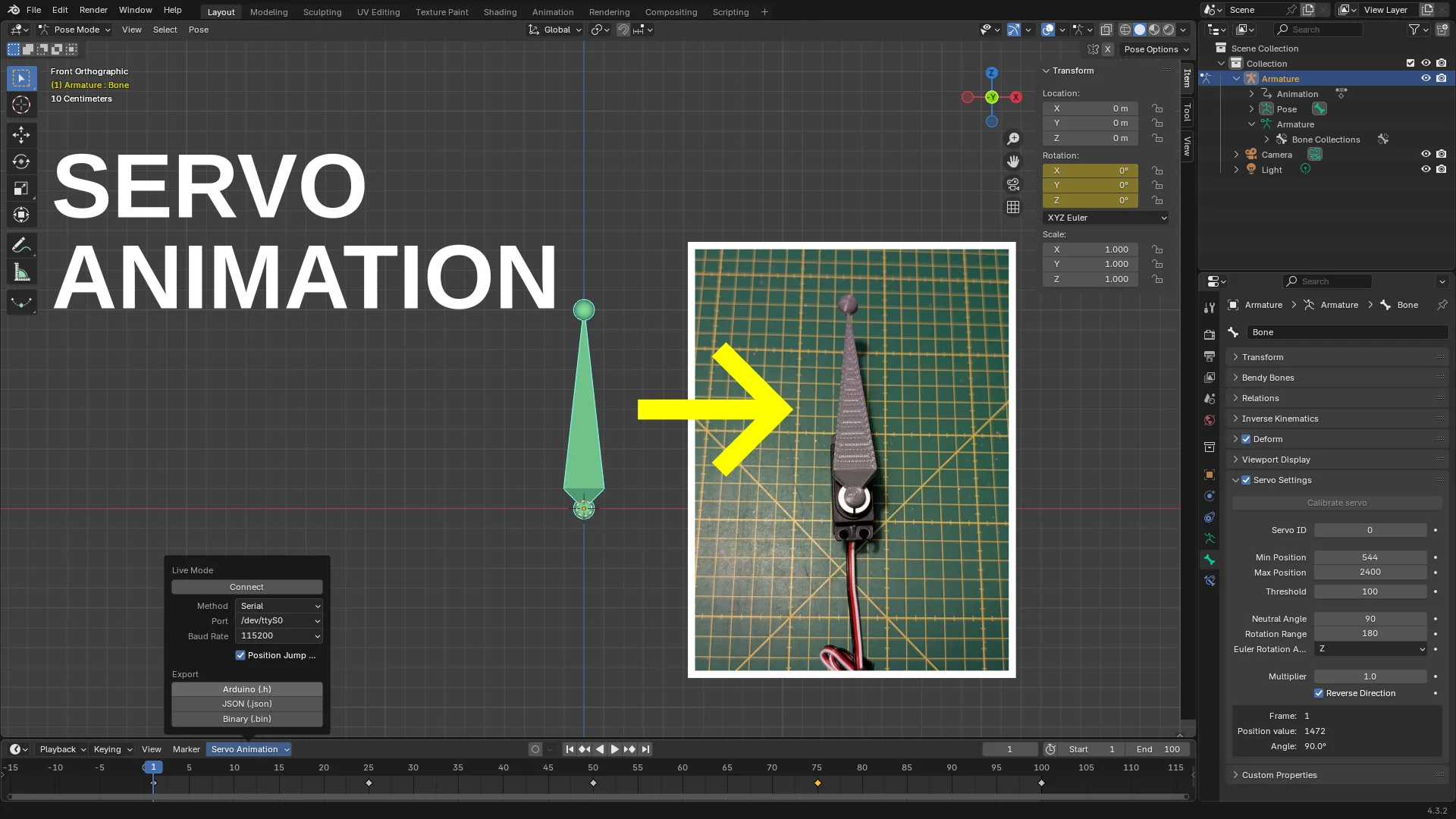
Servo Animation is a Blender add-on that maps armature-bone motion to servo position values for PWM-driven servos. It provides individual Servo Settings per bone, supports inverse kinematics (IK), and exports animation data as an Arduino/C/C++ style header (.h), JSON, or binary (.bin) file. Live Mode can send positions in real time over Serial (UART/USB) or WebSocket (TCP).
When Servo Animation fits
Use Servo Animation when Blender-authored armature motion needs to control physical servos. Exported positions can feed an Arduino-compatible microcontroller; Live Mode sends commands to a receiver over Serial or WebSocket. During Live Mode, a timeline jump that exceeds a servo’s Threshold sends smaller position increments toward its target and shows progress. The developer’s README warns that starting Live Mode sends current-frame values to all servos immediately, which can move them toward those positions as fast as possible; check the setup before starting. A video-only render is outside this add-on’s servo-position task.
The Blender Extensions listing does not name a specific microcontroller, wiring arrangement, or firmware. Check the developer’s repository for implementation details and its issue tracker for support requests before choosing hardware.
Version and compatibility
Blender lists version 2.1.1 for Blender 4.2.0 or later. Its release note says this version fixes a recursion error when changing the position min/max and neutral angle. The extension listing also says the add-on does not require special permissions.
Installation and license
Download the archive from the extension listing, then drag it into Blender or use Install from Disk in the extension preferences. Blender’s installation documentation describes that option. Servo Animation is released under the GNU General Public License v3.0 or later; the developer’s repository contains its source code. Check the listing before installing for current compatibility details.