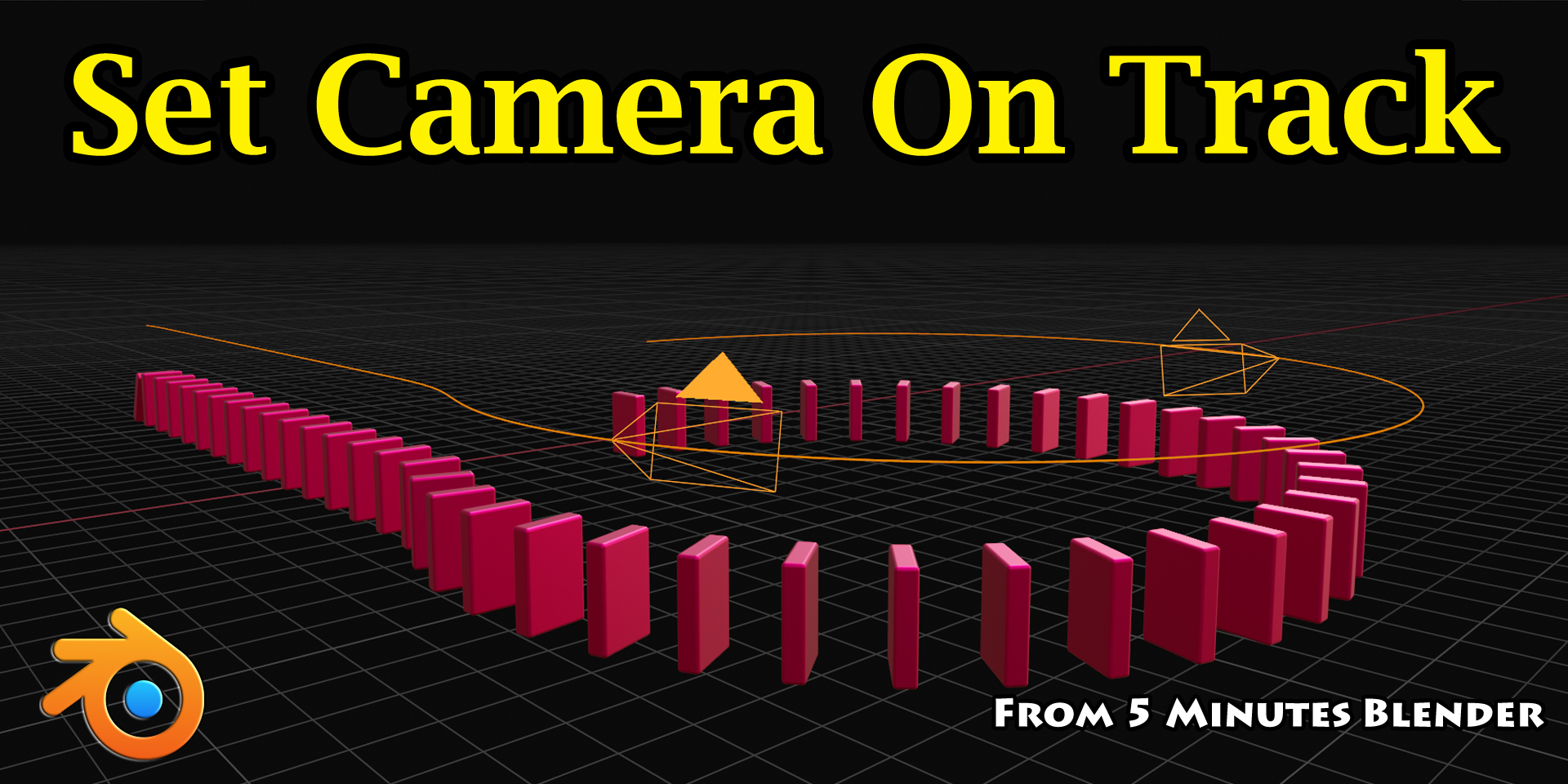
Set Camera On Track is a Blender add-on by 5 Minutes Blender for creating camera paths around a model or across a collection of objects. Select a camera and target object, then optionally choose a collection. The combination determines whether the camera follows a circular route around one target or a linear route through a series, which can suit turntable views, domino or musical-marble animations, and 3D data comparison videos.
How target and collection settings affect the path
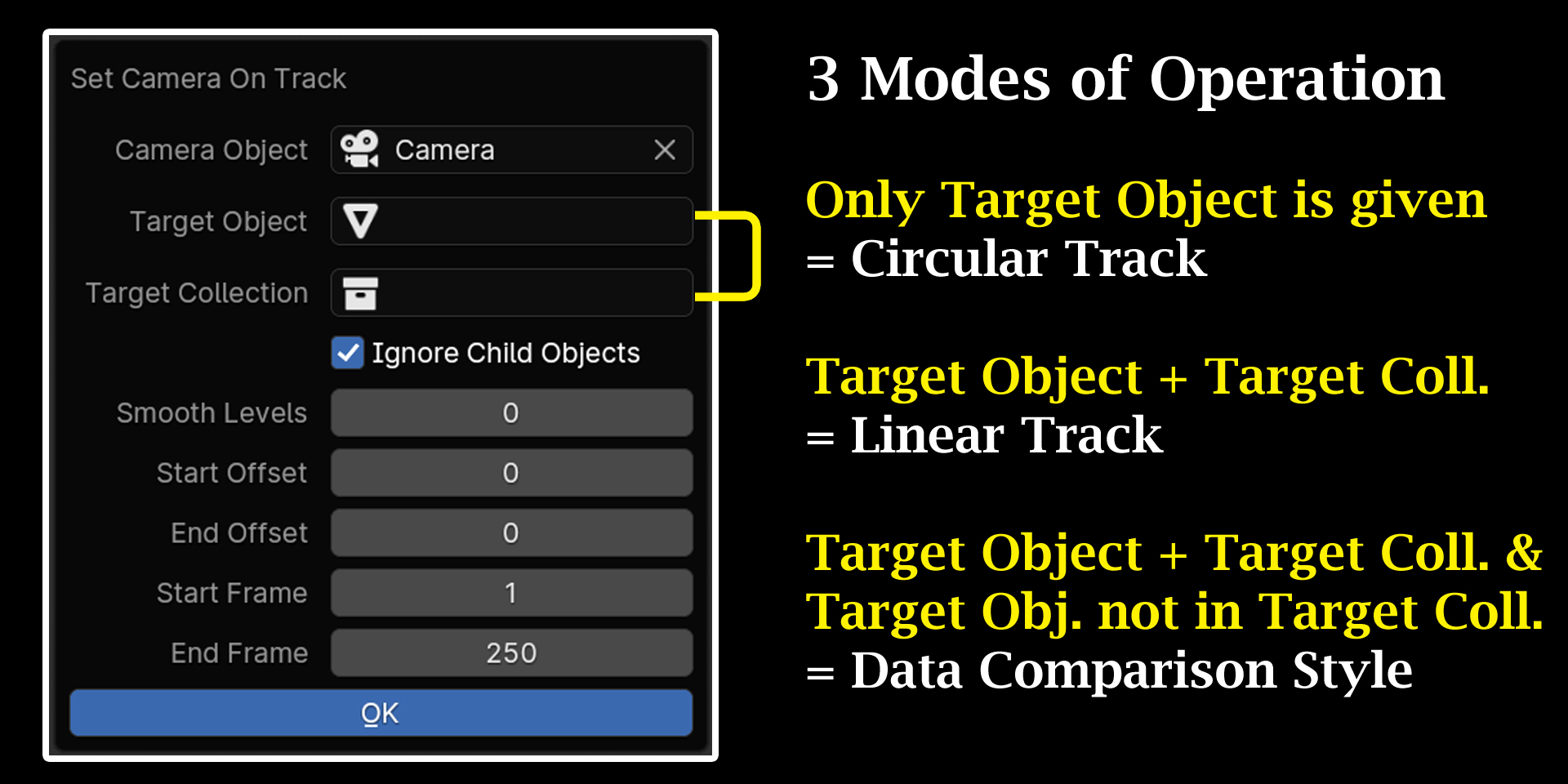
With a target object selected and no collection, the camera travels in a circular path around that object while keeping it in focus. If you also select a collection, the camera follows a linear path through its objects.
When the target object belongs to the selected collection, the camera starts at that object and continues through the remaining objects, focusing on each object's origin. When the target is outside the collection, the camera starts at the collection's first object. In that mode, focus is determined by the target's position relative to the first object, a setup the developer identifies as suitable for 3D data comparison videos.
Collection order follows object names alphabetically. The developer advises numbering objects alphabetically in sequence; names that sort in the wrong order can send the camera along an unintended route. Check the naming order before setting up the shot.
Controls for the camera route and timing
- Ignore Child Objects skips child objects in the target collection when enabled.
- Smooth Levels smooths a zigzag camera path. Values from 1 to 10 add smoothing; 0 adds none.
- Start Offset and End Offset omit objects from the beginning or end of the collection. The developer notes these can help sync camera speed with an animation.
- Start Frame and End Frame set when camera motion begins and stops. They default to the scene's start and end frames, and can be changed.
The target camera is selected in its own field. If the scene contains just one camera, the add-on selects it by default. The target object defaults to the active object, but you can choose another.
Compatibility and setup information
The Superhive listing marks the add-on as Blender Extension Compatible and lists Blender versions 3.4–5.0. Check the current product listing for details relevant to your Blender release. It also provides documentation and a video tutorial. The listing states that a 30-day money-back guarantee applies if the product does not work as described and support cannot resolve the issue.