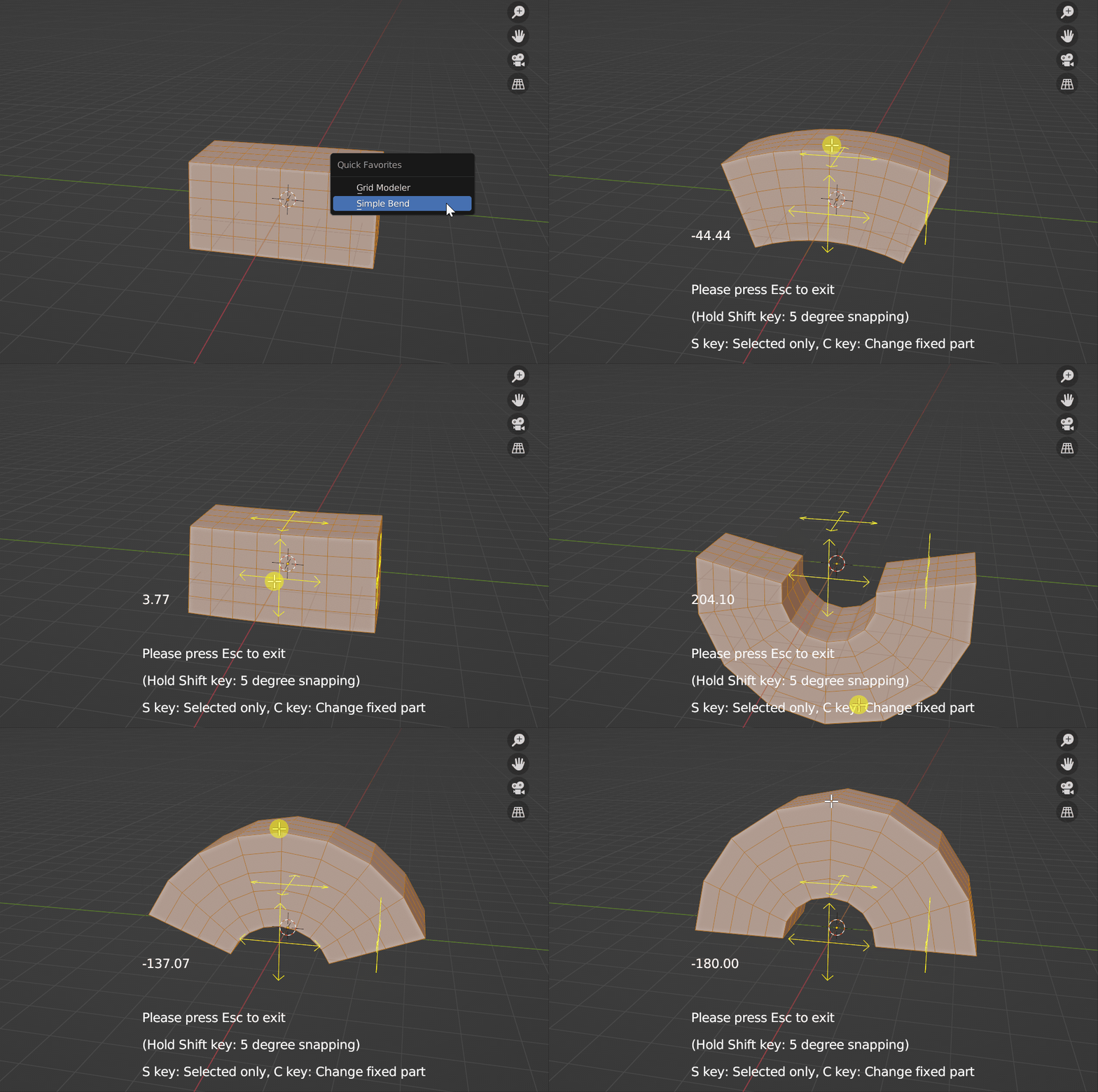
Simple Bend is a Blender add-on by KushiroCG for bending subdivided meshes with an on-screen axis. Add edge loops or subdivide a mesh, select the faces to bend, then drag the yellow axis. This listing is for the older Simple Bend; Simple Bend Ex is a separate product.
Basic mesh bending
- In Edit Mode, add edge loops or subdivide the mesh, then select the faces to bend.
- Switch to Face mode and open Simple Bend from the 3D Viewport’s right-click context menu.
- Drag the yellow on-screen axis to bend the selection. Press C to choose a part to bend while connected geometry follows, then press Q to confirm.
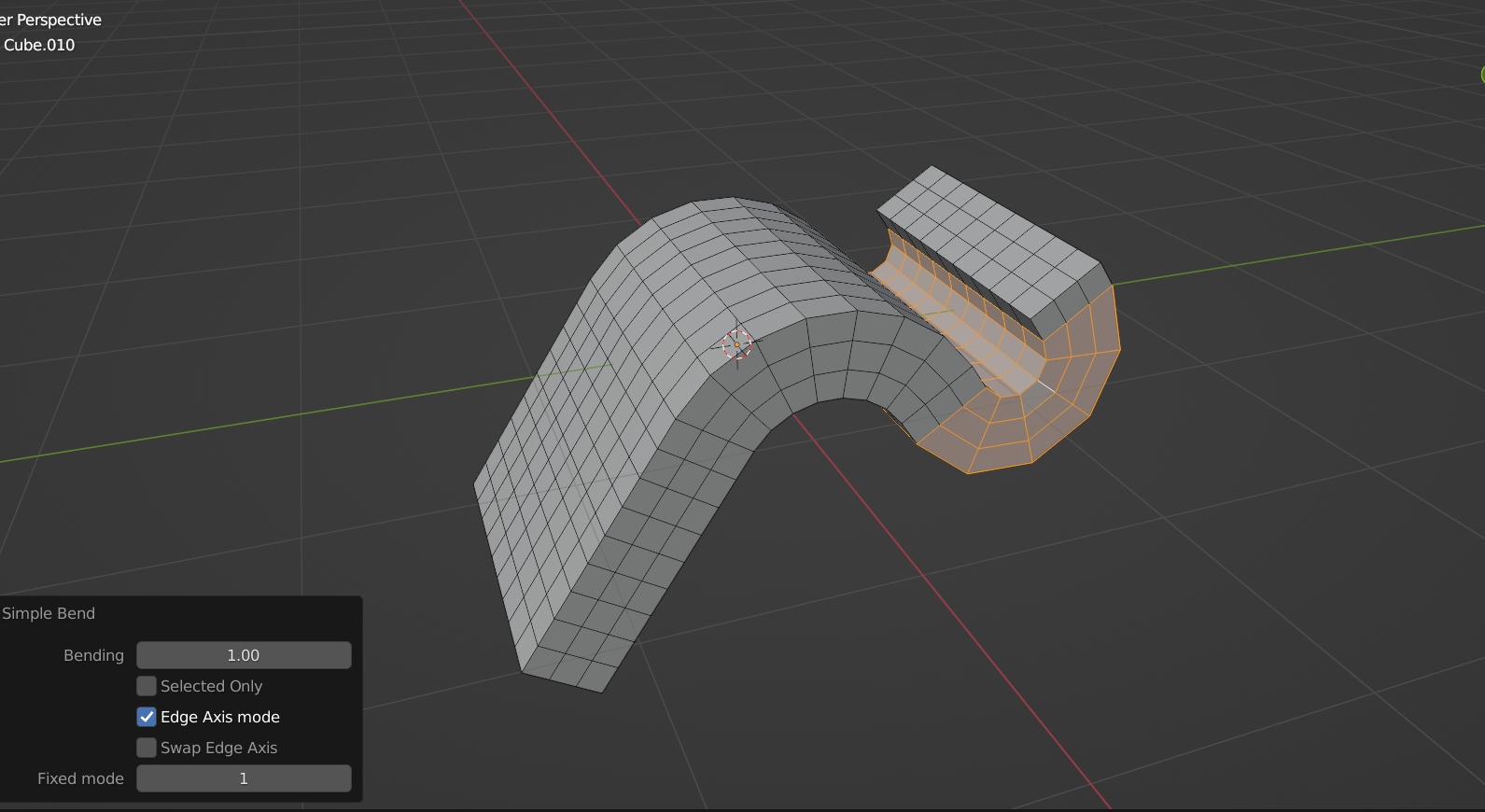
Set a direction with Edge Axis mode
For a custom bending direction, switch to Edge mode. Edge Axis uses the last two selected edges to set its axis and direction; the edges must not be co-linear. Select the part, hold Shift, deselect the two edges, then select them again so they become the most recent selections. The first edge sets the mesh direction and the second sets the bending direction. Run Simple Bend from the context menu. Press W to swap the axis.
Controls during a bend
- S: Modify only the selected vertices.
- W: Swap the axis in Edge Axis mode.
- C: Bend one side; press it repeatedly to switch between parts.
- Shift: Snap the bend amount to 5-degree increments while held.
- Q: Confirm the bend.
Installation and compatibility
Install the add-on by selecting its ZIP file in Blender; do not unzip it first. If you installed extracted files, the developer advises uninstalling the add-on, removing those files, and installing from the ZIP. The developer also advises scaling the mesh in Edit Mode rather than scaling the object in Object Mode, which can cause unexpected results.
The product listing identifies version 2.3.1 and lists Blender versions 2.83–5.2. Its changelog says version 2.3.1 fixed a Blender API issue and version 2.3.0 added support for Blender 4.0.0. Check the Simple Bend product page for its current compatibility details and download.