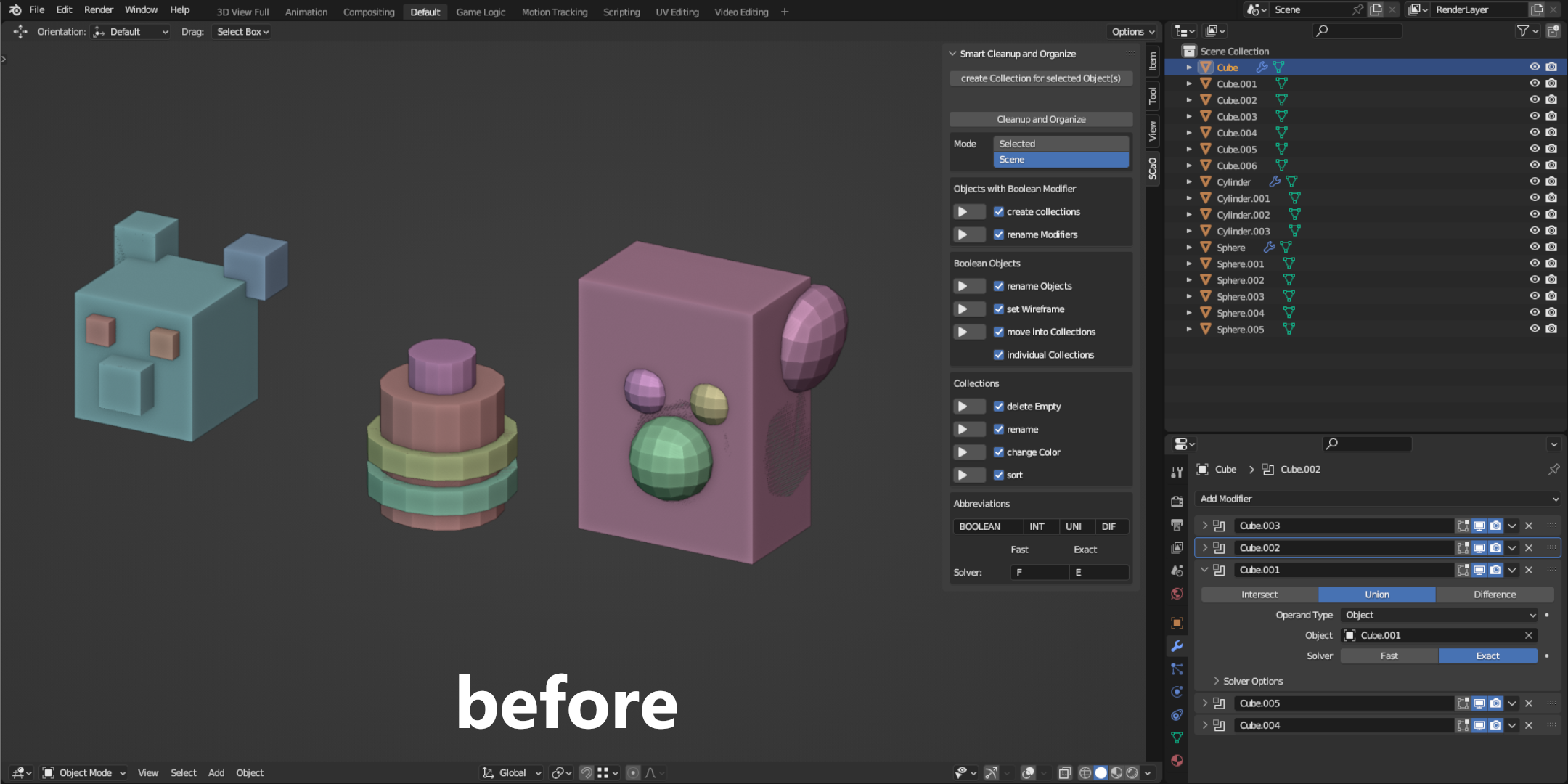
Smart Cleanup And Organize is a Blender add-on by LayerLux3D for organizing objects and Boolean operators into collections. It can work on selected objects or across the whole scene, with cleanup operations available individually.
Organize objects and Boolean operators
For objects with Boolean operators, the add-on can create individual collections and move the operators into their own collections. You can group all Boolean operators together or create collections for individual Boolean types. Collection colors can reflect the operator, and you can customize Boolean abbreviations.
Choose the cleanup scope
Run cleanup on selected objects or the whole scene, depending on how much of the project you want to organize. A single click can create collections and move selected objects. The add-on can also delete unused collections, and its operations can be triggered separately for a more focused cleanup.
Open it in Blender
Install the add-on through Blender's Edit > Preferences > Add-on menu. After installation, open it from the Object Context Menu with W, or from the toolbar with N by selecting the SCaO tab. See the installation documentation for these access paths.
Compatibility and updates
The Superhive listing names Blender versions 3.0 through 3.6 and identifies the license as GPL. Its documentation says the add-on works with Blender 3.0 and upwards. Check the current listing for compatibility with later releases. LayerLux3D says future features and updates are free and welcomes feature requests that may be considered for a later update.