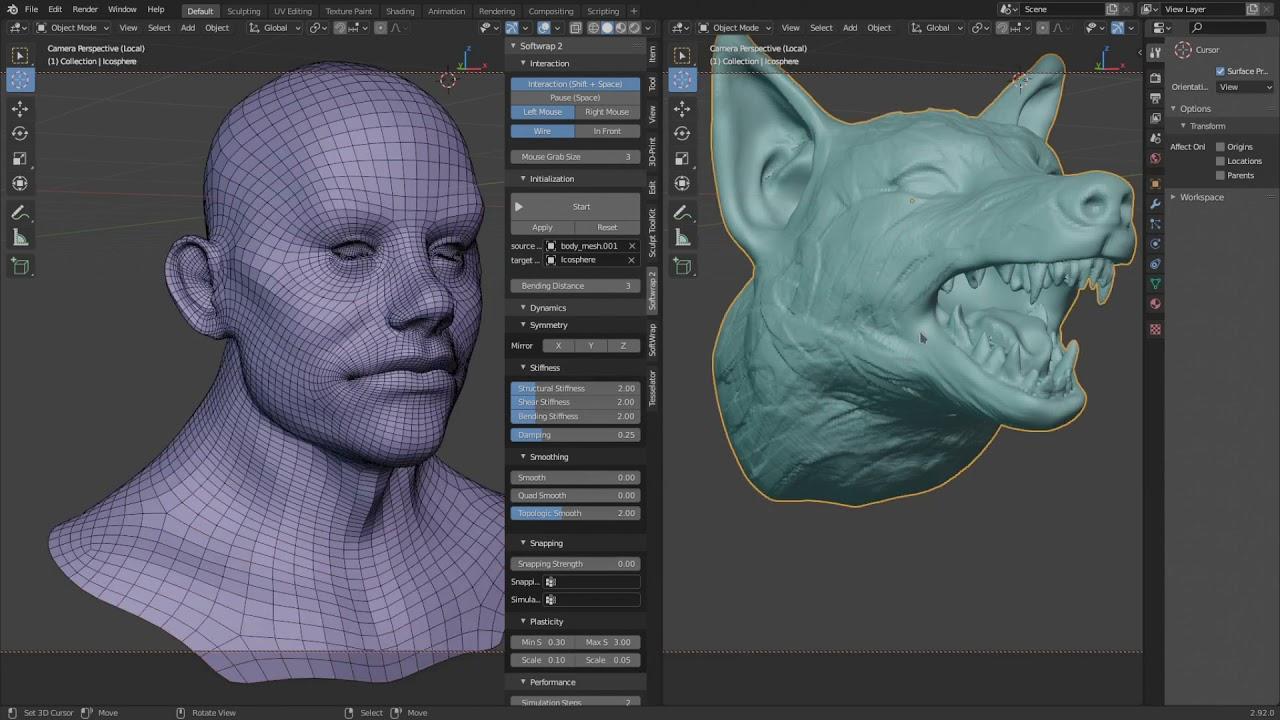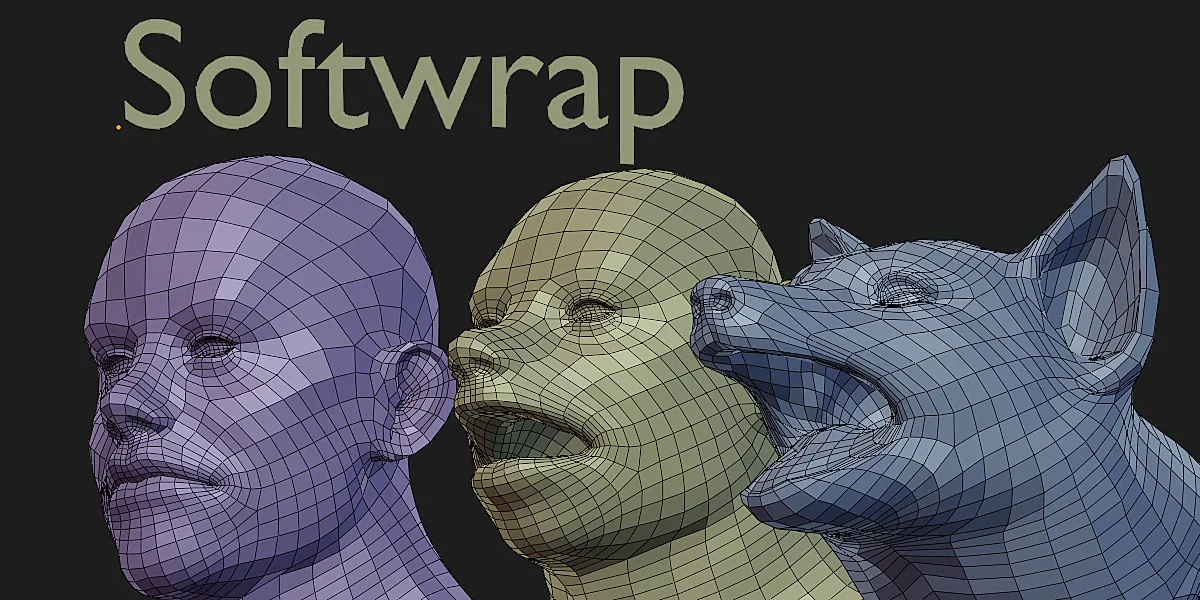
Softwrap is a Blender add-on for retopology that reuses topology from a similar or previous model. It runs a custom, non-physically-based softbody simulation while the mesh snaps onto a sculpt or scan in a way similar to Blender’s Shrinkwrap modifier. The artist can manipulate the mesh during the simulation, which was designed for retopology.
How the simulation shapes the mesh
The developer says the version 2.0 rewrite introduced a simulation engine that produces smoother results and is more flexible. Its controls adjust how the mesh responds as it conforms to a target:
- Quad Smooth applies forces to restore the shapes of quads.
- Topologic Smooth adds subtler smoothing without shrinking the mesh.
- Structural, shear, and bending stiffness control different aspects of the simulation, with settings similar to Blender’s cloth simulation.
- Simulation Group locks vertices in place based on a vertex group.
- Resizable pins let you change an area of influence with the S shortcut.
The version 2.1.2 changelog, dated January 14, 2024, adds inside, outside, and surface snapping modes, along with gravity and Seam Force. The snapping options work in a way similar to Shrinkwrap; Seam Force is similar to the setting in Blender’s cloth simulator.
When Softwrap fits a retopology task
Softwrap is designed for a workflow where a similar or previous model provides topology to reuse. The simulation then helps adapt that mesh to a sculpt or scan. The creator also offers a free human basemesh as a starting point, including for artists who do not purchase Softwrap.
The outside snapping mode can make the simulation behave like a cloth modeling tool. The developer says it remains too stretchy and unstable for an efficient cloth workflow and does not recommend it as a cloth animation tool. Retopology is the add-on’s stated purpose.
Compatibility and setup
The product listing identifies version 2.1.2, a GPL license, and Blender compatibility from 2.83 through 5.2. The developer says Softwrap is compatible with Windows and Ubuntu. Proper Mac support is not guaranteed because the developer does not have a Mac for testing.
For setup instructions, see the installation guide. The Softwrap manual includes tutorials and workflow tips. The product listing has the version and compatibility details.