Speedlines FX 2.0 is a Blender add-on by Flidoh Animations for creating anime- and manga-style motion lines inside a 3D scene. It uses Geometry Nodes for radial bursts or linear sweeps, and its controls can be animated on Blender's Timeline. The effect stays in the scene, without compositing software or greenscreen footage. See the product listing.
Choose radial bursts or linear sweeps
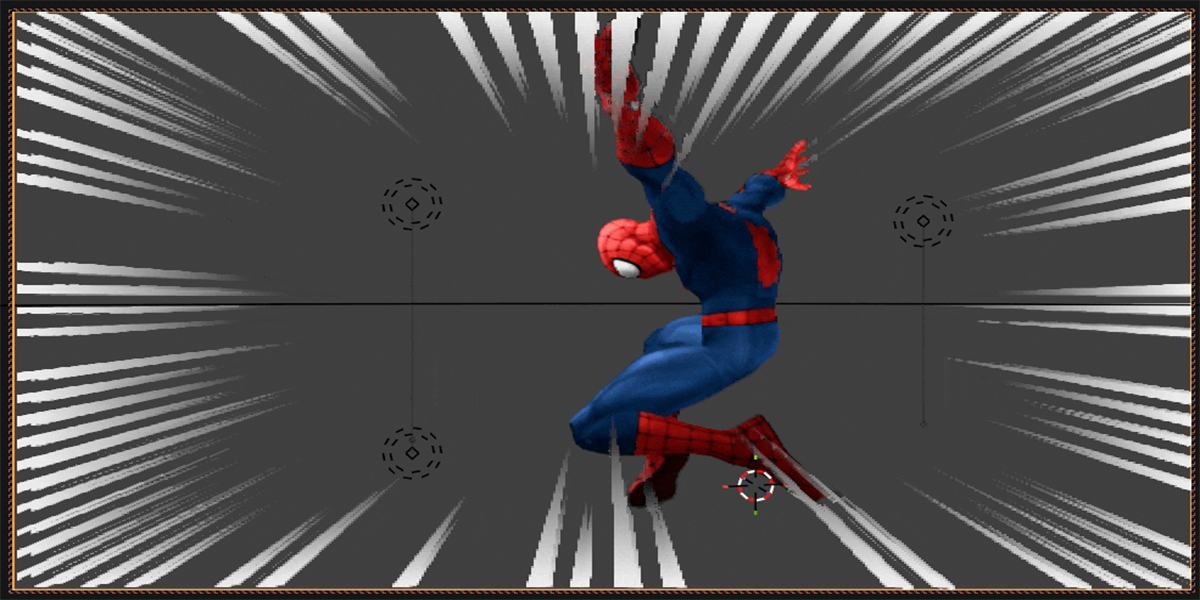
Radial speedlines spread from a camera-space focus point toward the frame edges. They suit impact frames, reactions, and power moments. You can set 10 to 150 lines and adjust their length variation, thickness, gradient, fade, glow, animation speed, and grouping. Line style controls where lines gather: across the frame or toward its top, bottom, left, or right.
Linear speedlines sweep across the camera frame for chase scenes, racing shots, or moving backgrounds. This mode provides 20 to 150 strips, with controls for subdivisions, thickness, taper, direction, rotation, and grouping. Direction can be left, right, or alternating; rotation can turn the sweep from 0 to 360 degrees. A Style Mix control can transition between no effect, radial lines, and linear lines, and the transition can be keyframed.
Track a subject and animate the focus
Radial lines converge on a Focus Point, an empty positioned in camera space. Use the eyedropper to assign a scene object as a target, or animate the focus manually. Speedlines FX keeps a per-frame target map, so you can switch targets during a shot. When the live tracking is ready, Release Tracking bakes it to location keyframes; choose a bake step to control how often keys are set.
Shape and reuse a look
The add-on includes 10 emotion presets: Rage, Happy, Sad, Fear, Love, Mystery, Power, Calm, Danger, and Supernatural. Color, glow, gradient, fade, and other speedline properties can be animated. The Custom preset opens a color-ramp editor in the N-panel. You can also export the active style's settings to JSON and import them into another project. Importing requires the matching mode, radial or linear.
Install and check compatibility
Speedlines FX is distributed as a Blender Extension ZIP. In Blender, open Edit > Preferences > Get Extensions, choose Install from Disk from the menu, and select the ZIP. Enable the add-on if it is not already enabled, restart Blender, then find its panel in the 3D Viewport's sidebar by pressing N. The documentation says it works with Cycles and Eevee and supports Windows, macOS, and Linux. Read the installation and workflow documentation.
The listed Blender range is inconsistent across the supplied product materials: the details list Blender 4.2–5.0, while the overview says 4.2–5.x and the documentation says 4.2 or higher. Check the current product listing for the release you plan to use, especially if your Blender version is newer than 5.0.
Plan for camera and render changes
The generated mesh is built to the active camera's frame. Rebuild the speedlines if you change the resolution, sensor size, focal length, or camera aspect ratio. The add-on builds relative to one active scene camera; when switching cameras in a multi-camera scene, rebuild or retarget the speedlines for each camera.
Because the lines are real geometry, depth of field can blur them and motion blur can streak their movement. For separate control, the documentation suggests rendering the lines on their own layer. It also notes that Eevee's Alpha Blend transparency can sort incorrectly when many line triangles overlap; Alpha Hashed may help for final renders. See the product FAQ for more usage details.