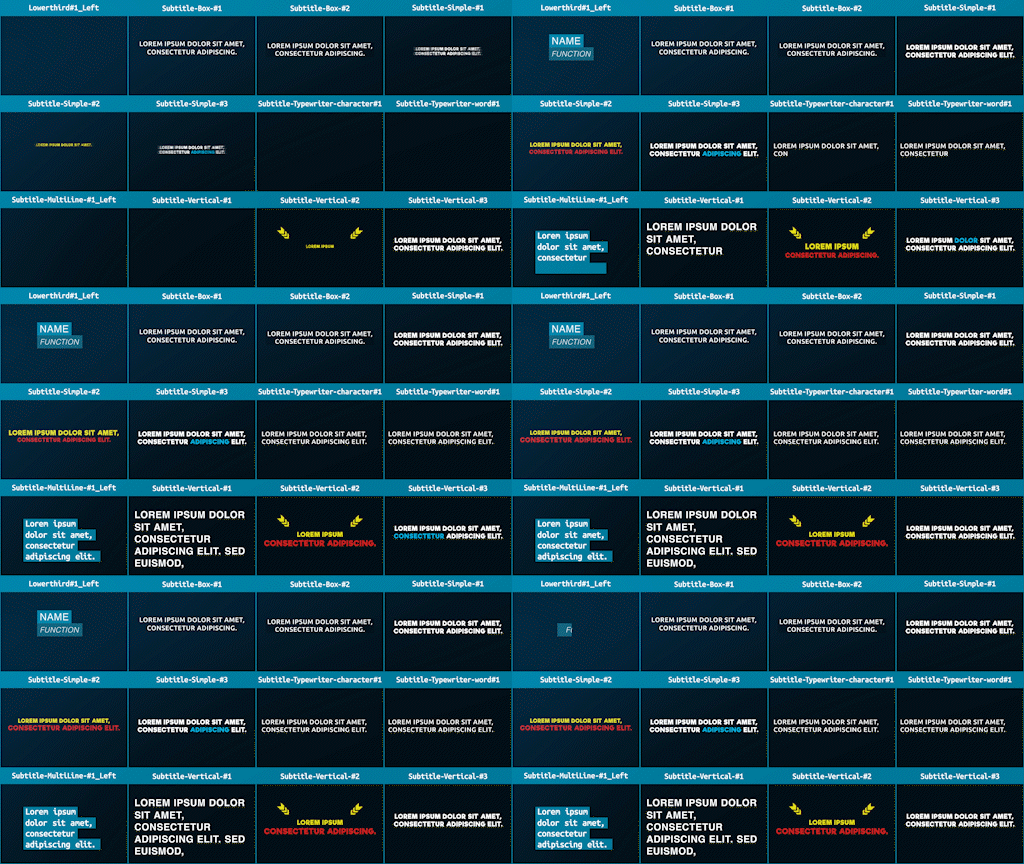
Subtitle Pro by LetsMotion is a subtitle plugin for Adobe After Effects and Premiere Pro. It lets editors import SRT files, bring in subtitles from a YouTube link, or enter text in the plugin. Both host applications include tools for working with subtitle text. Animation templates, marker controls, and live synchronization with After Effects are listed as After Effects features.
Import, edit, and export subtitle text
Subtitle Pro can translate sentences in the plugin and work with imported or newly written captions. Its table view and autosave workflow keep subtitle rows available for review while editing. Quick search helps locate text, and the row controls can shift subtitle entries. An overlap finder checks for subtitle times that overlap, which can help identify timing conflicts before export.
The product listing describes import and export for popular subtitle formats and lists support for UTF-8, UTF-8 with BOM, ANSI, and UTF-16. It also describes rendering as fast and says the plugin works at any resolution.
After Effects has the animation features
In After Effects, Subtitle Pro adds animation template previews, live synchronization between the plugin and the application, and marker controls for subtitles. The listed template categories include Classic Subtitle, Simple Animation, Fading Animation, Abstract Animation, and Lower Thirds. These options extend the plugin from timed captions to animated subtitle treatments and lower third graphics.
Premiere Pro includes the subtitle import, writing, translation, search, row editing, overlap checking, and format handling described on the product page. The developer specifically notes that animation templates and markers are not yet available in Premiere Pro. Choose After Effects if those controls are part of the intended workflow.
Release and product details
The developer's version history lists Subtitle Pro 2.9.991, dated June 16, 2026. Feature availability and host application compatibility can change between releases, so check the current listing before installing. The listing also provides a free trial.
See the current Subtitle Pro features, compatibility details, and trial.