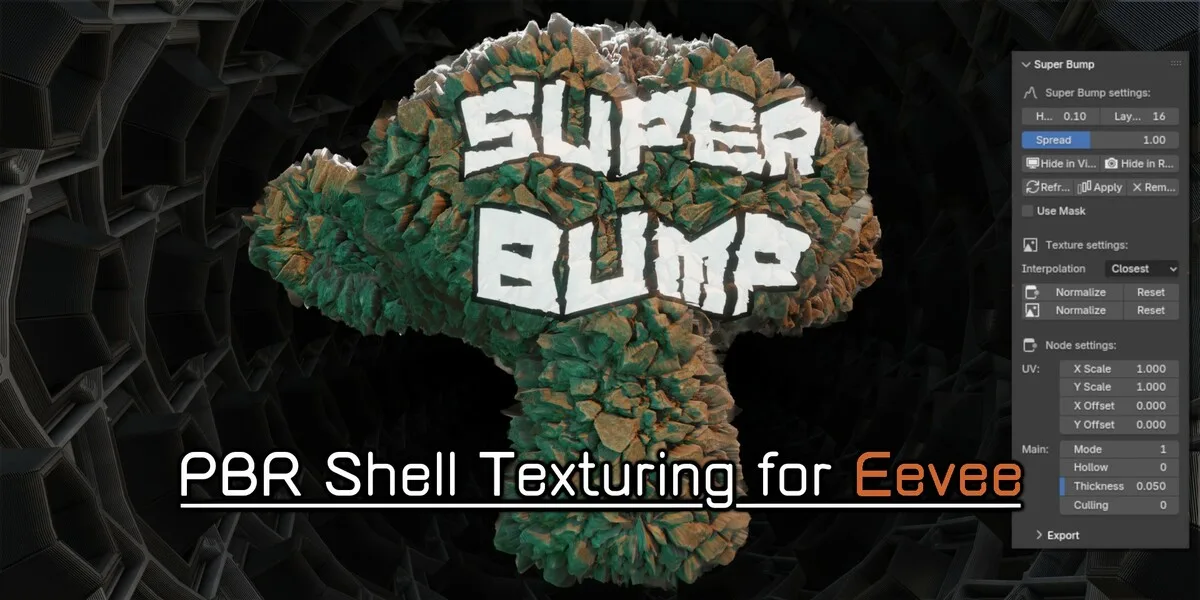
Super Bump is a Blender add-on for Eevee that creates a displacement-style depth effect with tightly packed, alpha-clipped layers. They reinforce normal and bump map detail, while the engine's lighting produces the shadows. The product listing describes results comparable to Cycles material displacement or a Displace Modifier using about 100 vertices instead of tens of thousands. It also brings this material-displacement approach to Eevee in Blender versions before 4.
Build an Eevee material from textures
The Super Bump Manager sets up the layers and creates a PBR material from the textures you select. It identifies texture types by checking their names for keywords such as Albedo, Metallic, Roughness, Emission, Height, and Normal. You can edit or expand those keywords in the add-on's preferences under Edit Keywords. The download also includes several PBR texture sets provided by PolyHaven.
Install and use Super Bump
- In Blender, open Edit > Preferences > Add-ons, choose Install, and select the downloaded
Super Bump Manager.zip. Enable the add-on. The Manager appears in the N+N tab of the Properties panel in the 3D View and Shader Editor. - In the Manager, click Update Super Bump, select the downloaded
.blendfile, and click Update Super Bump again. The Manager remembers the file location and provides an import button the next time you open Blender or start a new file. - Select an object and click Add Super Bump. Choose the texture files in the file browser and click Load Image Textures. The Manager adds the layers and builds the material.
The installation and usage guide has the developer's full instructions. It also says the download includes nodes and materials for Unity and Unreal, for projects that export SuperBump models from Blender to those engines.
Render engine and hardware notes
Super Bump is designed for Eevee. The developer says Super Bump is not for use with Cycles because its transparent layers require high light-bounce settings and render times will be very long. For best results, enable Contact Shadows for scene lights. The developer also does not recommend it for Mac Pro users, where Blender's transparency processing is very slow.
The product listing identifies Super Bump as an add-on, marks it as Blender Extension Compatible, and lists Blender versions 3.6 through 5.2. Check the current listing for compatibility details before installing.