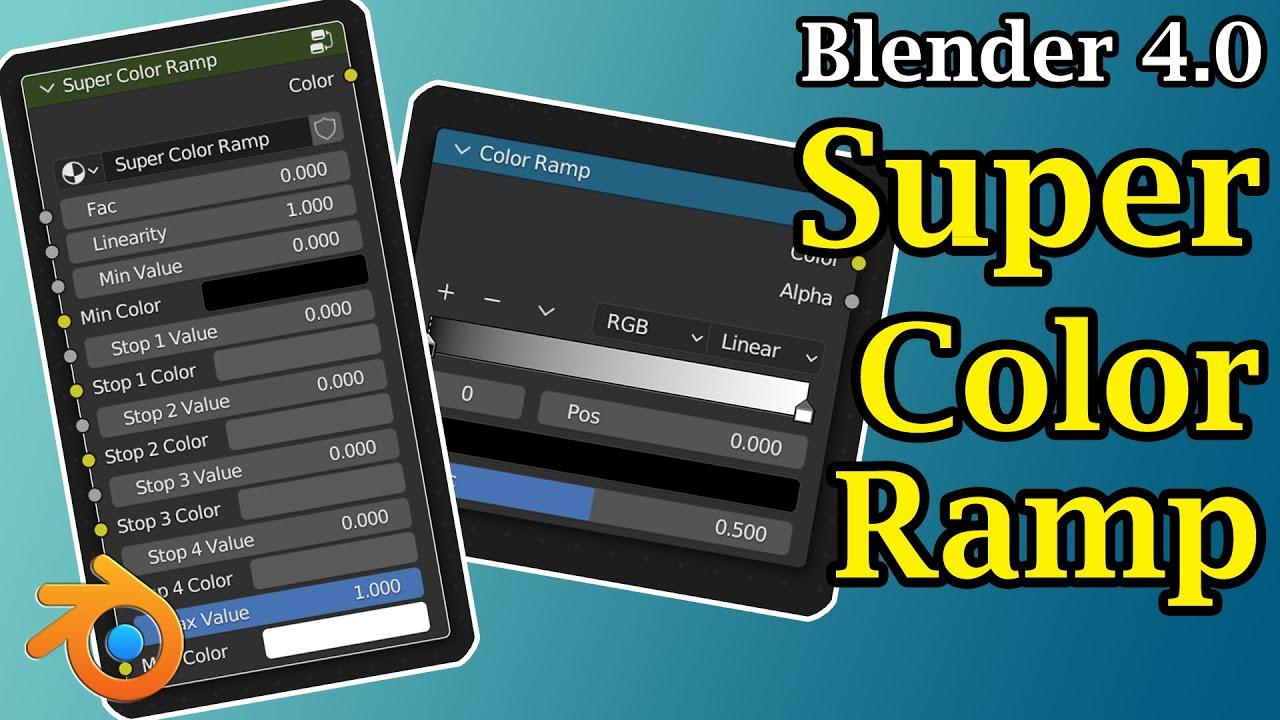
Super Color Ramp is a Blender add-on that lets other nodes control a Color Ramp's color stops and values. Blender's standard Color Ramp keeps those values static, so its color sockets cannot be driven by connected nodes. Super Color Ramp adds input sockets for the stops and their values, making the ramp responsive to the rest of the node graph.
Super Color Ramp in both node editors
The add-on is available in Blender's Shader Editor and Geometry Node Editor. Its functionality is the same in both, although the menu names differ: it appears as Super Color Node in the Shader Editor and Super-Color-Node in the Geometry Node Editor. The developer says Blender requires those custom node groups to use different names in the two locations.
How Super Color Ramp handles FAC values
Super Color Ramp handles its FAC input differently from Blender's standard Color Ramp. The standard node clamps FAC values to the 0 to 1 range; Super Color Ramp accepts values outside that range. The documentation recommends keeping FAC between 0 and 1 for most uses. If a node graph needs to clamp the value, place a Clamp node before Super Color Ramp.
Compatibility and setup
The product listing gives a Blender compatibility range of 3.4 to 5.0, including Blender 4.x. Check that your installed version falls within the listed range before installing. The downloaded package includes a step-by-step installation guide with screenshots.
After installing and enabling the add-on, reopen the current blend file, open another file or a new project, or restart Blender. The node should then appear under Add > Group in the Shader Editor and Geometry Node Editor. The product documentation explains setup and the difference in FAC behavior; a video tutorial demonstrates how the node works.