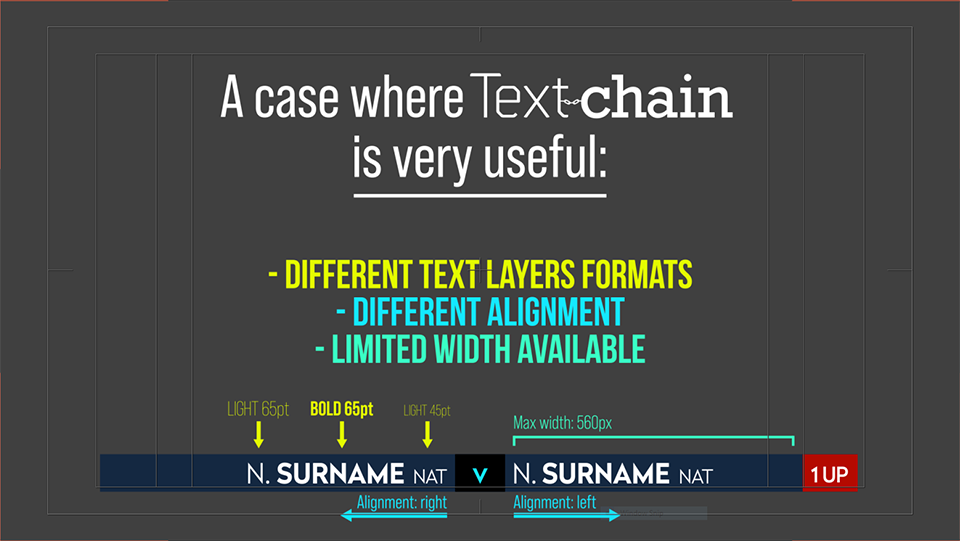
Text Chain from Braindot Design links separate text layers in After Effects. Each layer can have different typographic settings, such as weight, size, or capitalization while following the width of the preceding layer. A maximum-width control can constrain the full string.
This setup suits leaderboards and name supers, where one line may mix uppercase and lowercase text or use a smaller size for part of a name.
Tracking and width controls
- Link text layers so each follows the preceding text width.
- Adjust global tracking or individual word tracking.
- Enable maximum width and set its value with a slider.
- Animate all properties in the Effect Controls panel.
The product listing says the full string can be constrained to a set width, but does not explain how overflow is handled. If your layout depends on wrapping or clipping, confirm that behavior with the developer before relying on it.
Version and compatibility
The aescripts product listing shows version 2.1 and lists compatibility with After Effects 2020 and CC 2019. Version 2.1's release note says it fixed an issue with international versions. The previous version, 2.0, added macOS Catalina compatibility, reduced compatibility to CC 2019 and 2020, and fixed a licensing issue and a missing pseudo reference error.
Those are the versions named in the listing. It does not confirm compatibility with later After Effects releases, so check with the developer before installing it in a newer version.
Trial and purchase details
The aescripts page lists a free trial, a price of $19.99, and a 25% discount at checkout. Offers can change, so check the page for current pricing and license terms before buying.