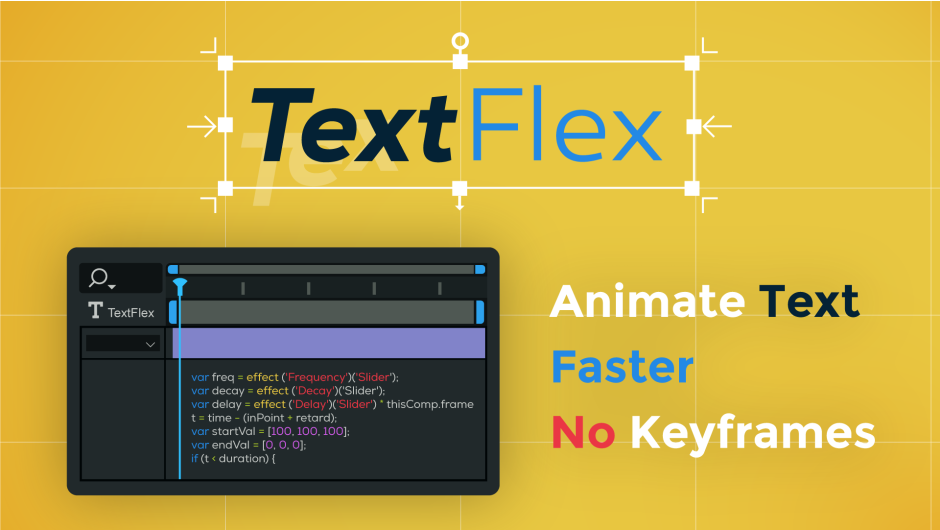
TextFlex is an After Effects tool by Lotfi Jilal for animating text by character, word, or line. It gives you controls for setting up text motion without manually keyframing each unit.
Choose how text enters and exits
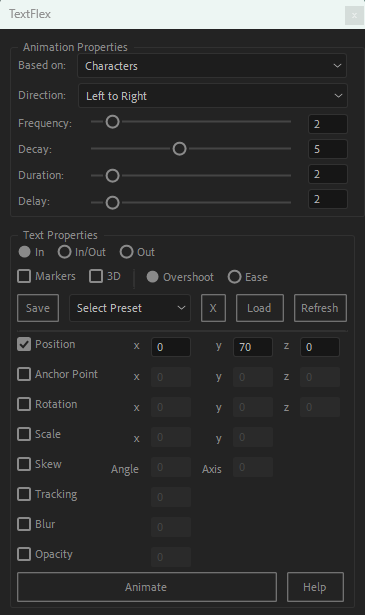
TextFlex provides In, In & Out, and Out only modes. In is selected by default and starts the animation at the beginning of the text layer. In & Out adds an exit animation at the layer’s end. Choose Ease for a smooth ease-in and ease-out, or Overshoot for a bounce-like motion.
Adjust timing, direction, and properties
Set duration and delay, then choose a direction such as right to left or center outward. You can customize text properties including position and scale. Markers on the text layer can help synchronize animation with a voiceover or set timing cues.
Reuse animation settings
To save a preset, use a text layer with TextFlex animations or animators applied. The product listing says the selected layer’s parameters and values are saved; the TextFlex documentation says presets retain “Based On” and key text properties such as position, scale, and rotation, while Direction, In/Out, Markers, Overshoot, and Ease must be set manually before loading. Select a preset and load it onto the currently selected text layer. TextFlex also lets you apply and edit animations across multiple layers. Version 1.3, dated April 15, 2026 on the product listing, adds a button to delete a selected preset and combines the Animate and Reset actions in one Animate button.
The listing includes a free trial. It names After Effects releases from CC 2015 through 2026 as compatible; check the product page for current pricing, trial terms, and compatibility details.