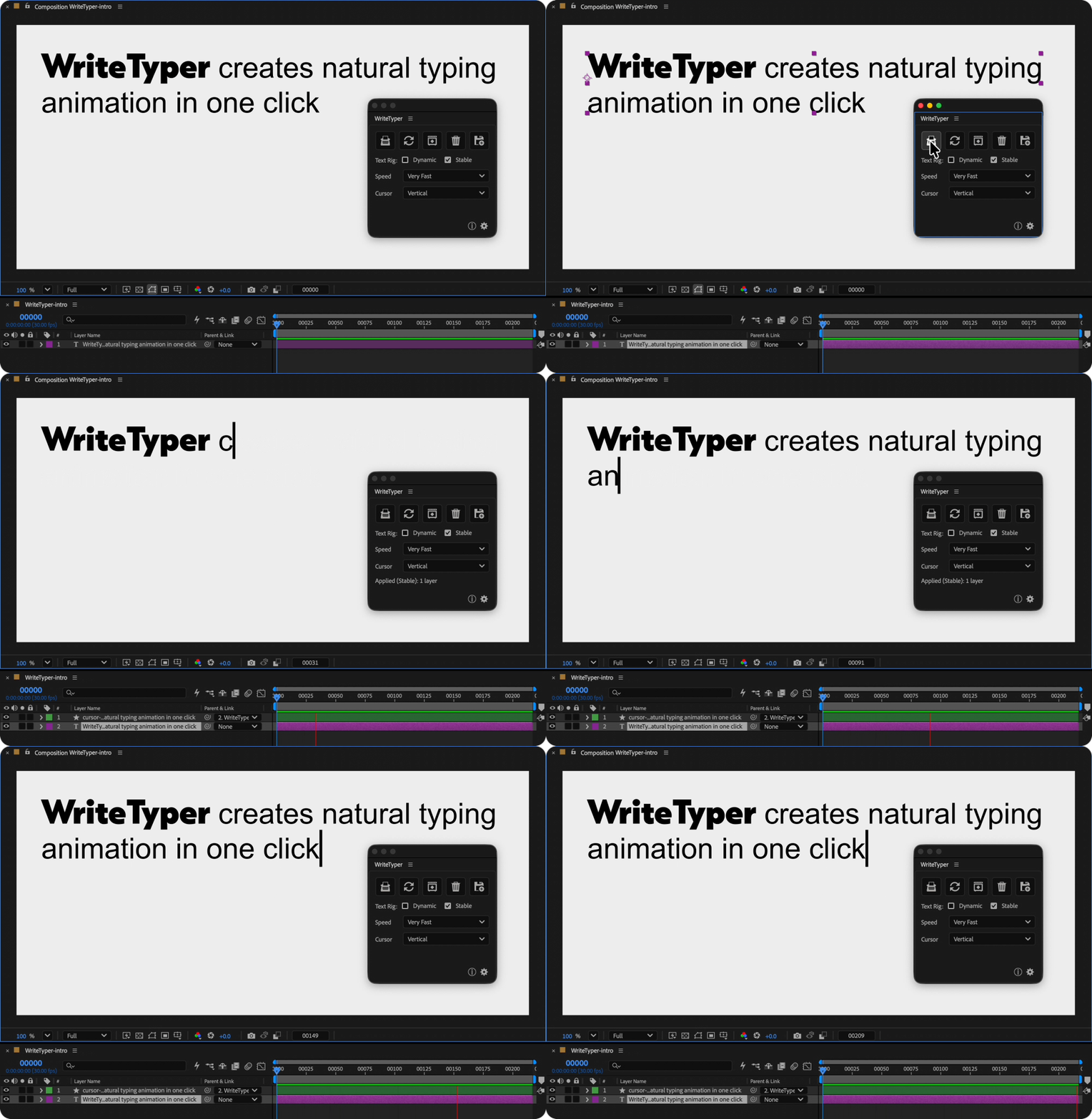
WriteTyper is an After Effects tool by Adam Sacks that builds a typing rig with one click. It varies character timing with speed controls, so a title or graphic can include pauses, slowdowns and speedups instead of revealing every character at the same pace.
Set a baseline, then shape the rhythm
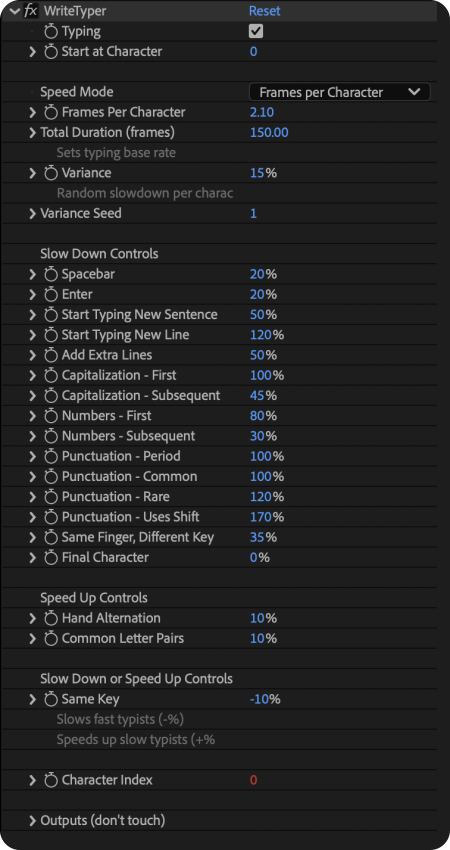
Choose a starting pace with Frames Per Character or Total Duration. The first sets the number of frames per character; the second sets how many frames the full text takes to appear. Variance controls how likely a character is to take longer than that baseline.
Speed modifiers shape the rhythm further. Separate controls can slow or speed typing, while others can move in either direction. A slowdown set to 100% doubles the time against the base speed. You can add pauses for emphasis, animate the controls over time, or adjust them while the text is typing. Very Fast, Average and Hunt & Peck presets provide starting points, and you can save your own settings for reuse.
Choose a rig for the text layout
Dynamic rigs
A dynamic rig adjusts alignment as text appears and wraps paragraph text onto a new line when a typed word reaches the edge of its paragraph box. Changes to the text do not require a rig refresh. Dynamic rigs need an extra text guide layer, and they apply the style of the first character on the first keyframe to the full text. Refresh the rig after changing the font, size, styling, color or paragraph box so the cursor aligns correctly.
Stable rigs
A stable rig can display mixed typefaces, sizes, colors and text formatting. It uses a text layer and a cursor layer. Its layout stays fixed while typing: centered or right-aligned text does not wrap or shift dynamically as characters appear. Refresh the rig after changing the text to realign the cursor.
Animate, revise and bake
Typing starts or stops the reveal; Start at Character sets the first character. You can animate these controls to build specific moments. When you want direct timing edits, bake the animation to keyframes. The keyframes use separate colors for letters, numbers, punctuation and spaces, and you can change those colors in Settings. Shift-click to unbake and return to expression-driven typing; timing changes made to the baked keyframes will be lost.
Customize the cursor
The cursor sits on its own layer. WriteTyper includes Vertical, Underscore and Box cursor presets. Its width expands only to the right; you can adjust the top and bottom edges independently and round the corners together or individually. You can adjust the presets or save your own cursor settings.
Compatibility
The aescripts product listing lists compatibility with After Effects 2024 through 2027 and offers a free trial.