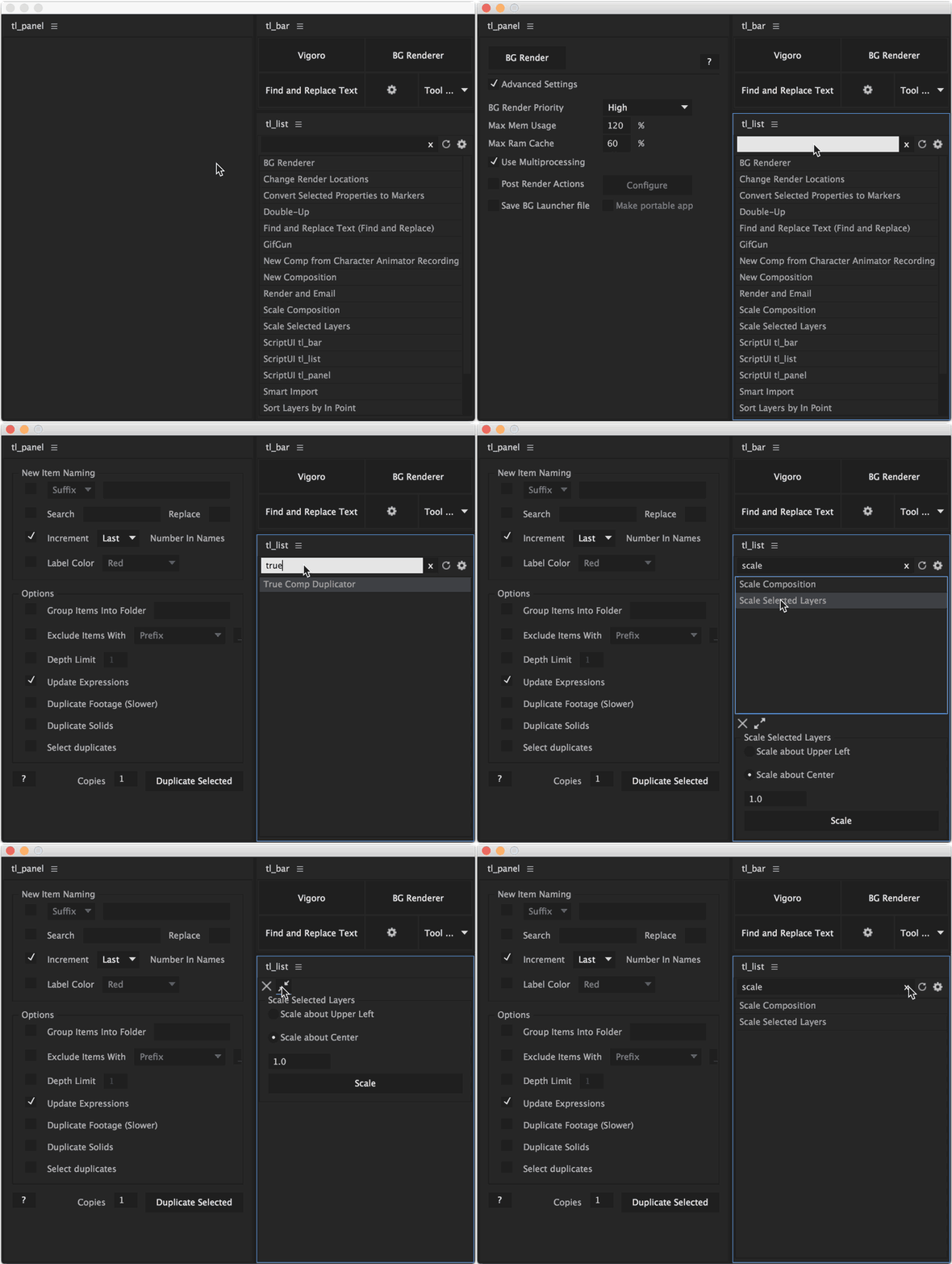
Tool Launcher by Rune Gangsø helps After Effects users organize and run scripts, expressions, menu commands and other tools from searchable lists or custom toolbars. It can also display script interfaces in pre-docked panels, keeping them available without leaving separate floating windows open.
Choose a panel for each task
The product includes three panels. tl_list provides a searchable list of tools. tl_bar creates customizable toolbar panels, which can be duplicated for separate sets of buttons. tl_panel displays script interfaces inside a dockable panel. You can use the list or toolbar to open supported script interfaces in tl_panel.
Run more than scripts
A Tool Launcher entry can run a script file or JavaScript written in the launcher. It can also apply an expression to selected properties, run an After Effects menu command, execute an operating-system command from the terminal, add an effect to selected layers, or apply an animation preset to selected layers. Toolbar buttons can use icons, and modifier keys can be configured for shared tool setups.
Keep and move your configuration
A central settings window manages tools, panels and toolbars. You can store the configuration file in a location you choose and copy it to another computer; the file includes settings, icons and toolbars. Tool Launcher can also import ft-toolbar configuration files.
Check the listed After Effects versions
The product page lists version 1.4.3, dated August 12, 2020, and compatibility with After Effects 2021, 2020, CC 2019, CC 2018, CC 2017, CC 2015.3, CC 2015 and CC 2014. For newer releases, confirm support with the developer before relying on it. The aescripts listing has the current product details and a free-trial option.