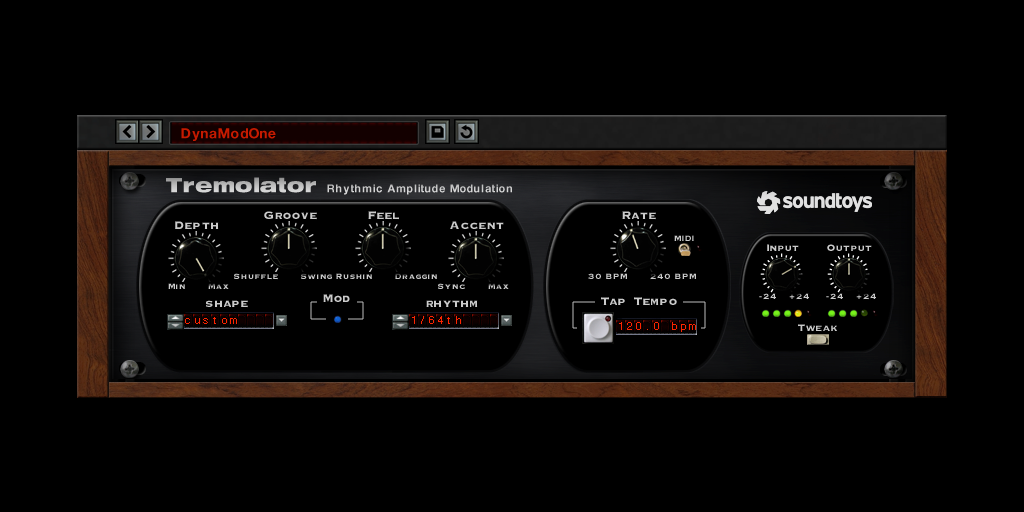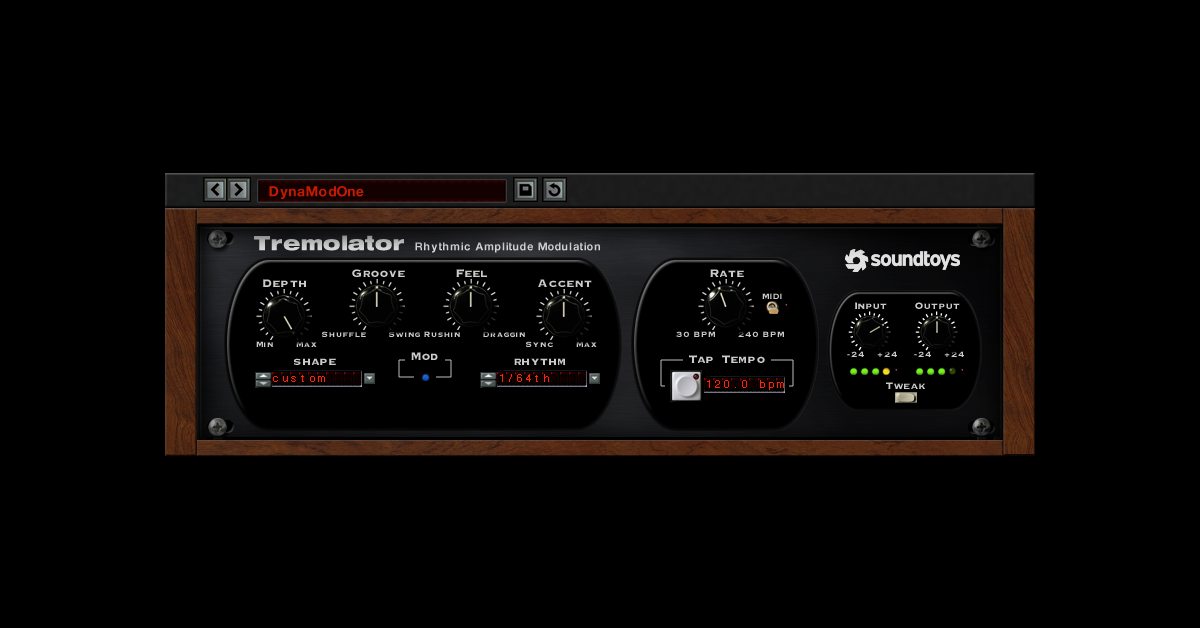
Tremolator modulates audio level to create vintage-style tremolo or rhythmic gating. Its wave shapes emulate characteristics of classic hardware such as the Fender Vibrolux amp and Wurlitzer electric piano. It fits producers who want a level pulse that can follow a track’s tempo, use a custom rhythm, or respond to the input’s dynamics.
Shape a tempo-locked pattern
Set the modulation rate directly, tap a tempo, or sync Tremolator to incoming MIDI clock. The Rhythm control selects subdivisions of the rate, while the Rhythm Editor lets you arrange custom patterns across bars and beats. You can save patterns for reuse. Groove adds shuffle or swing, Accent changes the emphasis on the beat, and Feel shifts the modulation ahead of or behind it.
The Shape control selects built-in LFO waves, and the Shape Editor lets you draw and save custom shapes. Smooth waveforms give a conventional tremolo pulse; sharper shapes, such as a square wave, can cut the signal into an auto-gate. This makes Tremolator useful for both steady volume movement and more patterned rhythmic parts.
Make the modulation respond to playing
In the Tweak menu, Threshold sets the input level at which dynamic control begins. Attack and Release determine how quickly the changes respond and settle back. In Env mode, Rate and Depth modulation vary with the signal level above the threshold. In Gate mode, crossing the threshold drives the selected modulation amount to its set maximum, where it remains while the input stays above the threshold.
Rate Mod can speed up or slow down the LFO according to the input level, while Depth Mod changes the strength of the tremolo the same way. With Rate Mod set to increase speed, input above Threshold can push the LFO into the audio range for ring-modulation-style effects.
Formats and system requirements
Soundtoys lists 64-bit AAX Native, AAX AudioSuite, VST 2, VST 3, and Audio Units formats, with Apple Silicon compatibility. The listed requirements are macOS 10.15 or later or Windows 10 or later; ARM-based Windows machines are not supported. Internet access is required during activation. Supported hosts listed by Soundtoys include Pro Tools, Live, Cubase, Nuendo, Logic, Studio One, Reaper, and Bitwig. Tremolator is listed as a standalone product and as part of Soundtoys 5.