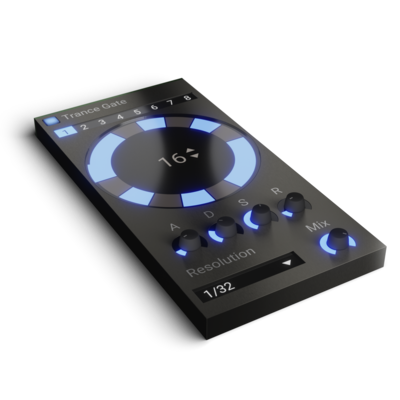
Trance Gate is a sequenced gate effect that modulates audio volume with a programmable rhythm. Use it to add pulses to pads or leads, chop up a beat, or give an arpeggio a more staccato sound.
Program a rhythmic pattern
Choose between eight pattern slots with Pattern Select. In the Pattern Editor, click steps to turn them on or off. The Length display shows the current pattern length, while Resolution sets the duration of each sequencer step.
Shape the volume and blend
Attack, Decay, Sustain and Release shape the ADSR envelope applied to the sound according to the selected pattern. The Mix control blends the effect with the dry signal; lower settings let more of the unmodified sound through.
Use it as a plugin or Snapin
Trance Gate runs as a regular VST, AAX or AU plugin, or as a Snapin inside Phase Plant, Multipass or Snap Heap. In a host, you can combine it with other Snapins and modulate them as part of a larger instrument or effect.
Trance Gate is included in Kilohearts Essentials, which Kilohearts lists as free with an account. Kilohearts' general system requirements specify an x86 64-bit processor with SSE3 or, on macOS, an Apple M processor, plus a DAW supporting VST2, VST3, AAX or Audio Unit. The company does not support operating system versions their manufacturers no longer support. Its standard plugins do not require licensing hardware; versions installed through Slate Digital use iLok and require a valid Slate Digital license. See the system requirements for details.