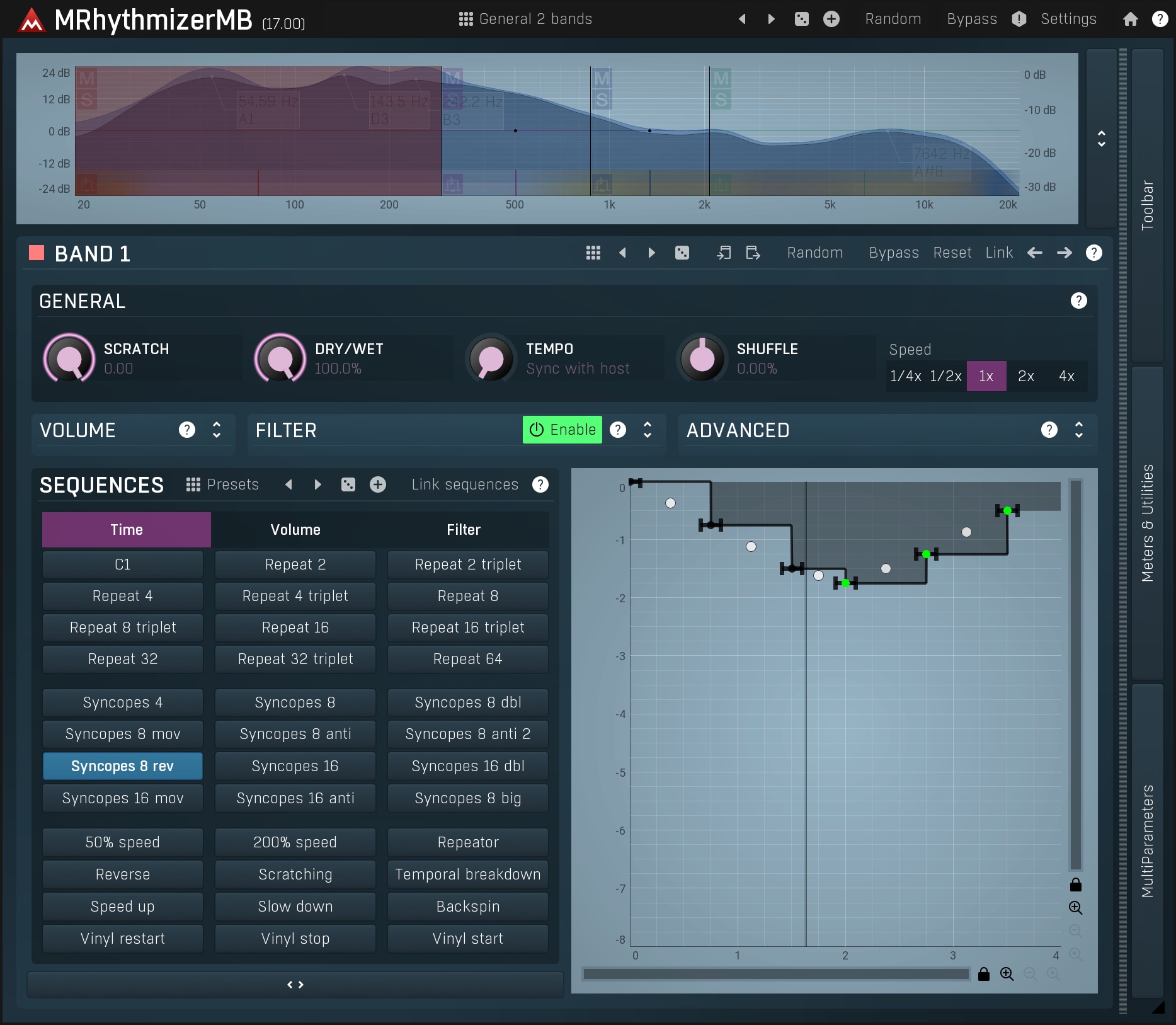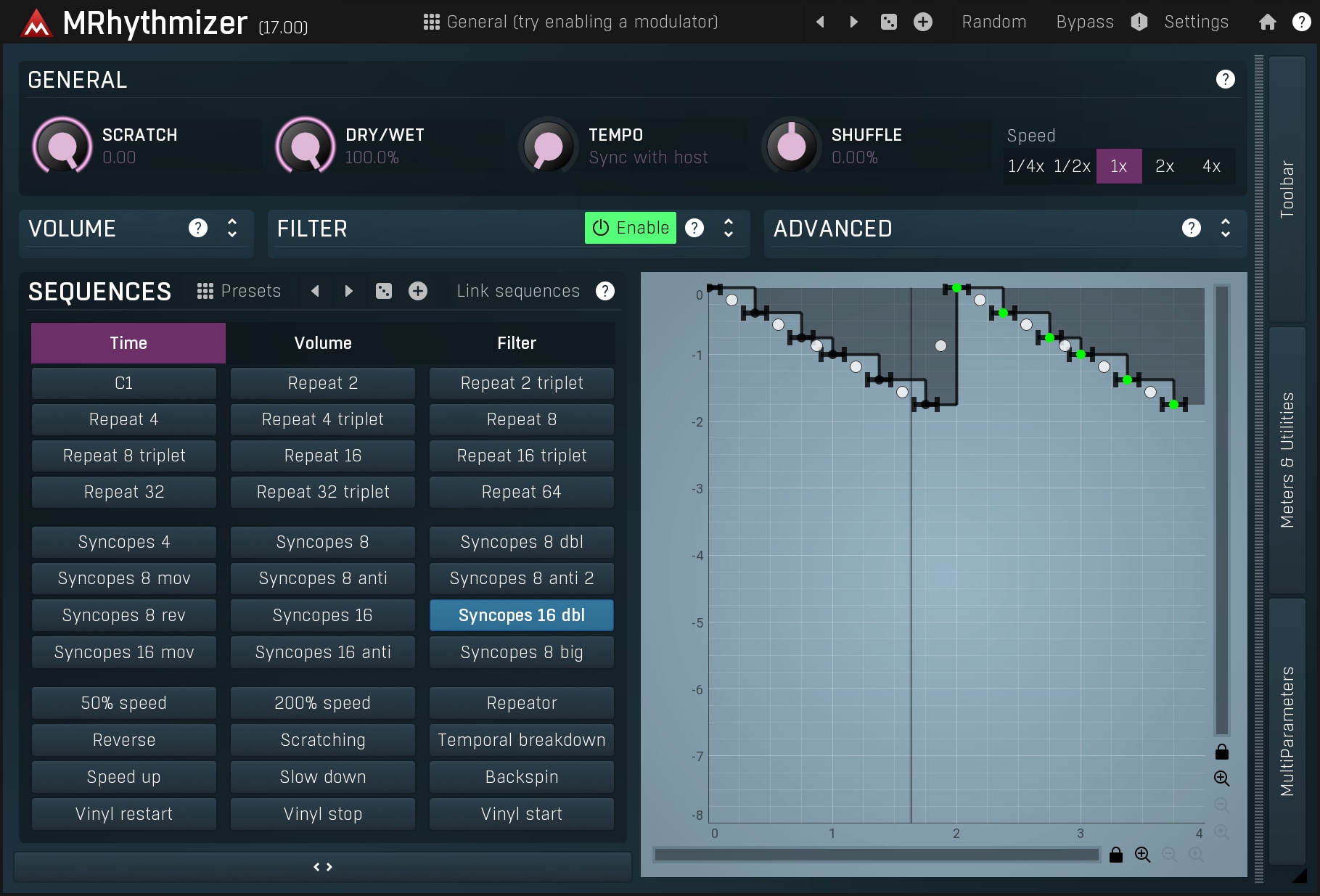
MRhythmizer is a time-manipulation effect for reshaping an audio part with sequenced changes to playback time, volume and filtering. It suits producers who want repeats, rhythmic gating, scratching or glitch-style edits that can change within a phrase. MeldaProduction documents three sequence banks, with 36 sequences for each of time, volume and filter, and switching through MIDI, host automation or a modulator.
How the sequencers shape a part
The time sequence selects which quarter-note moment to play, from the current moment back through the previous seven. Drawing a pattern can repeat a hit or jump back through a phrase. A Scratch control shifts the time offset manually, and modulators can move it automatically. The volume sequence shapes level for gates and rhythmic accents. The filter sequence controls a variable band-pass filter's cutoff.
For a transition, choose a different sequence immediately or at the next bar. Single-shot modes return to the first sequence when the selected sequence ends. The tempo control can sync to the host, use host tempo while allowing sequences to trigger at any point, or run independently. A Link control can trigger the corresponding volume and filter sequences when you select a time sequence, so one change can update all three treatments together. The quick-start guide explains sequence length, triggering and synchronization options.
Controls and practical limits
You can switch among A-H settings and use the X-Y pad to morph among the first four. Automatic gain compensation helps keep output loudness aligned with the input when settings change. Melda also lists a safety brickwall limiter that keeps the output below 0 dB.
Filter processing is disabled by default. It uses significant CPU and changes phase and spectrum, even at the 100% setting, so use it when that effect suits the material.
Compatibility, trial and licensing
MRhythmizer is 64-bit. Melda lists Windows 10 or 11 with VST, VST3 or AAX hosts and an Intel or AMD processor with SSE2 support. On macOS 10.14 or newer, it lists VST, VST3, AU and AAX hosts with Intel, AMD or Apple Silicon processors. Linux is not directly supported; Melda says running through Wine may be possible with Microsoft TrueType fonts in Wine's Windows fonts folder. Check the system requirements for current compatibility details.
Melda's pricing page lists a fully functional 15-day trial and a permanent single-product license with free-for-life updates. The license is personal and can be used on all your computers while you are the user. Activation uses a license file and does not require a dongle or an internet connection. Check the pricing page for current purchase terms.