How Trimflow places trim details
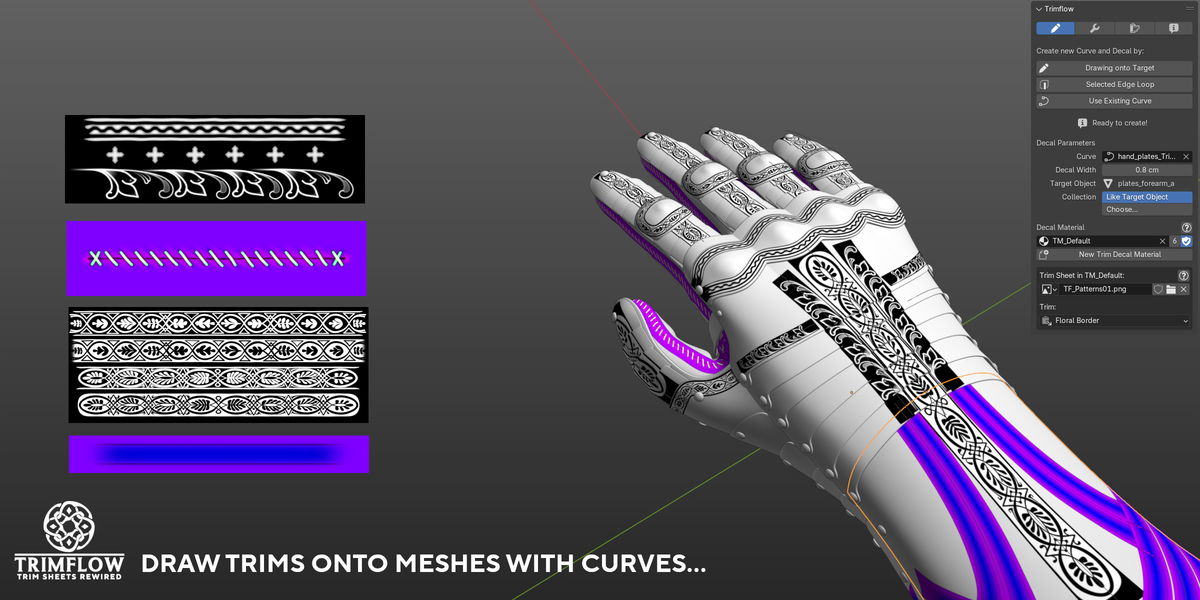
Trimflow is a Blender add-on for applying repeating patterns, such as ornaments or stitches, to a mesh. Draw a curve on the surface, and Trimflow turns the trim texture into a decal that you can adjust, copy, or swap.
Shape-Shift describes its approach as similar to Substance Painter's Path tool, using trim textures instead of brushes.
Choose decals or baked masks
The integrated baker converts trim decals into masks for material creation in Blender or in applications such as Substance 3D and Marmoset Toolbag. For a Blender render, you can also use a shader setup to blend decals with the target object's material without baking.
Use existing trims and example assets
Trimflow works with conventional trims from existing libraries and third-party asset packs. It also supports trims with optional Head and Tail pieces around a seamless, tiling section. The documentation explains how to make patterns for that format, and existing trims can be adjusted to support it.
The add-on includes the Sami Knife and Shoe examples, along with their trim sheets and textures. Shape-Shift also provides online documentation and a YouTube tutorial playlist.
Check Blender compatibility
Superhive's product details list Blender versions 3.5 to 5.3. The Trimflow 2.2 release note adds Blender 5.2 compatibility and says 2.2 will not work with Blender 5.1 or older; it directs users of those versions to Trimflow 2.1.3. Check the release notes for the version that matches your Blender installation.