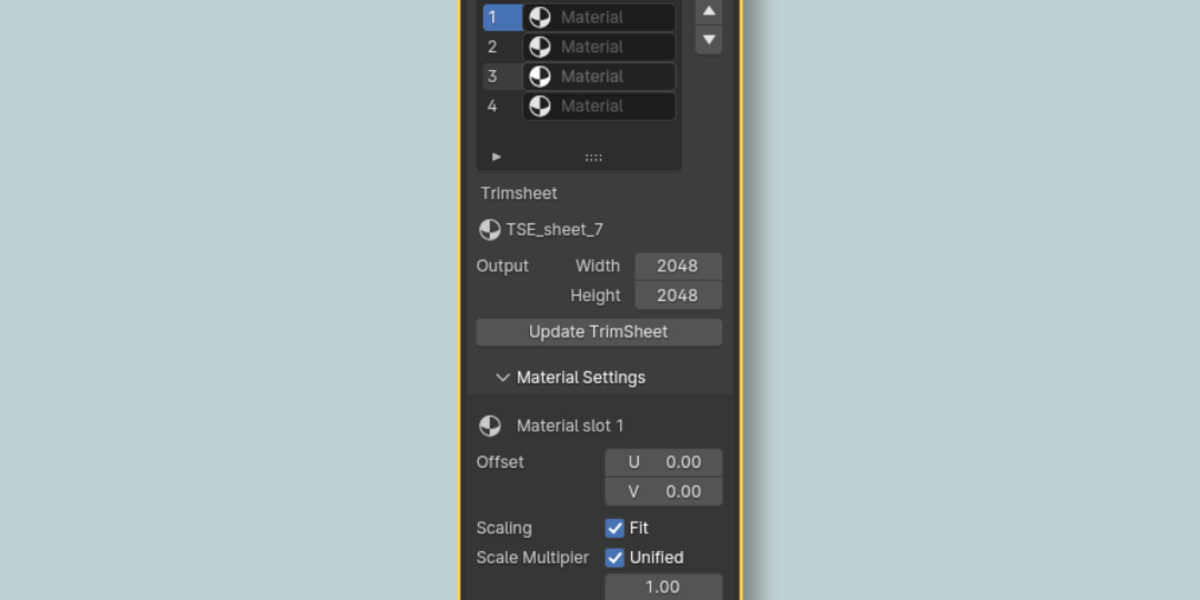
Trimsheet Express is a Blender add-on for turning materials already in a scene into trim sheet textures. It works from a mesh layout: shape a Trimsheet plane in Edit Mode, assign materials to its faces, adjust each patch, then update and export. It fits environment artists, game-asset workflows, and material libraries. It is an add-on, not a pack of ready-made assets.
Lay out trimsheet sections
Create a Trimsheet plane, reshape its faces to define the sections, and assign a source material to each face from the add-on panel. Each material patch can be repositioned and scaled separately. Click Update Trimsheet to generate the sheet, with a live preview available while you work in Edit Mode.
When editing the plane, the product FAQ says to enable Correct Face Attribute and Keep Connected in the Active Tool shelf. It also lists unwrapping the plane before updating as an alternative.
Bake and export textures
Integrated baking handles more complex source material setups. Trimsheet Express supports materials using Principled BSDF, Glossy BSDF, Diffuse BSDF, and Transparent BSDF shader output nodes. It works with both Cycles and Eevee.
Choose an output resolution, format, and file naming pattern, then batch-export the texture maps. This keeps the layout, baking, and texture export in one Blender workflow.
Compatibility and version 1.0.4
The product listing gives a Blender compatibility range of 3.6 through 5.1, marks the add-on as Blender Extension compatible, and lists its license as GPL.
The version 1.0.4 release notes address an issue where some textures could be empty after baking in Blender 4.4 and later when using the default color space. They also note that previous maps are preserved during mesh updates and preview maps are created separately.
For installation steps and other product questions, see the Trimsheet Express FAQ.