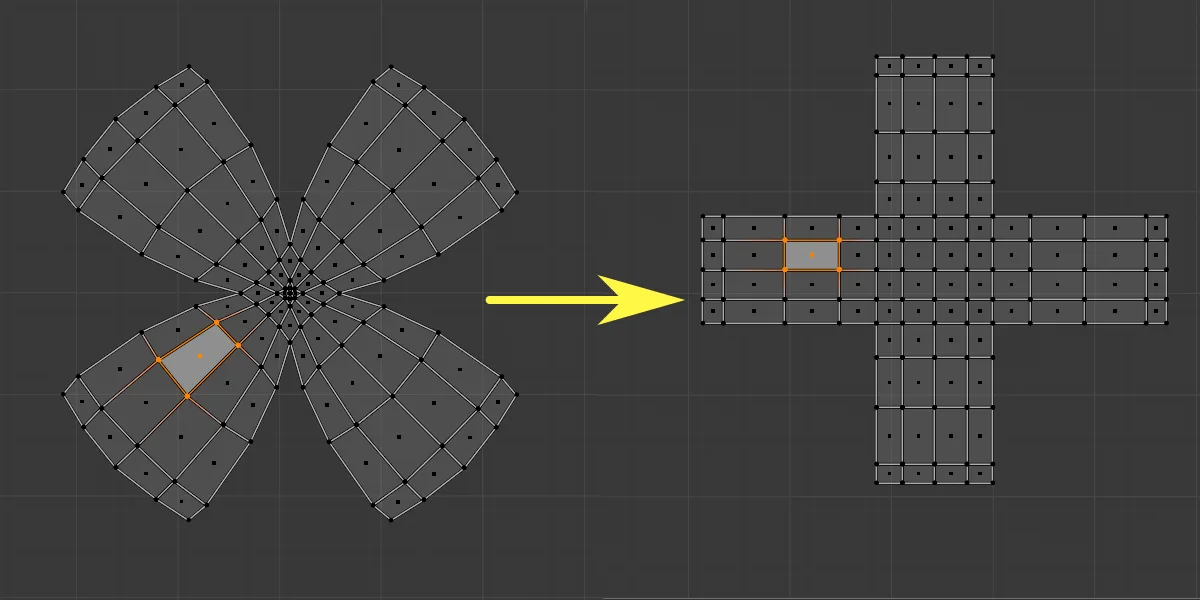
UV Squares is a Blender add-on for reshaping selected UV quad faces after an unwrap. It can arrange them into a grid of equal-area squares or follow the shape of a selected face, helping with UV cleanup that would otherwise require manual vertex alignment.
Reshape UV faces and islands
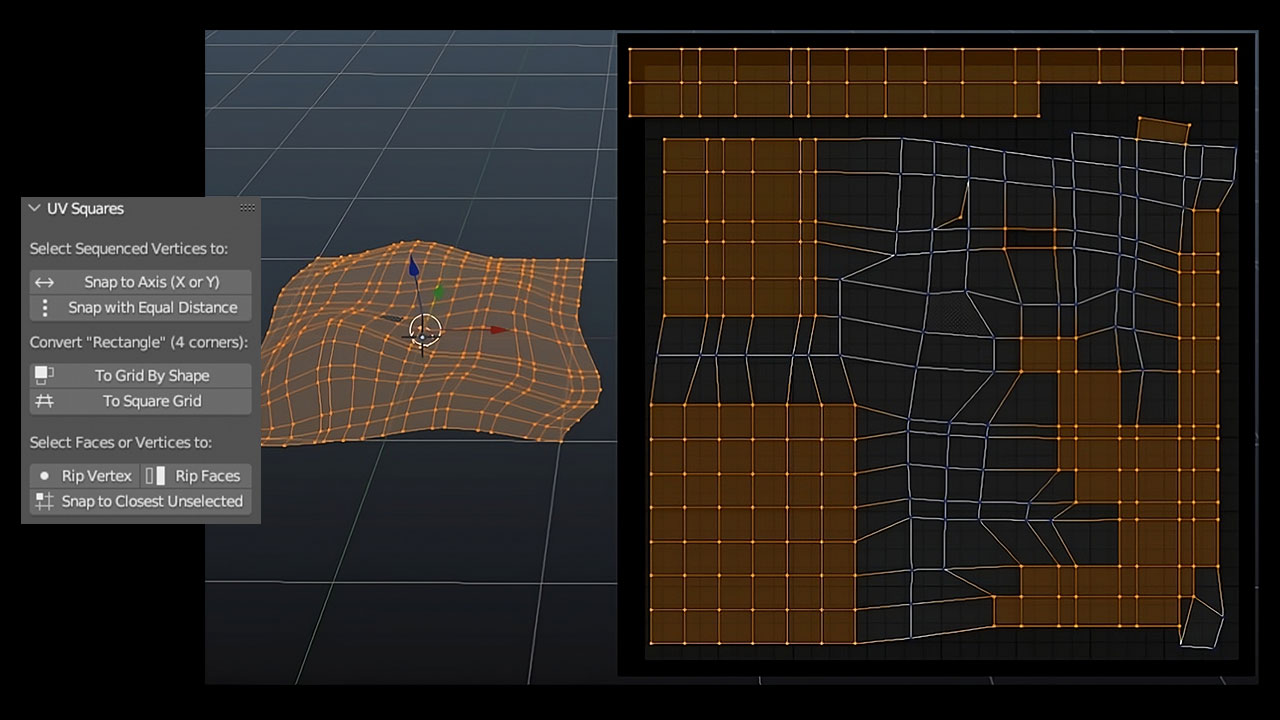
Grid mode turns selected quad faces into equivalent squares, each with the same area. Shape mode uses a face as a reference: the resulting rectangles can have different areas while fitting into straight lines. You can process more than one separate UV island at a time.
The add-on also aligns a sequence of vertices along the X or Y axis, with the axis chosen from the selection's slope. Other controls can rip faces or individual vertices, join selected vertices to the closest unselected vertices, and snap the 2D cursor to a selected vertex.
Install and find the add-on
In Blender, open Edit > Preferences > Add-ons > Install and select the downloaded ZIP file or the unzipped uv_squares.py file. After installation, open the UV Editor and look for UV Squares in the N panel. The documented shortcuts are / for Grid and Alt + E for aligning vertices.
Compatibility and license
Superhive's product listing gives a Blender range of 2.79 through 5.2. An Any Plugins snapshot gives 2.79 through 5.1, so check the current developer listing for your Blender release before installing. Superhive lists the add-on under the GPL license.
See the UV Squares documentation for installation notes and editing details, and the Superhive product listing for current compatibility and license information.