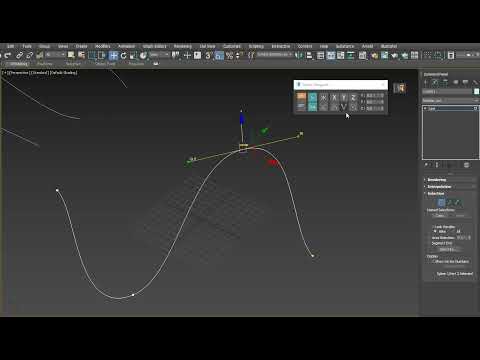
Vertex Tangent is a 3ds Max script for adjusting shape vertex tangents. It combines selection tools with movement-axis controls and an optional undo-recording switch.
Select vertices and tangent sides
Use Auto Detect to pick up the selected vertices, or press Get to retrieve the current selection when you need it. Separate buttons select the In and Out tangent vertices, so you can work with each side individually or move their tangents together.
Choose how tangents move
The axis buttons determine the moving axis rather than the projection axis. Version 1.2 adds an option to move a tangent along its local axis.
Check the undo setting before editing
3ds Max does not record undo for tangent-position changes by default. Vertex Tangent has an ON button to activate undo recording; when it is off, no undo is recorded. The spinners have no undo; entering 0 restores the old positions. The 0 reset is separate from the undo setting.
ScriptSpot's update notes also record a transform-matrix fix for cases where undo was active in version 1.1.
Version and download
ScriptSpot lists version 1.2, updated November 4, 2023. Its notes say version 1.2 added local-axis movement. The listing identifies the tool as a 3ds Max script but does not name supported 3ds Max release numbers, so check with the developer if compatibility with a specific release matters. The ScriptSpot listing provides the feature details and links to the Gumroad page for the script .