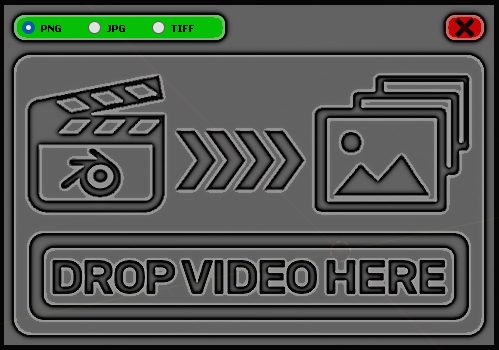
Video To Image Sequence Converter is a Blender addon from CGMatter for exporting a video as individual image frames. Drag a video file from a folder into the Video to Sequence operator, and the addon saves the resulting sequence in a subdirectory beside the original video. This can simplify preparing frames for tracking, editing, or compositing.
Use video files from outside the Blender project
Install the ZIP as a Blender addon, then find the operator through Blender’s search. The addon uses files from your operating system, so the video does not need to be loaded into the Blender project first. Its interface appears in a movable overlay window. The product documentation notes that the ZIP can take a few seconds to finish installing, and the first operator run can take a few seconds longer than usual.
Output formats and file handling
The addon works with most video formats, including .avi, .mp4, .mov, .mkv, .flv, and .wmv. It exports image sequences in .png, .jpg, and .tiff. The addon creates an export subdirectory beside the source video, so you do not need to prepare a destination folder in advance.
Blender and operating system support
CGMatter’s product page says the addon was made with Blender 4.0 in mind and supports Windows and Mac. Its documentation specifically mentions Apple silicon M1, M2, and M3 chips. It does not confirm compatibility with other Blender releases or Intel Macs, so check the product page before installing on a different setup. The installation documentation also covers a macOS permission error involving the bundled Python interpreter.
If the operator is missing
If Blender’s search does not show the operator after installation, CGMatter’s FAQ says to enable Developer Extras under Edit, Preferences, Interface, which can reveal some operators Blender otherwise hides.