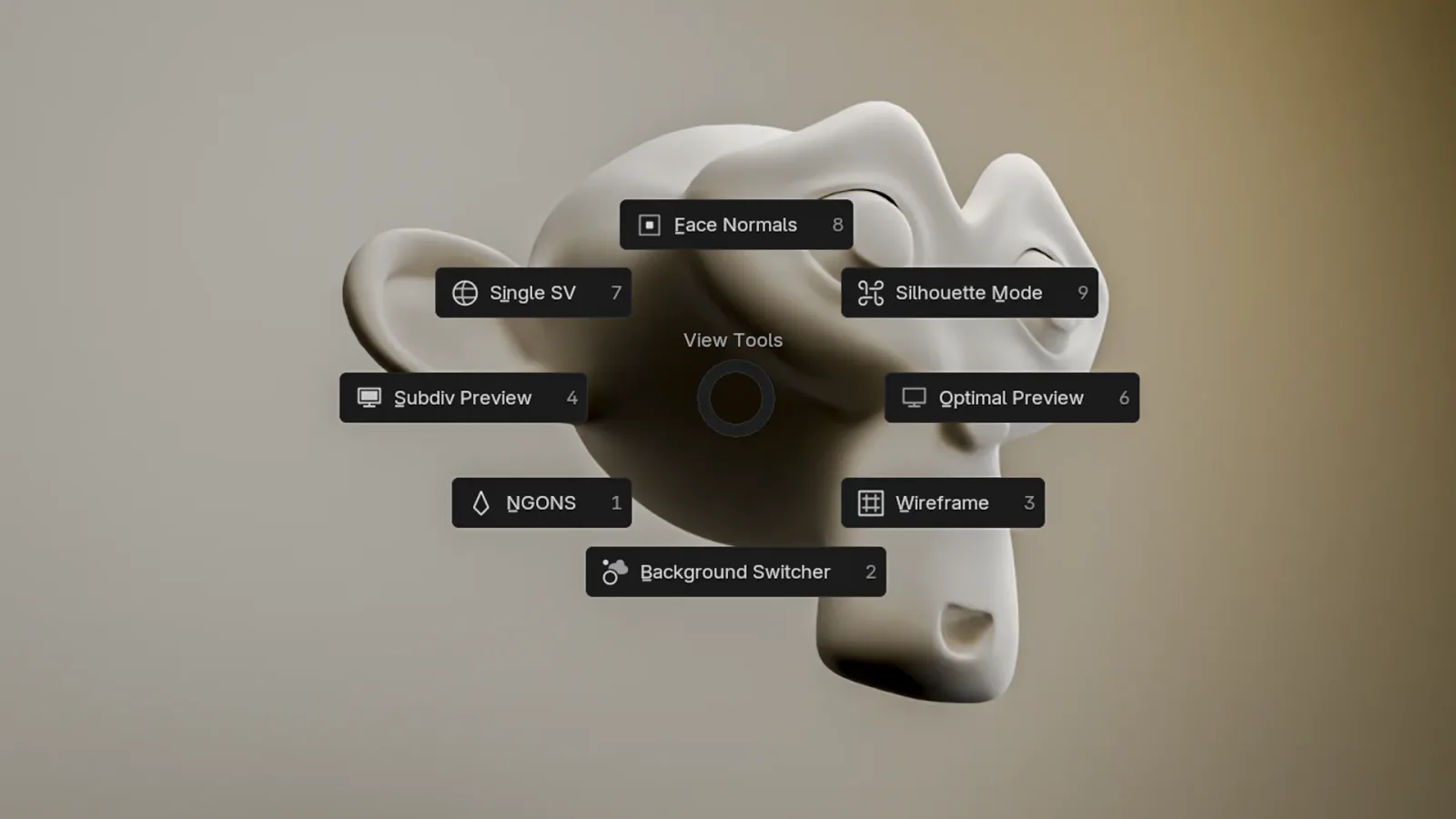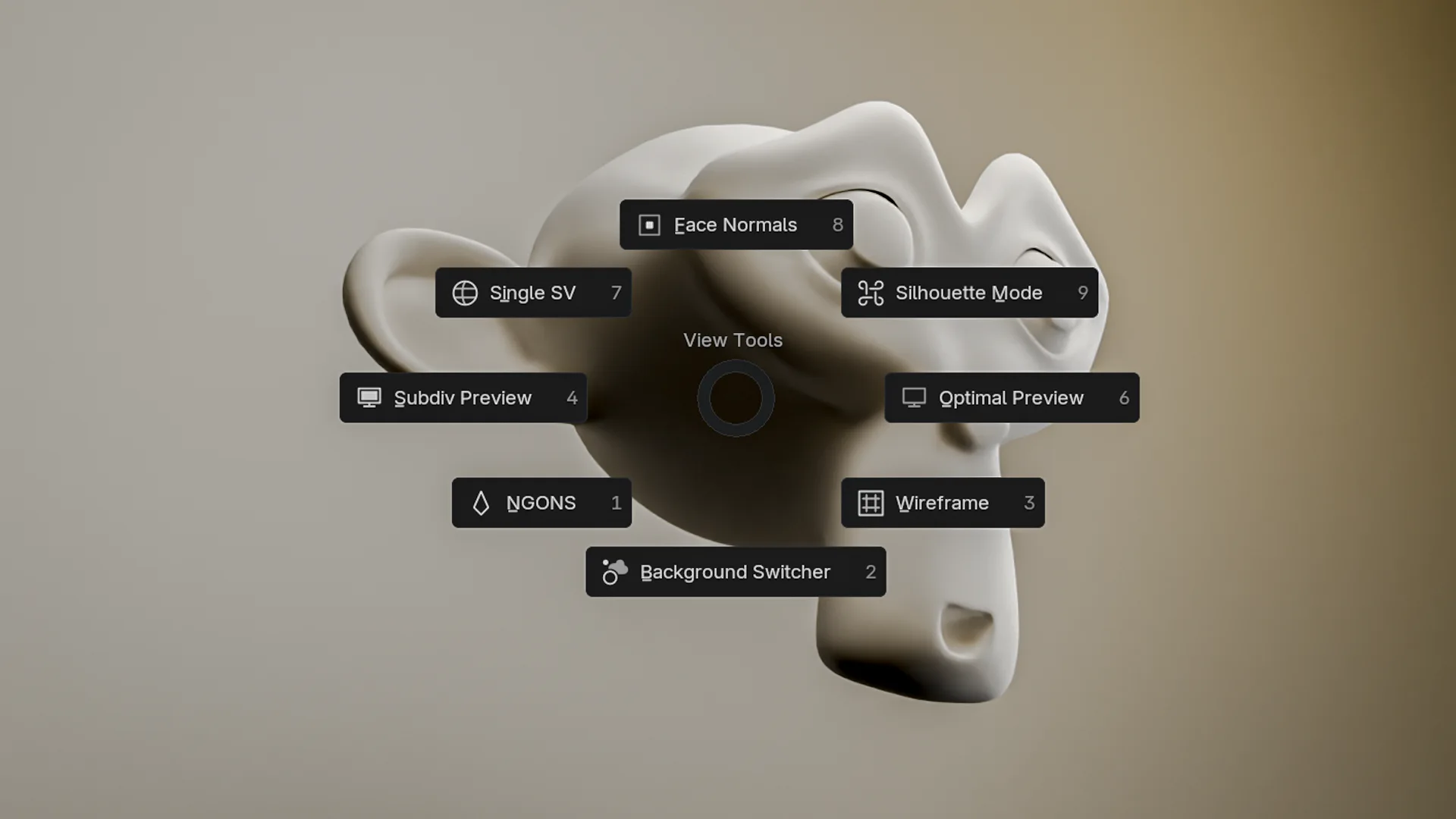
ViewTools is a Blender add-on by Ishara-Sandeepa for viewport and mesh inspection. Its listed tools include Face Normals, Silhouette Mode, and Wireframe toggles, viewport background options, checks for n-gons and triangles, and subdivision-modifier controls.
Adjust the viewport display
Use the Face Normals toggle to inspect surface orientation, Silhouette Mode to preview a model's outline, or Wireframe to examine its topology. The Background Switcher includes Solid, White, Black and Default presets, along with a custom-color option. The ViewTools product listing describes these as tools for working in Blender's viewport.
Check faces and subdivision modifiers
The N-gons and Triangles check detects and selects those face types, with an optional zoom to problem areas; the listing does not describe automatic repair.
Subdivision Management toggles subdivision modifiers for an individual object or for all visible meshes. This is useful when you need to compare objects with those modifiers enabled and disabled during a modeling review.
Open and install ViewTools
The product listing gives Alt + ` (accent grave) as the shortcut for opening the tool set. For installation, follow Blender's Install from Disk instructions. Check the official version history for the available release.
Compatibility and license
The Blender Extensions catalog lists ViewTools version 1.0.0, with Blender 4.3.0 as its minimum version and a GPL-3.0-or-later license. Check the official ViewTools listing for current release and compatibility details before installing.