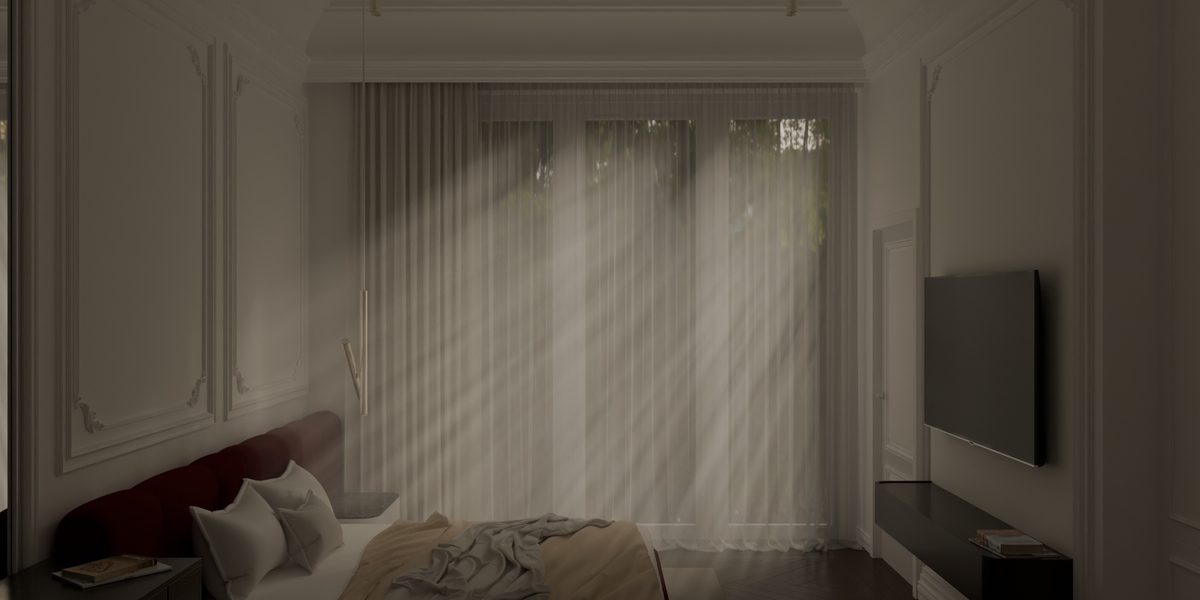
Volume Forge is a Blender add-on by Depth Optica for placing volumetric light and fog in selected parts of a scene. It suits shots where atmosphere needs to appear around a beam or chosen area, without filling the whole scene with fog. You can use it for god rays, localized fog, soft haze, smoky or dusty light, vapor-like effects, moody interiors, and stylized beams.
Choose between Light Volume and Real Fog
Light Volume uses an emissive method: an Emission shader connects to the Volume output. The product listing says this approach often renders much faster than physical fog across an entire scene, while producing a convincing atmospheric result in many shots. Real Fog creates a true volumetric fog setup. Choose it when the volume needs to respond more naturally to scene lighting or visible shadows inside the fog matter to the shot.
Build the volume around the shot
Volume Forge provides two ways to create an effect. Cube is the quick option: add a volume and shape it freely. From Faces lets you set a source and destination, which suits a directed path such as light traveling from a window to the floor.
Once a volume is in place, controls for fade, breakup, color, masking, shadow response, and overall shape help refine its appearance. You can stretch the noise, soften edges, and animate useful parameters as the shot changes.
Reuse setups across projects
User Presets save Volume Forge parameter values so you can apply a look to another Volume Forge object. They preserve the volume's color values, and you can open the presets folder or choose a custom folder. A preset stores settings, not a complete Blender object or material.
For separate controls and materials on each copy, use Duplicate Volume Forge. Blender's standard Ctrl+D duplication remains useful when you want copies to share material behavior. To bring an object in from another .blend project, the product documentation recommends File > Append. Validate / Repair Selected Volume can check or repair a selected volume after an update or import, or when something seems incomplete.
Compatibility and license
The Superhive product listing lists Eevee and Cycles support, Blender versions 4.5 through 5.2, and a GPL license. Check the listing for current compatibility and license details before installing.