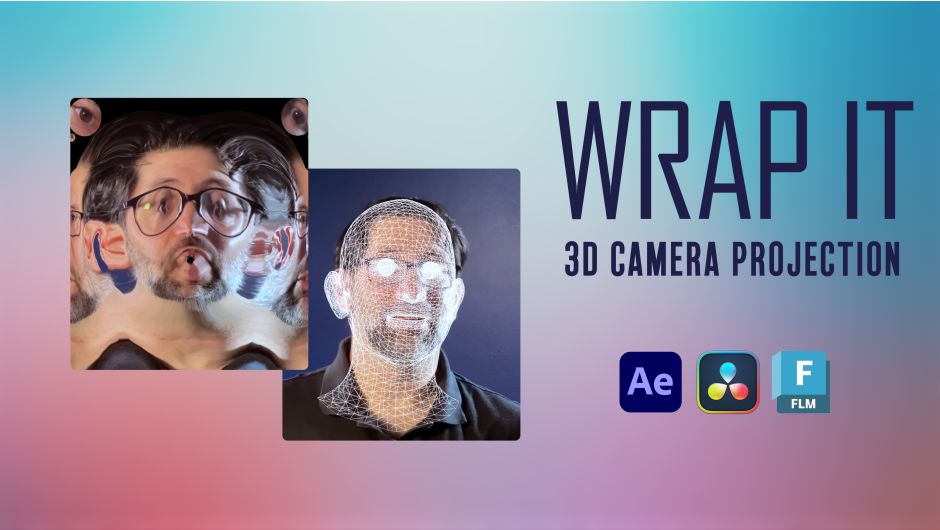
Wrap It for OFX is a camera-projection plugin for DaVinci Resolve that connects 3D geometry with texture work in a compositing timeline. It loads Alembic (.abc) files, unwraps geometry into UV space, and rewraps edited textures onto a model. The listed uses include extracting textures from tracked footage, creating clean plates, and adding graphics to tracked surfaces.
The workflow moves between a camera-projected image and a model's flat UV texture. Wrap It supports both directions, so artists can work on the surface in 2D and then see the edited texture mapped back onto the geometry.
Unwrap projected shots into UV space
Unwrap mode transforms 3D geometry into flat UV space. The output provides access to texture data that would appear on the 3D surface. The developer describes using it to extract textures from projected camera footage and create clean plates from tracked shots.
Rewrap texture edits onto a model
Rewrap mode maps a texture from UV space back onto 3D geometry through the camera. An artist can paint, manipulate, or composite the texture in 2D, then use the rewrapped result for graphics on tracked surfaces, blemish fixes, or effects intended to sit on 3D geometry.
Load Alembic geometry and animation
The plugin loads .abc files from Maya, Houdini, Cinema 4D, Blender, and other Alembic-compatible applications. The developer lists support for animated geometry, including vertex animation and deformations. This makes it suitable for work where the mesh changes over time as well as shots using static geometry.
Resolve compatibility, GPU, and licensing details
The listed DaVinci Resolve versions are 16 through 21, with builds for Windows, macOS, and Linux. A GPU is recommended for optimal performance, and the plugin supports GPU acceleration. Version 1.0.2, dated April 9, 2026, fixes GPU artifacts and updates Linux licensing.
The developer also offers a separate After Effects version and a Flame build for Linux and macOS, tested with Flame 2025 and 2026. The product page notes that its promo video incorrectly says the workflow cannot be done in Resolve; the developer points out that Fusion has ways to do it. Wrap It is an OFX option for the camera-projection and UV workflow described here.
The aescripts listing shows a $199.99 purchase price, a 25% checkout discount, and a free trial. That conflicts with the catalog's Free label, so check the developer's product page for current pricing, trial terms, tutorials, and licensing details. The page says Linux floating licenses are not yet available and render licenses are coming soon; confirm those terms before choosing a license.