Zen Sets is a Blender add-on by Sergey Tyapkin for saving and managing reusable groups. It works with mesh elements, objects, collections, and Blender Vertex Groups. Blender 4.0 removed native Face Maps and converted their values to integer attributes; the Zen Sets changelog lists import and export support for the Blender 4.0 Face Maps Attribute. If a project needs recurring selections or ways to organize and inspect complex scenes, you can save groups and recall them as work changes.
Save mesh selections in Sets or Parts Mode
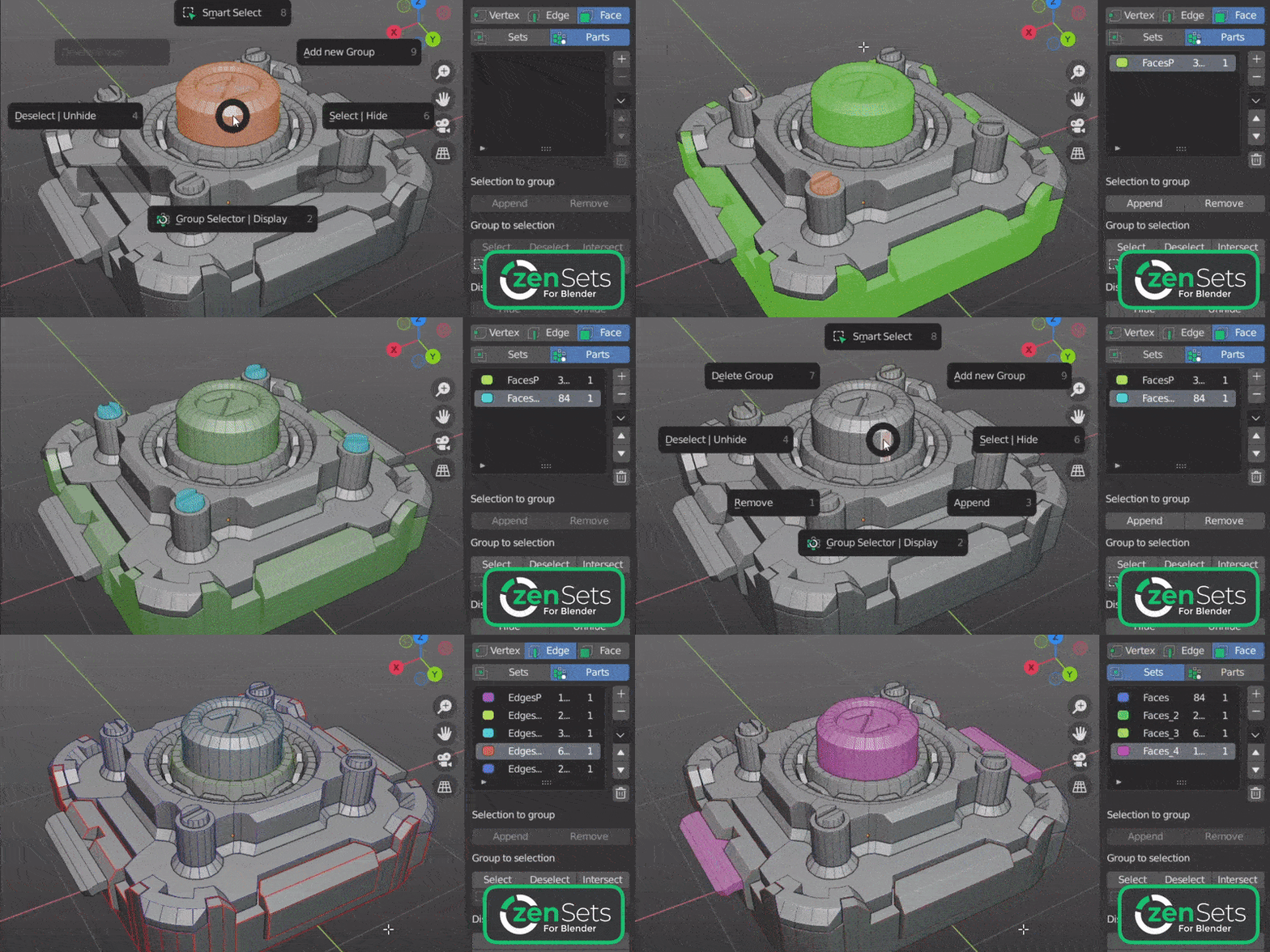
Zen Sets stores selections of vertices, edges, and faces. In Sets Mode, an element can belong to more than one group. In Parts Mode, each element belongs to one group, with behavior described as a simulation of ZBrush Polygroups for selecting and hiding parts. Multi-object editing lets you work with groups across objects. The Workspace Tool switches between groups directly in the 3D Viewport; the add-on also provides an N-Panel, pie menu, and group operators.
Manage objects and collections
Object groups organize related objects without changing Blender's native collection structure. Collection tools help you navigate nested collections and select, hide, or isolate them from the 3D Viewport. Other tools sort collections, batch-rename groups, and convert collections to Empty objects and back while preserving hierarchy and object positions.
Read group structure by color
The display system shows groups by color in the 3D Viewport and UV Editor. This can make group boundaries easier to inspect while editing a model or its UVs. For model elements, the Workspace Tool provides another way to select and switch groups on the model.
Automate group workflows
Auto Groups can create groups using conditions such as object type, object data, linked faces, materials, seams, sharp edges, and UVs. The add-on also includes operators to create objects from groups, assign materials, set sculpt masks, and create modifier masks from Vertex Groups. Its documentation covers Geometry Nodes workflows, import and export, and the Zen Sets API.
Zen Sets may suit Blender artists who reuse mesh selections or need to work across object groups and nested collections. Check the Zen Sets manual for workflow details and the product listing for the Blender version range before installing.