RAW processing and optical corrections
DxO PhotoLab is a photo editor for developing RAW files, correcting optical issues, and making local adjustments. DxO Modules apply corrections for distortion, vignetting, chromatic aberration, and lens softness based on the camera and lens combination. DeepPRIME 3 and DeepPRIME XD3 reduce noise and recover detail during RAW conversion. For RAW files, camera support is required. If the lens is unsupported, PhotoLab can still process the RAW file, but automatic lens corrections are unavailable without the corresponding DxO Module; manual lens adjustments remain available. Check DxO’s supported camera and lens list to see which corrections are available for your equipment. DxO outlines these tools on its PhotoLab features page.
Selective editing in PhotoLab 10
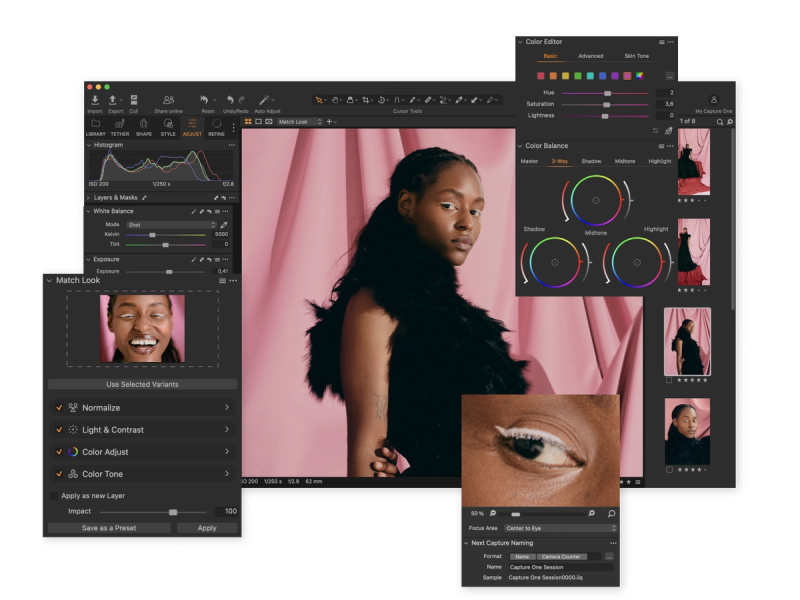
PhotoLab 10 introduced Depth Masks, which use a depth map to select areas by their distance from the camera. This lets you adjust foreground, midground, and background separately. Its color grading tools control shadows, midtones, and highlights. AI Masks can select people and facial features, while U Point selections can be refined by color and luminosity.
Version 10.3 adds support for opening Affinity’s native .af files in PhotoLibrary. You can continue adjusting and exporting those files in PhotoLab. Version 10.3 also lets local adjustments use DeepPRIME XD3 or DeepPRIME 3. See DxO’s PhotoLab 10 release details for the version-specific features.
PhotoLibrary and export workflow
PhotoLibrary browses folders and projects, with tools to search, sort, and select images. Open the Customize tab to edit, then export the results to disk or another application. DxO describes this as a non-destructive workflow, so corrections remain adjustable. The PhotoLab user guide covers browsing, editing, and export options.
Who may find DxO PhotoLab useful
PhotoLab may suit photographers who want RAW development, equipment-specific optical corrections, noise reduction, and selective editing in one desktop workflow. DxO lists Windows and macOS versions with a perpetual license and advertises a 30-day trial. Check the official product page for current trial, license, and system details.