For Houdini users considering DMAPR, the product listing names Houdini versions 17, 18, 19, 20, 20.5, and 21 as compatible. It describes a map-generation workflow for 3D materials, but does not explain how DMAPR connects to Houdini or which Houdini features it uses. Check the DMAPR product listing for its compatibility details and tutorial.
Houdini versions in the compatibility list
The listing does not give Houdini build numbers or describe a Houdini-side installer. Treat its entries as DMAPR’s stated compatibility information, not Houdini system requirements.
Maps for 3D material workflows
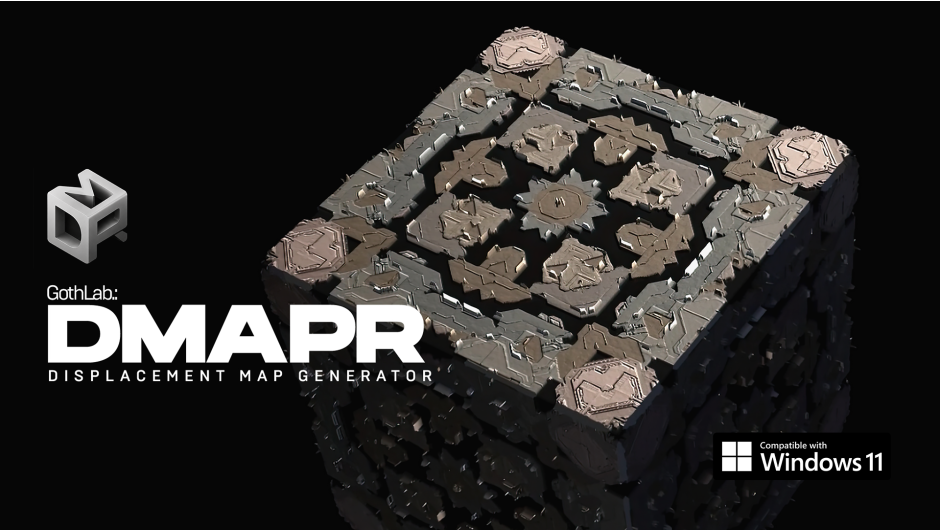
DMAPR builds procedural map compositions from sprites, element sets, symmetry modes, and generation controls. Its product page describes displacement maps for material or geometry workflows, plus a PBR texture set and normal maps. Map controls cover properties such as strength, contrast, depth balance, and smoothing. The live 3D preview lets users inspect generated maps before export.
The listing says outputs range from 1024 pixels to 8K and can be exported as JPG, PNG, or TIFF. The tutorial index places 3D Material Setup in its 05:31 Planned Features chapter. The listing does not establish a current Houdini setup or give Houdini-specific import steps, node names, or settings; check the video or Houdini documentation for those details.
DMAPR’s Windows requirements
The listed requirements apply to DMAPR. It is described as Windows-only and designed for 64-bit Windows. With the 3D render view off, the minimum is a dual-core 2.0 GHz CPU, 4 GB of RAM, integrated graphics, and 300 MB of free storage, with a 1280×720 display. For the 3D render view, the recommended configuration is Windows 10 or 11, a quad-core 2.5 GHz or faster CPU, 8 GB of RAM (16 GB for large maps such as 4K and above), a dedicated GPU or strong WebGL-capable integrated graphics, and 1 GB of free storage, with a 1920×1080 display. The listing notes that disabling the preview reduces GPU load.
What to check before choosing a workflow
- Confirm that your Houdini release appears in DMAPR’s compatibility list.
- Check the Windows requirements for the DMAPR features you plan to use, especially the live 3D preview.
- Use the vendor’s tutorial to review its map export workflow.