Particle Illusion Pro is Boris FX's 3D particle generator for motion graphics, visual effects, titles and lower thirds. It runs as a standalone application or as a plugin in Continuum. The choice determines whether you need a host application and which host integrations are available. Boris FX describes both options on its Particle Illusion Pro page.
Choose standalone or Continuum plugin
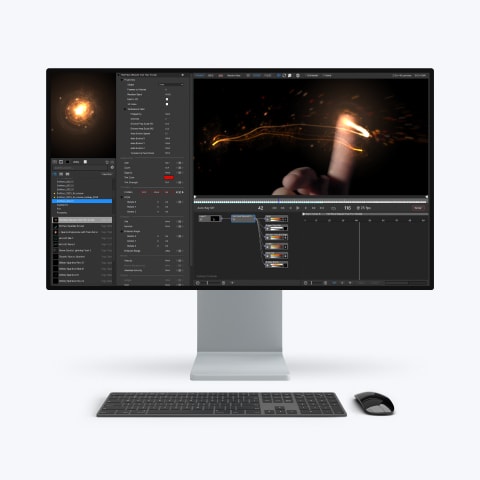
The standalone app works without another host. In the Continuum plugin, Mocha tracking can drive an emitter's position, the particle world's position, or both. After Effects users can use paths and text as animation paths or emission sources, link emitters to 3D layers and lights, and use the host's camera. Beat Reactor maps audio frequency ranges to host-level parameters such as particle velocity, count and size. The plugin also includes color correction, glow and blending controls.
Start with emitters, then customize motion
Thousands of preset emitters are available through a separate free installer. Search the library for an effect, then use the live preview to see how it moves. Adjust an emitter's position, shape, life, particle count or size in the control panel, and save the result to a custom library.
Build 3D particle movement
Work with emitters, forces and deflectors in 3D. Fluid Dynamics can turn an existing emitter into a flowing, swirling animation and includes more than 20 presets. Deflectors let particles bounce off or interact with logos and other graphics. Lines can connect particles to parent emitters, birth positions or other particles, while turbulence varies particle position and size through evolving noise. The integrated camera has position, pan and orbit modes, plus depth of field and motion blur.
Refine paths and blending
Editable position path presets can animate emitters or the camera. Position tools can retime, rotate, scale and translate a path, or equalize its timing for more consistent speed. Parameter search filters or highlights controls in long lists. Blending modes include Screen, Multiply, Overlay, Soft Light and Difference. Other workflow tools include inherited velocity, higher-quality 3D lines, resultant gradients, Replace Emitter, and position and angle data in the graph view.
Requirements and licensing
Boris FX lists macOS Catalina 10.15 or later and Windows 10 or 11. The listed requirements include 8 GB of RAM minimum, with 16 GB or more preferred. The Mac processor list names Intel, AMD and Apple M1, M2 and M3; Windows requires a four-core or higher Intel or AMD processor. Boris FX says most modern AMD, NVIDIA and Intel graphics cards are supported. Setup and control details are in the Particle Illusion documentation.
The trial installs through Boris FX Hub, does not require entering a license, and does not expire. It runs as a standalone application, but background-layer import is disabled in trial mode. The unlicensed version is for personal or non-commercial use. Boris FX sells Particle Illusion Pro through monthly or annual subscriptions; its FAQ says a perpetual Continuum license also includes Particle Illusion Pro and the Continuum plugin.