Adobe Acrobat Pro
Adobe Acrobat Pro edits and compares PDFs, converts scans with OCR, prepares forms for signatures, and redacts sensitive content before documents are shared.
Adobe Acrobat Reader is a free PDF app for reading, annotating, filling and signing PDFs. Compare its tools with Acrobat Pro on desktop and mobile.
Adobe Acrobat Standard is for editing and converting PDFs, organizing and password-protecting documents, and collecting e-signatures with response tracking.
See how After Effects handles animated titles, compositing, tracking, 3D scenes, Adobe app workflows, plus current system and subscription requirements.
Make frame-by-frame character animation and interactive web content in Adobe Animate, then publish to HTML5 Canvas, WebGL, video, or custom formats.
Record, edit, mix, and restore audio in Adobe Audition. Compare waveform and multitrack workflows, inspect spectral views, and work on podcasts or video.
Edit HTML, CSS and JavaScript in Adobe Dreamweaver’s code and Live views. Organize site files, review Git tools, and check current plans.
Adobe FrameMaker authors structured and unstructured technical content, reuses material, and publishes PDF, HTML5, EPUB, and more. Review its fit.
Adobe Fresco combines pixel, vector, and live brushes with animation and artwork export. Explore its drawing workflow and check device support.
See how Adobe InCopy supports writing and editing in an InDesign workflow, with assignments, layout context, tracked changes, and file handoffs.
Adobe InDesign helps you build books, brochures, magazines, and PDFs with precise page layout and typography for print and digital publishing projects.
Adobe InDesign Server automates document creation for publishing workflows. Review its SDK, developer requirements, and licensing before planning a solution.
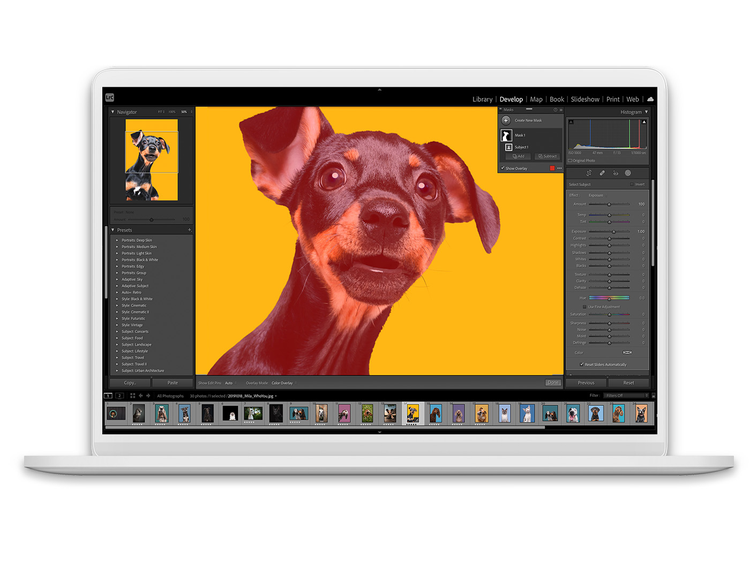
Adobe Lightroom edits and organizes photos across desktop, mobile, and web. Explore its cloud library, core editing tools, and how it differs from Classic.
Adobe Lightroom Classic is for desktop photo editing with local originals, catalog organization and detailed exports; compare it with cloud Lightroom.
Adobe Photoshop supports photo retouching, layered composites, illustration, and graphics. Review its AI tools, plans, credits, and desktop needs.
Adobe Photoshop Elements combines guided photo edits, AI tools and creative projects with Elements Organizer. Check the three-year license term before buying.
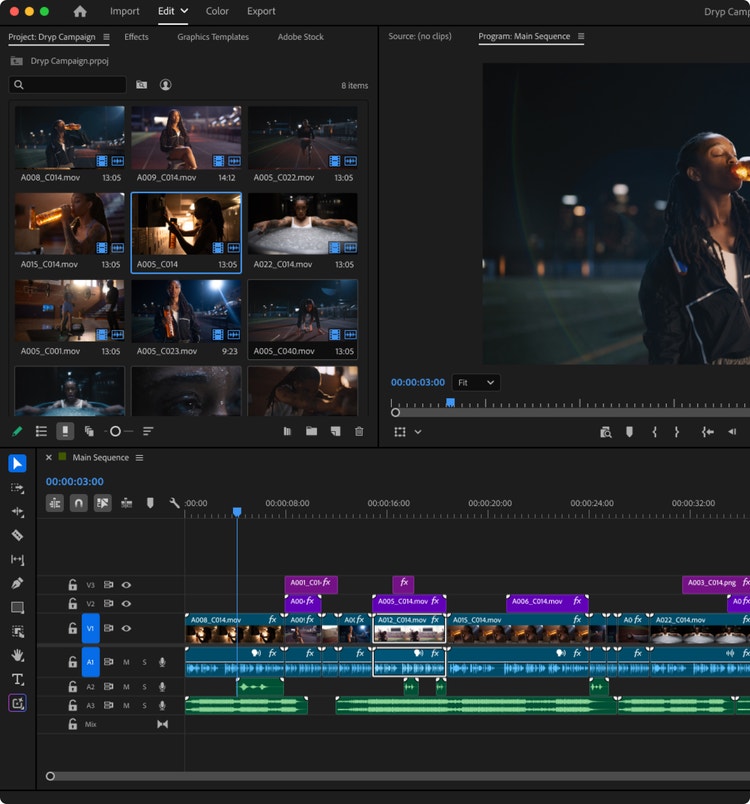
See what Adobe Premiere Elements 2027 offers: Guided Edits, smart trimming, AI title art and an Organizer, plus system requirements and license details.
Adobe Premiere Pro is a name used in plugin compatibility lists for Adobe Premiere, a desktop video editor with color and audio. Check system requirements.
Adobe Substance 3D Designer is a node editor for procedural textures, materials, patterns, and filters; it also bakes mesh maps and publishes SBSAR files.
Explore digital-clay sculpting, desktop and PC-connected VR, mesh import, and export in Adobe Substance 3D Modeler. Check the workflow against your setup.
Paint 3D textures on meshes with Adobe Substance 3D Painter. Use layers, smart masks and mesh-map baking, then export for games or rendering. Learn more.
Adobe Substance 3D Sampler turns photos and scans into 3D materials, textured meshes and HDR lights, with tools for blending and surface refinement.
Explore Adobe Substance 3D Stager's scene, material, camera, and rendering workflow. Check Adobe's announced transition to the new Dimension app.
Developer attribution comes from the linked product listings. Current product details are available on each product’s website. About our sources