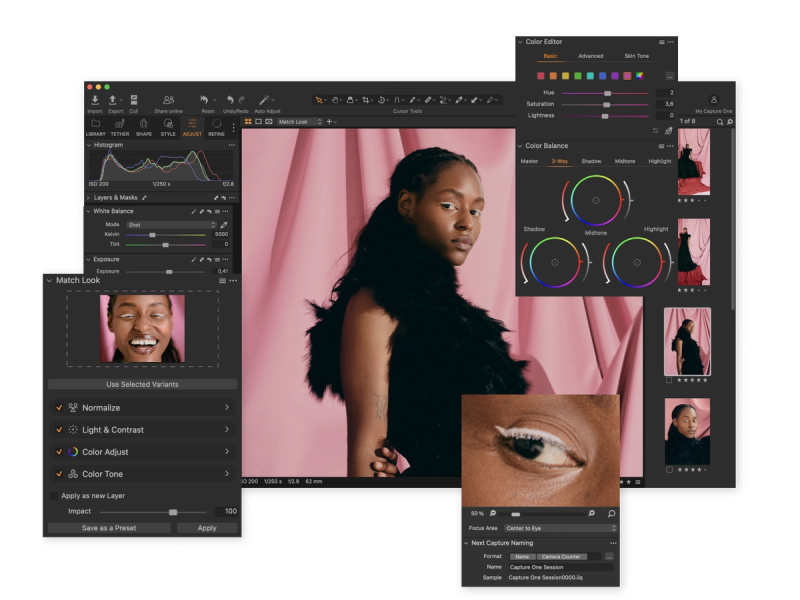
Adobe Lightroom is a photo editor and organizer for desktop, mobile, and web. Its cloud-based workflow lets you edit, organize, store, and share photos across devices, while keeping common adjustments and library tools in one place. It is a separate product from Lightroom Classic, so check which app your workflow or plugins require.
Edit and organize a photo library
Lightroom includes controls for exposure and color, along with built-in and custom presets that can be applied across photos. Its current feature list includes Adaptive Presets for editing parts of an image, Lens Blur for adding a portrait-style background effect, and Dust Removal for sensor dust. Assisted Culling can score photos for sharpness, focus, and open eyes; the photographer still chooses the final selects.
Adobe describes Lightroom’s library as searchable, which helps when sorting through a growing collection. The editing and organization tools can suit photographers who want to make adjustments, review a shoot, and find images from the same cross-device library. See Adobe’s Lightroom features and plan details.
Work across desktop, mobile, and web
Adobe presents Lightroom as a cloud-based service available across desktop, mobile, and web. Its product page lists 1 TB of cloud storage with the Lightroom plan shown there. Storage, billing terms, and included apps are plan details, so check Adobe’s current offer for your region before subscribing.
Lightroom and Lightroom Classic are separate apps
Lightroom is designed for a cloud-connected workflow across devices. Lightroom Classic is optimized for desktop use. Adobe’s comparison shows that Classic stores original files locally and supports multiple catalogs. In the Lightroom ecosystem, originals can be uploaded to the cloud, and local storage can be managed automatically. Adobe’s Lightroom plan listing includes Lightroom Classic, though the exact plan details should be checked before purchase.
Plugin compatibility also depends on the app. Adobe’s comparison lists third-party plugins for Lightroom Classic, while the Lightroom ecosystem entry specifies hardware-controller plugins. Check the plugin maker’s compatibility information for the exact product; support for Lightroom Classic does not establish support for Lightroom. Read Adobe’s Lightroom and Lightroom Classic feature comparison.
Who may prefer Adobe Lightroom?
Consider Lightroom if you want to edit and organize photos across desktop, phone, and browser, and use cloud storage as part of that workflow. Lightroom Classic may fit better if you rely on locally stored originals, multiple catalogs, or a plugin that supports Classic specifically. Before choosing a plan, confirm its storage allowance, app bundle, and compatibility with any required plugins.