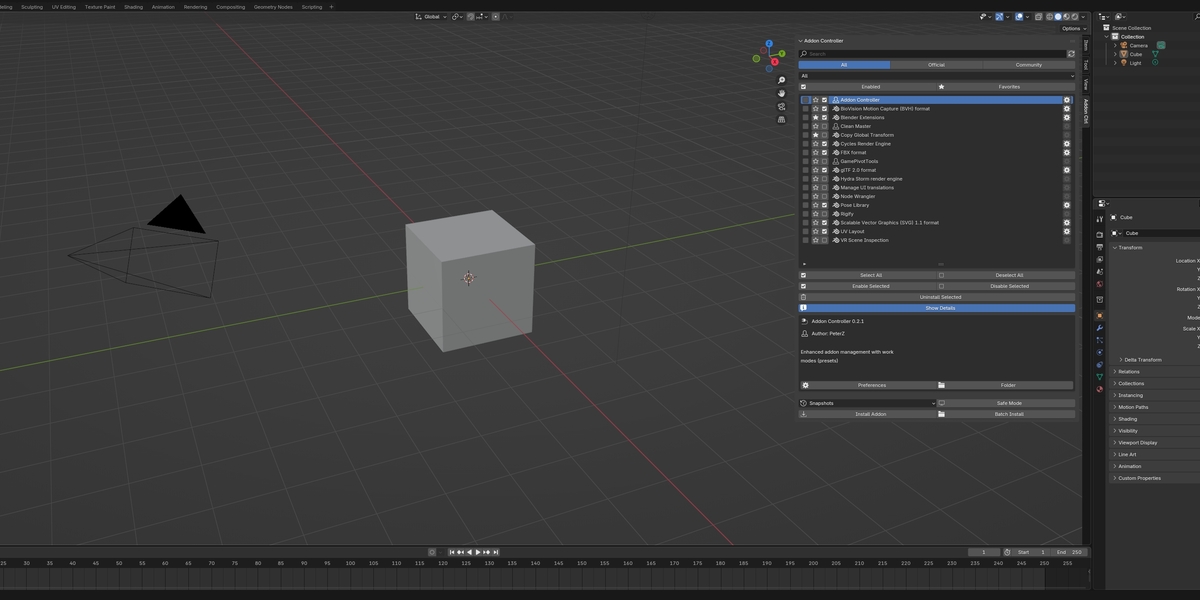
Addon Controller puts Blender add-on management in a panel in the 3D View sidebar. Each list entry can show an add-on’s name, author, version, and category, with visual cues for official and community add-ons. Toggle an individual add-on from its row, or open its details to view its description and keymaps.
Search and filter the add-on list
Enter part of an add-on name in the search box to narrow the list as you type. Filters can narrow it by category, enabled state, add-on type, or favorites; Enabled and Favorites cannot be active at the same time. You can mark frequently used add-ons as favorites, then use the favorites filter to find them again. The details panel has an add-on preferences shortcut when the add-on is enabled, a button to open its folder, and a documentation shortcut when the add-on provides a link.
Manage multiple add-ons
Checkboxes let you select several add-ons for batch actions. Enable or disable the selection, install multiple add-ons from a folder, or uninstall selected user-installed add-ons. Installation and uninstall actions include confirmation or status reporting. System and core add-ons are protected from uninstall, and core add-ons cannot be disabled. The developer’s batch operation instructions explain the confirmation steps and add-on protections.
Save configurations and troubleshoot
A snapshot records the currently enabled add-ons. Restoring it enables add-ons in that saved set and disables add-ons outside it. Snapshots can be named, renamed, reviewed, and deleted, which can help when switching between project setups.
Safe Mode saves the current enabled state, disables non-core add-ons for troubleshooting, and restores the previous state when you exit. To investigate slow startup, use the per-add-on timing control. It measures load time by disabling and re-enabling the add-on, so use it when that toggle will not interrupt your work. Keymap details can also show conflicts between add-ons.
Installation and compatibility
Install the downloaded add-on through Blender’s Edit > Preferences > Add-ons panel, enable Addon Controller in the add-on list, then open the 3D View sidebar with N and select the Addon Ctrl tab. The developer listing identifies GPL licensing and Blender versions 3.6–5.2; check it for current compatibility details before installing.