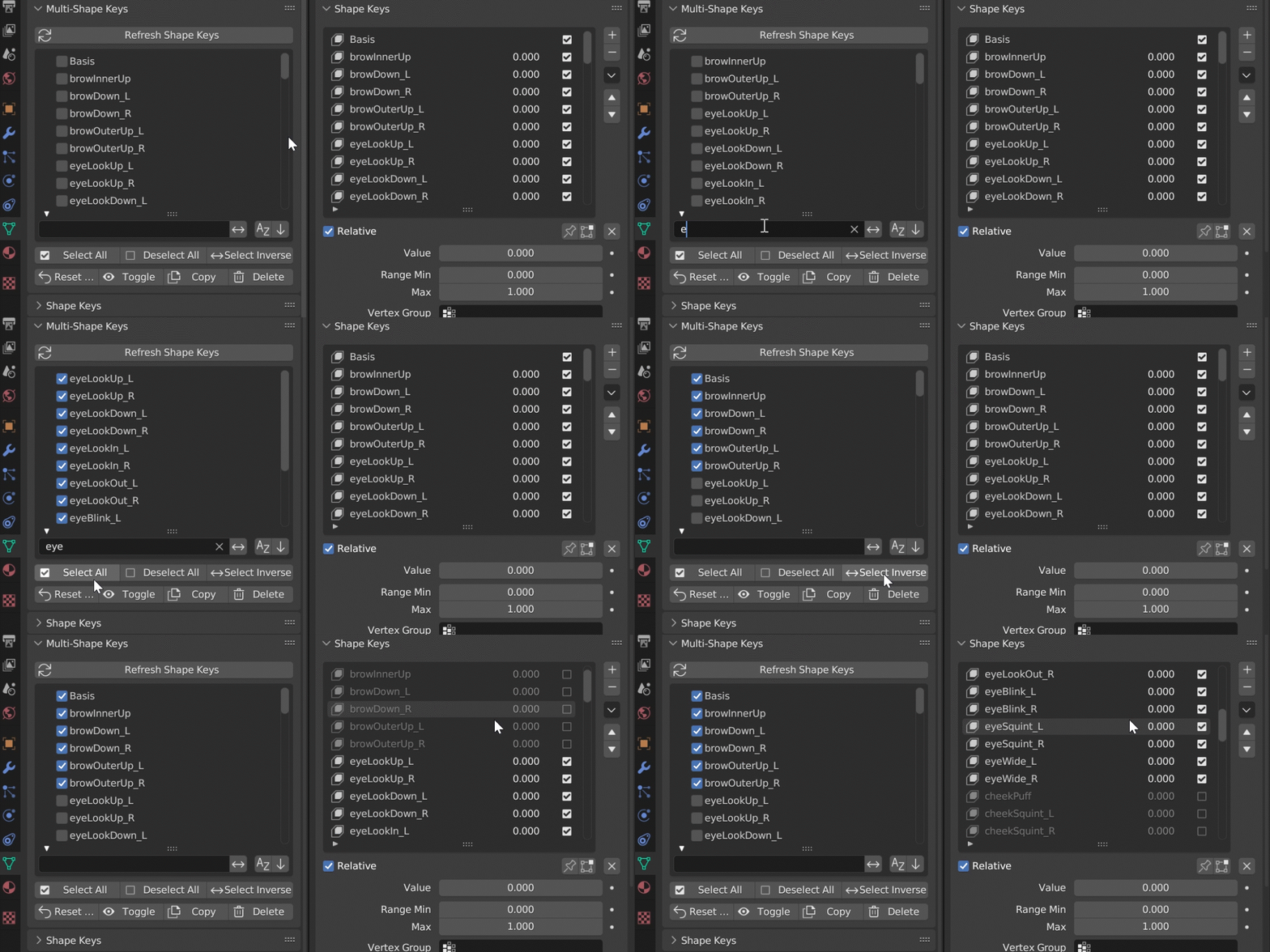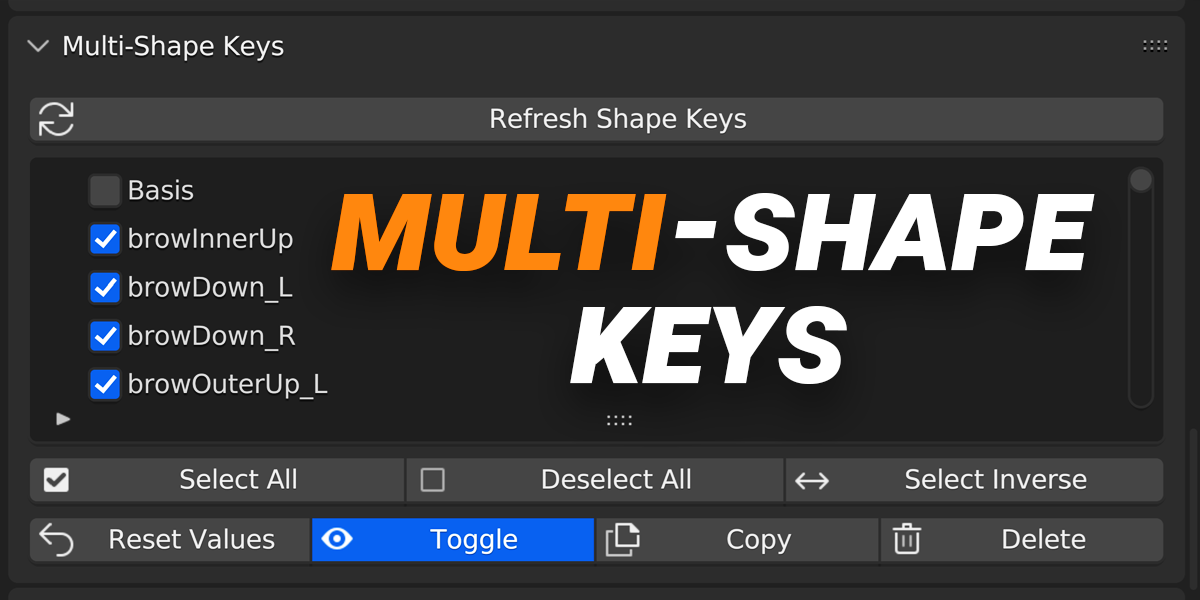
Multi-Shape Keys is a Blender add-on for managing shape keys across multiple selected objects. It combines filtering and selection controls with batch actions, which can help when editing facial rigs, imported characters, or models with many shape keys.
Select keys across objects
Use Select All, Deselect All, or Select Inverse to choose keys for batch actions across the selected objects, instead of editing each key one by one.
Apply common edits in batches
The add-on can mute or unmute selected keys, reset their values to 0, copy selected keys, delete selected keys, and rename keys with Batch Rename. Resetting values is useful when testing rigs or preparing models for export. Copy and Delete each handle multiple keys in a single step.
Multi-Shape Keys supports Blender-native shape key features. Its listed controls suit cleanup and adjustment work where repeated edits across a long shape key stack would otherwise take several individual actions.
Refresh after changes outside the panel
If you add or rename shape keys outside the Multi-Shape Keys panel, click Refresh to sync the panel.
Compatibility and license
The Superhive product listing identifies mkeyworks as the developer, lists Blender versions 3.0 to 5.0, and states the GPL license. Check the listing for current compatibility and license details.